
Using Penumbra to Offset Weapons on Idle Stance + Shield as Buckler
Required Programs
Before you start, make sure you have the Penumbra plugin for Dalamud (as well as using XIVLauncher to run Dalamud).
Steps
Step 1
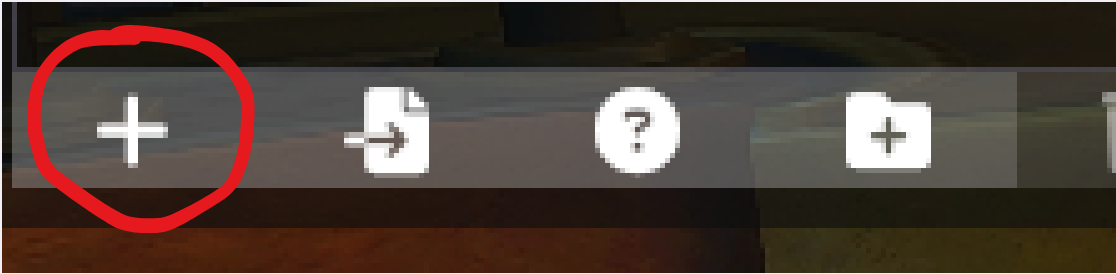
Make a new Mod, by pressing the + button. Enter a name, then press Enter.
Step 2
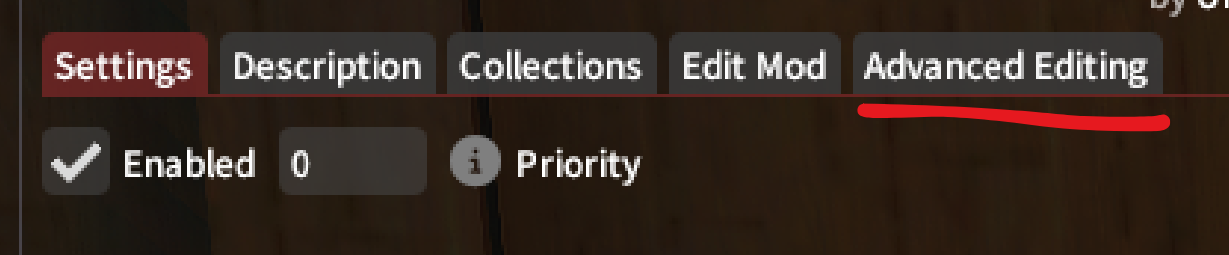
You now have a new mod. Enable the mod (on your own character), then go to Advanced Editing.
Step 3
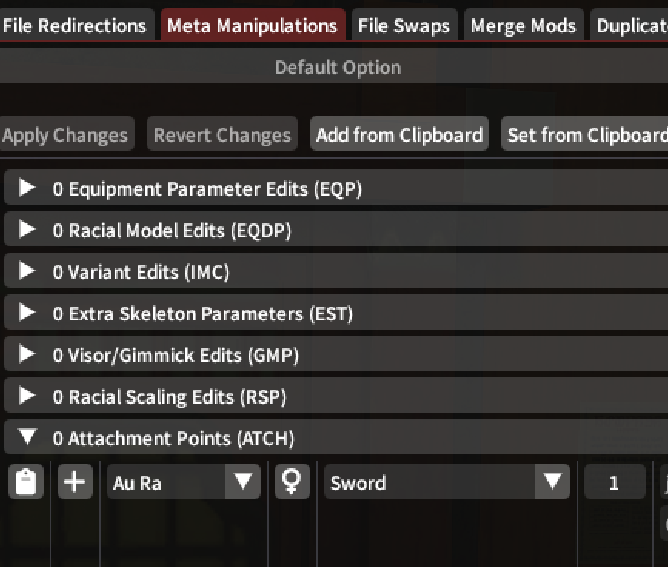
In the Advanced Editing window, select Meta Manipulations, then click "0 Attachment Points (ATCH)"
Step 4
In that tab, select the race and gender of your character (so you can see changes quickly), then click the weapon/tool that you want to edit (example will be using Gladiator/Paladin's Sword). Make sure the number next to the weapon is set to "1" which is the un-drawn state (if you pick "0" then it is the drawn state).
(If the weapon is not named, and only has three letters, refer to the ATCH Weapon Items Code List below)
ATCH Weapon Items Code List (Hips & Back Only) (up to patch 7.1)
Combat Jobs
| Job | Code | Item |
|---|---|---|
| Paladin (Gladiator) | swd | Sword (hips) |
| sld | Shield (back) | |
| Warrior (Marauder) | 2ax | Greataxe (back) |
| Dark Knight | 2sw | Greatsword (back) |
| Gunbreaker | 2gb | Gunblade (back) |
| Dragoon (Lancer) | 2sp | Spear (back) |
| Reaper | 2km | Scythe (back) |
| Monk (Pugilist) | cls, clw | Claw (hips) |
| Samurai | 2kt | Katana (hips) |
| ksh | Samurai Sheath (hips) | |
| Ninja (Rogue) | dgr | Dagger (hips) |
| Viper | bld, bld2 | Twinfangs (back) |
| Bard (Archer) | 2bw | Bow (back) |
| qvr | Quiver (back) | |
| Machinist | 2gn | Gun (back) |
| bag | Machinist Bag (hips) | |
| Dancer | chk | Chakram (hips) |
| Black Mage, White Mage (Thaumaturge, Conjurer) | 2st | Greatstaff (back) |
| stf | Staff (hips) [single hand staffs, 1.0-2.0 content] | |
| Summoner, Scholar (Arcanist) | 2bk | Book (hips) |
| Red Mage | 2rp | Rapier (hips) |
| orb | Red Mage Focus (hips) | |
| Blue Mage | rod | Blue Mage Rod (hips) |
| Astrologian | 2gl | Globe (back) |
| crd | Astrologian Deck (hips) | |
| Sage | 2ff | Nouliths (back) |
| Pictomancer | brs | Brush (back) |
| plt | Paint pad (hips) |
Crafting Jobs
| Job | Code | Position |
|---|---|---|
| Carpenter | awo | back |
| saw | hips | |
| Blacksmith & Armorer | hmm | hips |
| aar, abl | back | |
| Goldsmith | agl | back |
| mlt | hips | |
| Leatherworker | alt | back |
| fry | hips | |
| Weaver | ase | back |
| tmb | hips | |
| Alchemist | aai, aal | back |
| ali, alm | hips | |
| Culinarian | aco | back |
| fry | hips |
Gathering Jobs
| Job | Code | Position |
|---|---|---|
| Miner | pic | back |
| Botanist | htc | back |
| Fisher | fsh | back |
Step 5
When ready, hit the + button next to that entry, then a new line will appear below. The values are now lit up and can be changed.

Step 6
There are 8 things you can now change:
- The first one is the parent bone, which means where the weapon is placed while in standing idle (in state 1). You would change this if you want to place the weapon somewhere else on your character's body in sheathed position (such as arm, back, etc), you will need to enter in the exact Bone name.
- The three numbers to the right of that are X, Y, and Z coordinates of the weapon, relative to that bone.
- The number below the parent bone is the size of the weapon in that state.
- The three numbers to the right of the size button are the rotation of the weapon in an X, Y, and Z axis.
Step 7
Change one number, starting on the Offset X-Coordinate, and change value by 0.1 (for testing). Click Apply Changes, then back on the main Penumbra Window, at the bottom where it says Redraw, hit "All" or "Self."
Step 8
Your character should disappear, then reappear in a second or less. The weapon should now have moved a bit from default.
Step 9
With the Advanced Editing window still open, change that value(s) you change, as well as any other value, by repeating Step 8, until you are satisfied with that Weapon Offset.
Optional: Export as .pmp file
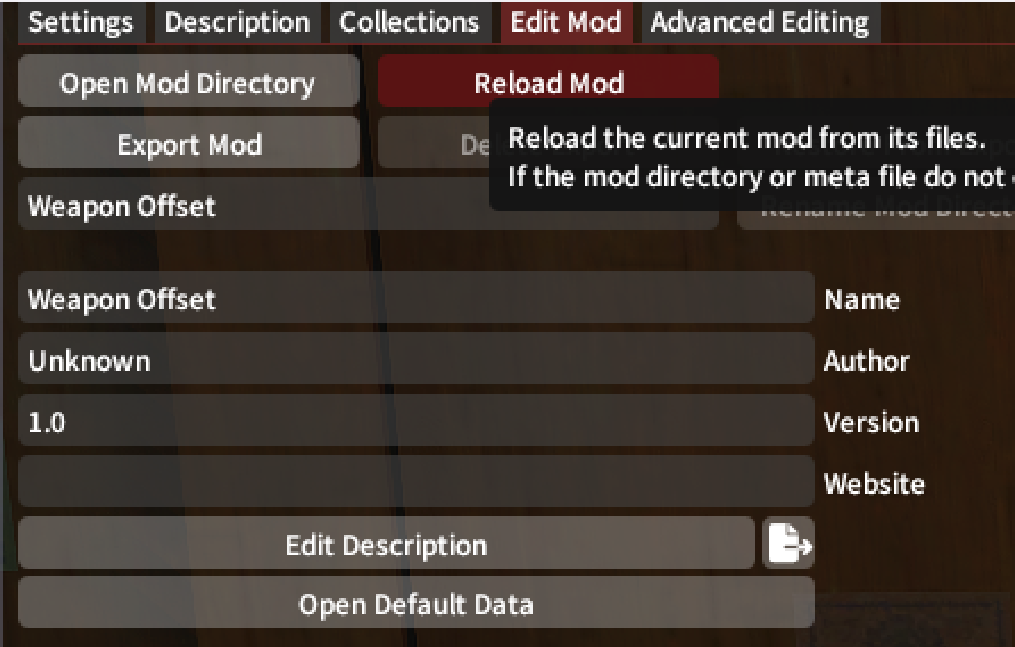
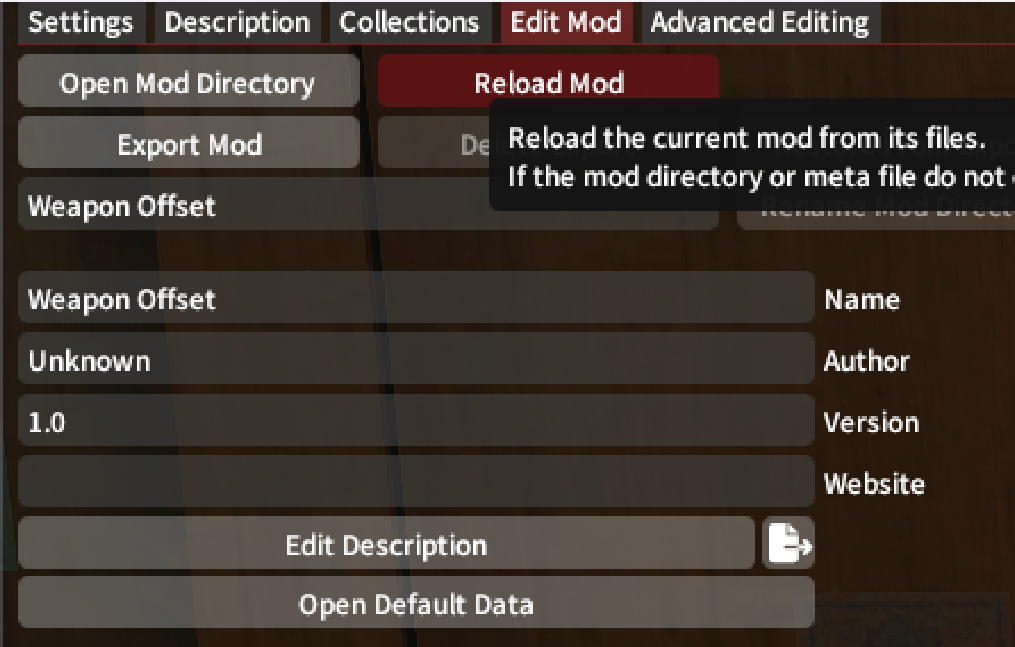
To save your edits as a .pmp file, go back to the main penumbra window, and under that mod you just made, click Edit Mod, change the Name, Author, Version, etc. and then click Export Mod. The file should save at the location when you hover over the Export Mod button.
 Step 10
To change another weapon, go back to the first line under Attachment Points (not the one you changed, the one above it), change the Weapon to something else, then click the + button to add.
Shield as Buckler
For Paladins/Gladiators, if you want to change the shield to be a buckler change the following:
- Change parent bone from
j_buki_sebo_ltoj_ude_b_l - I would recommend changing the size to half (example Au Ra Female: from "0.75" to "0.375")
- Please see sheet for Offset and Rotation adjustments.
- Use State 1 if you want to change idle, and State 0 for when weapon is drawn/fighting stance.
Notes
- Not all races/gender will share the same exact values for 1 weapon, will need to adjust for each if planning to do all.
- Hand collisions will occur on idle positions. Move the weapon again if it bothers you.
- Using Change Pose can make some weapons look further out/in. I tested with the standard idle position (arms straight down).
- If you use Customize+, you will need to adjust for that (load your C+ setting for your character before adjusting weapons). Apparently C+ also has weapon adjustment parameters, but was not working at the time of this writing.
- Crafting main tools will either have a side hip tool or a back tool position. (If you need to test back tools, use Glamourer and switch to an Aesthete tools)
- This guide is for adjusting weapon positions on the idle position. For drawn and everything else, I think you would need to adjust the other States (personally have not tried this).
Warning
WHEN A NEW PATCH THAT INTRODUCES A NEW JOB, YOU MAY HAVE TO START OVER, AS SAVED WORKSPACES OR ATCH FILES MAY NOT WORK! Loading an old file causes new weapons to disappear, as there were no values before the new patch with a new job. Unknown if this will change in future VFXEditor releases. Save numbers in a spreadsheet for easy access. (This was for the VFXEditor method, may not apply for this Penumbra method)
Thanks
Saenomaed: For teaching me this technique on adjusting weapons (the old VFXEditor method).
by Req Rider
ported to the Wiki By Stoia
last update 24.02.2025
ATCH Weapon Codes List
ATCH Weapon Items Code List
Paladin (Gladiator)
swd -Sword (hips)
sld -Shield (back)
Warrior (Marauder)
2ax -Greataxe (back)
Dark Knight
2sw -Greatsword (back)
Gunbreaker
2gb -Gunblade (back)
Dragoon (Lancer)
2sp -Spear (back)
Reaper
2km -Scythe (back)
ebz -Reaper Shroud (none)
Monk (Pugilist)
cls, clw -Claw (hips)
clg -Glove (none)
Notes: I found cls may work rather than clw, like with tonfa weapons
Samurai
2kt -Katana (hips)
ksh -Samurai Sheath (hips)
Ninja (Rogue)
dgr, (dge) -Dagger (hips)
frg -Ninja Frog (none)
rbt -Ninja Rabbit (none)
Notes: dge may not affect daggers, have not found a use
Bard (Archer)
2bw -Bow (back)
qvr -Quiver (back)
flt -Flute (none)
hrp -Harp (none)
Machinist
2gn -gun (back)
bag -Machinist Bag (hips)
msg -Machinist Shotgun (back)
mwp -Machinist Cannon (back)
gsl -Machinist Deployable (none)
syl -Machinist Sniper (none)
Notes: Shotgun and Cannon are normally deployed quickly, may not need to adjust these
Dancer
chk -Chakram (hips)
Black Mage, White Mage (Thaumaturge, Conjurer)
2st -Greatstaff (back)
stf -Staff (hips) [single hand staffs, 1.0, 2.0 content]
Summoner, Scholar (Archanist)
2bk -Book (hips)
Red Mage
2rp -Rapier (hips)
orb -Red Mage Focus (hips)
Blue Mage
rod -Blue Mage Rod (hips)
Astrologian
2gl -Globe (back)
crd -Astrologian Deck (hips)
Sage
2ff -Nouliths (back)
Viper
bld, bld2 -Twinfangs (back)
Pictomancer
brs -Brush (back)
plt -Paint Pad (hips)
Carpenter
awo (back)
saw (hips)
csl, csr (none)
Blacksmith
hmm (hips)
Armorer
aar, abl (back)
hmm (hips)
ytk (none)
Goldsmith
agl (back)
mlt (hips)
tbl, tgn (none)
Leatherworker
alt (back)
fry (hips)
prf (none)
Weaver
ase (back)
tmb (hips)
ndl, whl (none)
Alchemist
aai, aal (back)
ali, alm (hips)
mrb, mrh (none)
Culinarian
aco (back)
fry (hips)
stv (none)
Miner
pic (back)
Botanist
htc (back)
nph (none)
Fisher
fsh (back)
fha (none)
sic (none)
Unknown:
Hips -rap, gun, yt2, ytc
Back -sht
None -atr, avt, col, cor, cos, crr, drm, egp, elg, fcb, fch, fdr, fl2, fud, gdb, gdh, gdl, gdr, gdt, gdw, gsr, hel, let, lpr, nik, oum, pen, sxw, syr, syu, tcs, trm, trr, trw, vln, wng, ypd
Think this needs to be updated or I'm doing something wrong. When i export and then add it to my mod list. No changes occur.
In reply to #1
Pretty sure this still works pretty much the exact same way. I just recently did it again, though I dont follow the guide anymore, the process is still the same.
Exporting definitely doesn't work with Penumbra v1.3.4.0 and VFXEditor v1.9.1.4
For reproduction: I'm trying to change the fem hrothgar GNB position. I saved a workspace, exported it by clicking all the fields available (as well as just the atch field or none), import it into penumbra, restarted the game 5x, enabled and disabled vfxeditor multiple times, deleted the exported .pmp file multiple times in order to ensure a full fresh re-import by Penumbra, nothing works.
The only way to see the changes is by running vfxeditor locally and keep it running forever, and only you will be able to see it, no one else.
//edit: It seems to be a penumbra issue https://github.com/xivdev/Penumbra/issues/470
In reply to #3
Welp Guess this will need to be updated to use Meta Manipulations then, funny that I literally uploaded a mod like this in mid January XD
No comments to display
No comments to display