# Step 3: Upscaling & Weighting

Now we've made it!

# Differences Between Modded Upscaling & Vanilla Upscaling

<span style="font-size: 11pt; font-family: Arial,sans-serif; color: #000000; background-color: transparent; font-weight: 400; font-style: normal; font-variant: normal; text-decoration: none; vertical-align: baseline; white-space: pre-wrap;">I AM NOT EXPLAINING THE PROCESS OF UPSCALING COMPLETELY.</span>

<span style="font-size: 11pt; font-family: Arial,sans-serif; color: #000000; background-color: transparent; font-weight: 400; font-style: normal; font-variant: normal; text-decoration: none; vertical-align: baseline; white-space: pre-wrap;">Please use Zizi’s guides or other text guides to learn how to upscale!</span><span style="font-size: 11pt; font-family: Arial,sans-serif; color: #000000; background-color: transparent; font-weight: 400; font-style: normal; font-variant: normal; text-decoration: none; vertical-align: baseline; white-space: pre-wrap;">  
</span><span style="font-size: 11pt; font-family: Arial,sans-serif; color: #000000; background-color: transparent; font-weight: 400; font-style: normal; font-variant: normal; text-decoration: none; vertical-align: baseline; white-space: pre-wrap;">(If you need a link, here is Zizi’s video guide: </span>

[<span style="font-size: 11pt; font-family: Arial,sans-serif; color: #1155cc; background-color: transparent; font-weight: 400; font-style: normal; font-variant: normal; text-decoration: underline; -webkit-text-decoration-skip: none; text-decoration-skip-ink: none; vertical-align: baseline; white-space: pre-wrap;">https://youtube.com/playlist?list=PL3e-oUmTt\_uFFsf3mY46FNtUHGYW2\_PAc&amp;si=dUxmHDtQgHybceOB</span>](https://youtube.com/playlist?list=PL3e-oUmTt_uFFsf3mY46FNtUHGYW2_PAc&si=dUxmHDtQgHybceOB)<span style="font-size: 11pt; font-family: Arial,sans-serif; color: #000000; background-color: transparent; font-weight: 400; font-style: normal; font-variant: normal; text-decoration: none; vertical-align: baseline; white-space: pre-wrap;">)</span>

<span style="font-size: 11pt; font-family: Arial,sans-serif; color: #000000; background-color: transparent; font-weight: 400; font-style: normal; font-variant: normal; text-decoration: none; vertical-align: baseline; white-space: pre-wrap;">But we’re finally at the point where you can do these things!! So go ahead and upscale your outfit as normal.</span>

<span style="font-size: 11pt; font-family: Arial,sans-serif; color: #000000; background-color: transparent; font-weight: 400; font-style: normal; font-variant: normal; text-decoration: none; vertical-align: baseline; white-space: pre-wrap;">The only difference: </span><span style="font-size: 11pt; font-family: Arial,sans-serif; color: #000000; background-color: transparent; font-weight: bold; font-style: normal; font-variant: normal; text-decoration: none; vertical-align: baseline; white-space: pre-wrap;">MAKE SURE YOU UPSCALE ON THE BASIS SHAPE KEY</span><span style="font-size: 11pt; font-family: Arial,sans-serif; color: #000000; background-color: transparent; font-weight: 400; font-style: normal; font-variant: normal; text-decoration: none; vertical-align: baseline; white-space: pre-wrap;"> (as in, select the shape key named “Basis” in your shapekey menu, right beneath your list of weights. If you upscale on the others…you will not change what you need to and instead will be changing things ON that shapekey, which will be very tragic when you get it in game to test.</span>

<span style="font-size: 9pt; font-family: Arial,sans-serif; color: #000000; background-color: transparent; font-weight: 400; font-style: normal; font-variant: normal; text-decoration: none; vertical-align: baseline; white-space: pre-wrap;">I may have done that while writing this guide and needed to begin this step again.</span>

<span style="font-size: 11pt; font-family: Arial,sans-serif; color: #000000; background-color: transparent; font-weight: 400; font-style: normal; font-variant: normal; text-decoration: none; vertical-align: baseline; white-space: pre-wrap;">IF WHILE UPSCALING you find that you just NEED MORE POLYS feel free to jump back up and repeat Step 2 to get more polys, smooth out those new polys, and keep going.</span>

<span style="font-size: 11pt; font-family: Arial,sans-serif; color: #000000; background-color: transparent; font-weight: 400; font-style: normal; font-variant: normal; text-decoration: none; vertical-align: baseline; white-space: pre-wrap;">Remember here that you’re finally going out of the area in which fixes to the mesh are EASY and can quickly be solved, so only upscale when you’re good &amp; ready to go.</span>

<span style="font-size: 11pt; font-family: Arial,sans-serif; color: #000000; background-color: transparent; font-weight: bold; font-style: normal; font-variant: normal; text-decoration: none; vertical-align: baseline; white-space: pre-wrap;">The only thing you cannot do with vanilla upscales (if you want to preserve the shape keys) is use the Shrinkwrap modifier or Mirror modifier.</span>

<span style="font-size: 11pt; font-family: Arial,sans-serif; color: #000000; background-color: transparent; font-weight: 400; font-style: normal; font-variant: normal; text-decoration: none; vertical-align: baseline; white-space: pre-wrap;">By default, Blender will not allow you to use certain modifiers with shape keys, and Shrinkwrap and Mirror are two. </span><span style="font-size: 11pt; font-family: Arial,sans-serif; color: #000000; background-color: transparent; font-weight: bold; font-style: normal; font-variant: normal; text-decoration: none; vertical-align: baseline; white-space: pre-wrap;">If you remove the shape keys here, you will need to add them back in later on after everything is done</span><span style="font-size: 11pt; font-family: Arial,sans-serif; color: #000000; background-color: transparent; font-weight: 400; font-style: normal; font-variant: normal; text-decoration: none; vertical-align: baseline; white-space: pre-wrap;"> and your outfit is looking pretty. I’ll make a general guide to how to do that in “Final Touches.”</span>

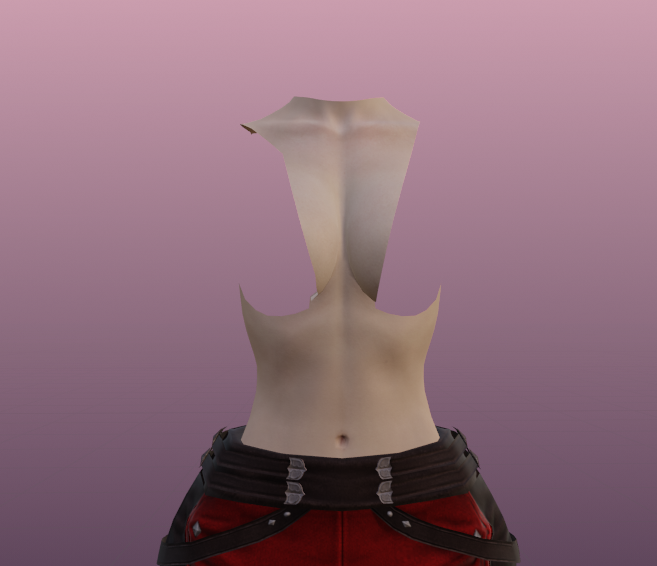
<span style="font-size: 11pt; font-family: Arial,sans-serif; color: #000000; background-color: transparent; font-weight: 400; font-style: normal; font-variant: normal; text-decoration: none; vertical-align: baseline; white-space: pre-wrap;">Don’t forget the amazing part of vanilla: </span><span style="font-size: 11pt; font-family: Arial,sans-serif; color: #000000; background-color: transparent; font-weight: 400; font-style: italic; font-variant: normal; text-decoration: none; vertical-align: baseline; white-space: pre-wrap;">if you can’t see the skin, feel free to yeet the skin.</span>

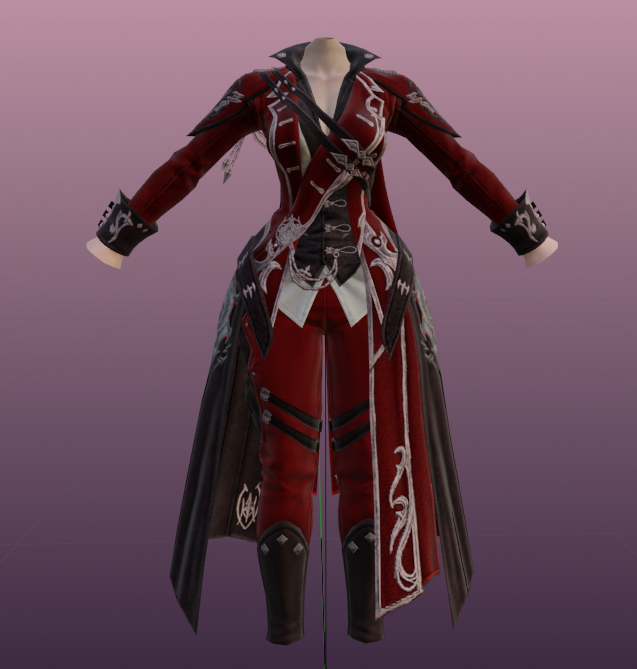
<span style="font-size: 11pt; font-family: Arial,sans-serif; color: #000000; background-color: transparent; font-weight: 400; font-style: normal; font-variant: normal; text-decoration: none; vertical-align: baseline; white-space: pre-wrap;">For my RDM coat, I am only leaving the front of the torso and the neck, and removing the back and arms.</span>

[![image16.png](https://xivmodding.com/uploads/images/gallery/2024-08/scaled-1680-/BUmnG06W2uClDsd4-image16.png)](https://xivmodding.com/uploads/images/gallery/2024-08/BUmnG06W2uClDsd4-image16.png)

[![image40.png](https://xivmodding.com/uploads/images/gallery/2024-08/scaled-1680-/kkBtdAg61bjHRfhN-image40.png)](https://xivmodding.com/uploads/images/gallery/2024-08/kkBtdAg61bjHRfhN-image40.png)
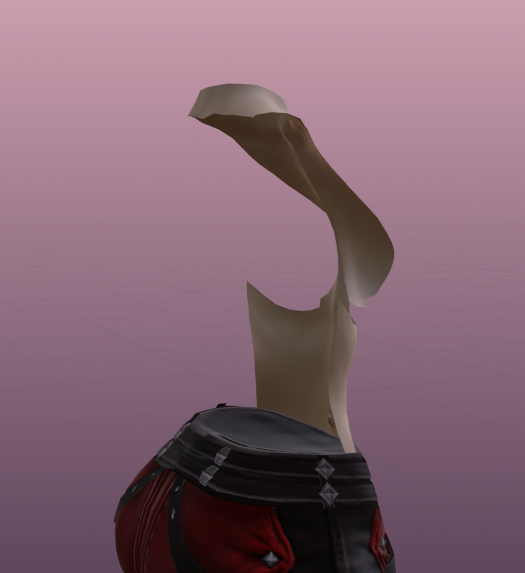
<span style="font-size: 11pt; font-family: Arial,sans-serif; color: #000000; background-color: transparent; font-weight: 400; font-style: normal; font-variant: normal; text-decoration: none; vertical-align: baseline; white-space: pre-wrap;">I previously upscaled the pants, so we’re looking PRETTY BIMBO now with everything done!</span>

[![image17.png](https://xivmodding.com/uploads/images/gallery/2024-08/scaled-1680-/lhj7V1J7sm5HlYIr-image17.png)](https://xivmodding.com/uploads/images/gallery/2024-08/lhj7V1J7sm5HlYIr-image17.png)

<span id="bkmrk--4" style="font-size: 11pt; font-family: Arial,sans-serif; color: #000000; background-color: transparent; font-weight: 400; font-style: normal; font-variant: normal; text-decoration: none; vertical-align: baseline; white-space: pre-wrap;"></span>