How to assign materials in Textools
Short and simple guide on assigning materials in textools, since every guide I've found expects you to know all this. I won't be teaching penumbra as I'm sure there is a guide out there for that, and I'm not comfortable with using penumbra's UI for it. Sorry.
Step 0- Prep and figuring out your mesh groups.
In order to assign materials, you need to know what mesh group is what so you can assign them correctly. I will be showing on vanilla clothing, as it already has a mesh separated into groups, but this works for anything. You should always be working in SAFE mode and in a transaction when working in textools.
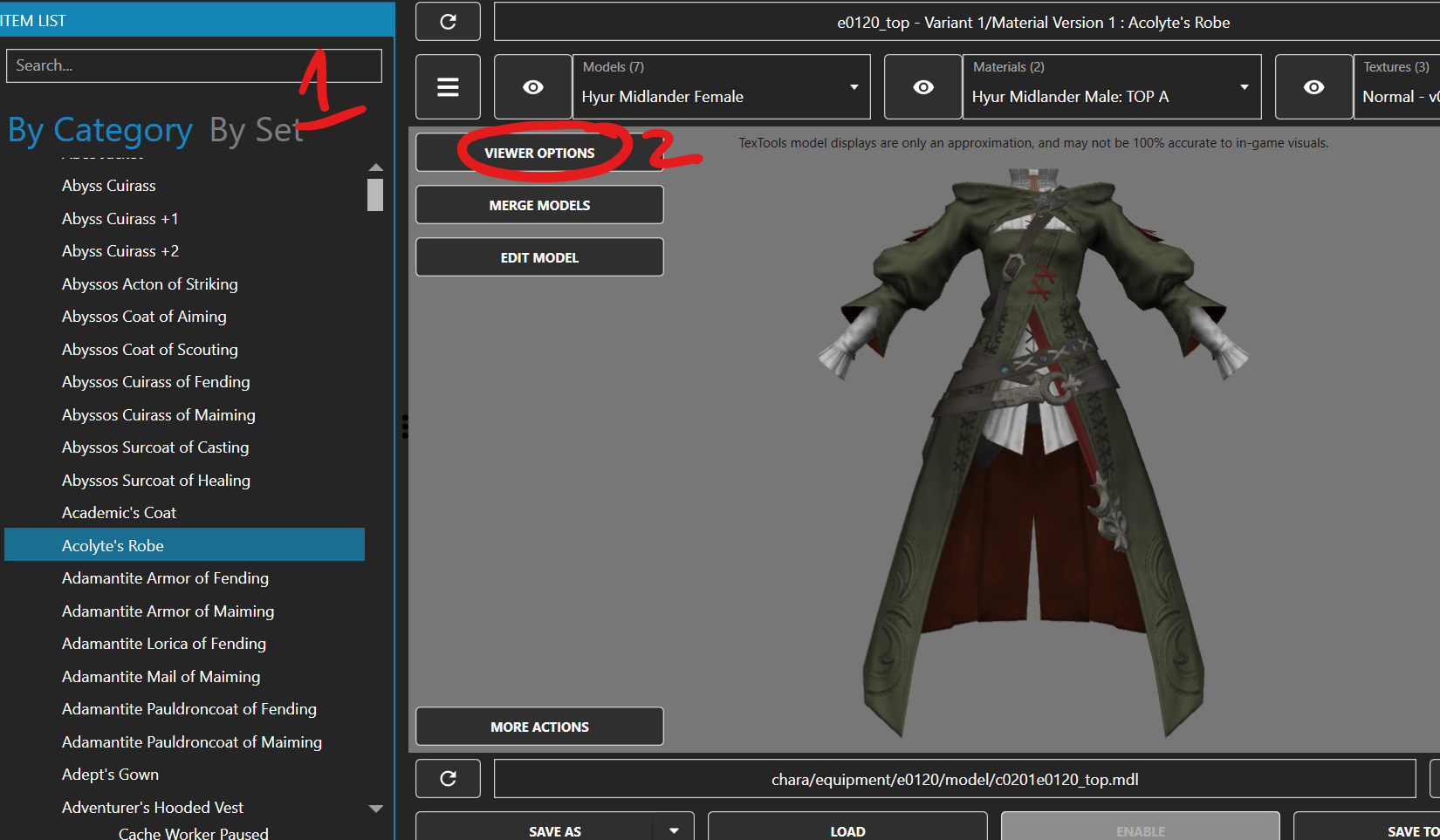
1- Find your item or the item a mod is affecting. this will generally be by name in the by category tab
2- click "viewer options"
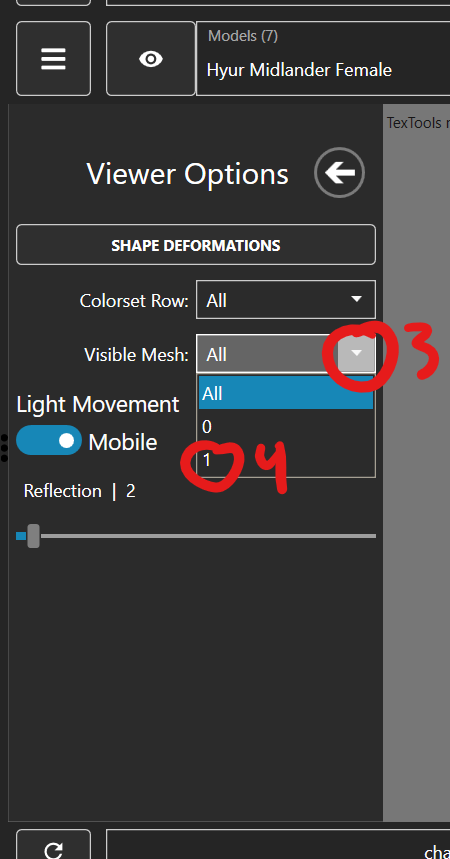
3- Click the arrow next to visible mesh
4- click a number
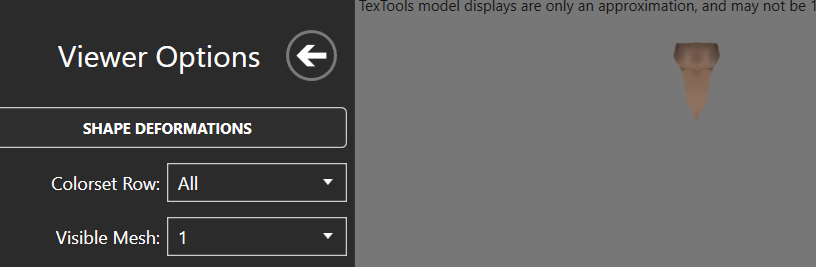
Whatever is included in that mesh will show and everything else will be hidden.
5- repeat for all other parts if there is more than 2, and write down what is what.
Step 1- Assigning the material
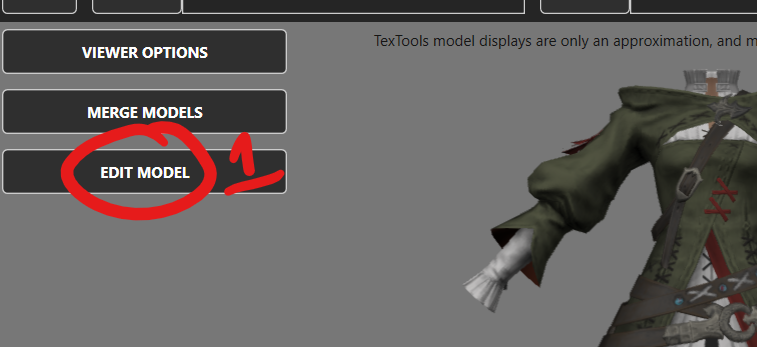
1- click "edit model"
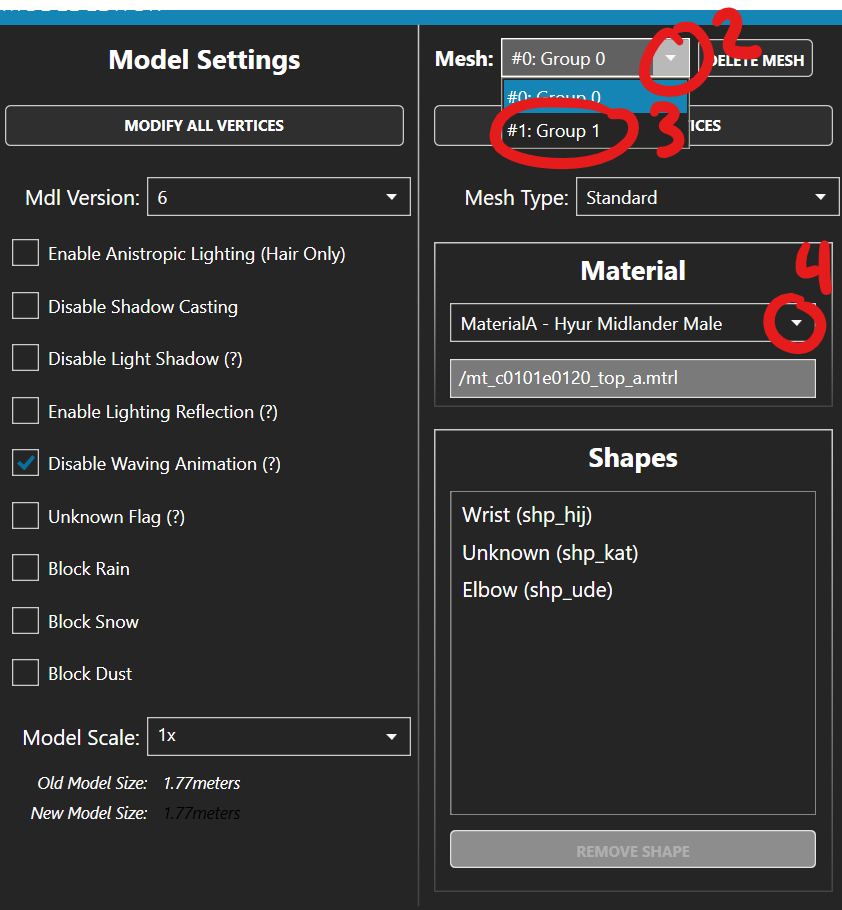
2- Click the arrow next to mesh: group 0 (if you are not editing group 0)
3- Click the group you want to change (if you are not editing group 0)
4- Click the arrow next to the existing material
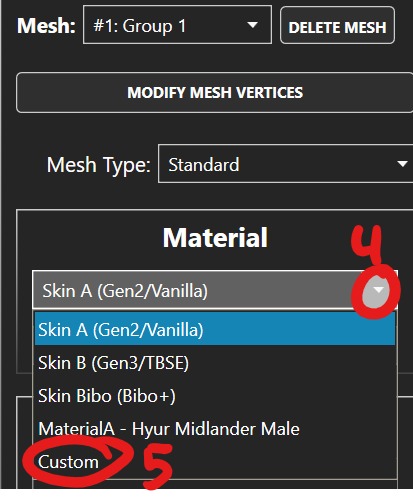
5- Click the material you want to add. if the material is already in the dropdown, click that. If the material is not, click "custom"
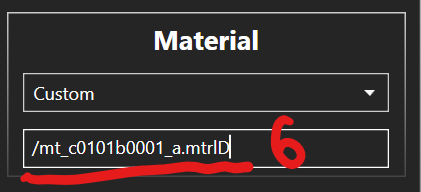
6- copypaste or type the material path you want. If it's not an existing material that you made beforehand or are borrowing from another item, you will have to make one on the materials tab. This guide will not cover that.
7- Hit "confirm" at the bottom right.
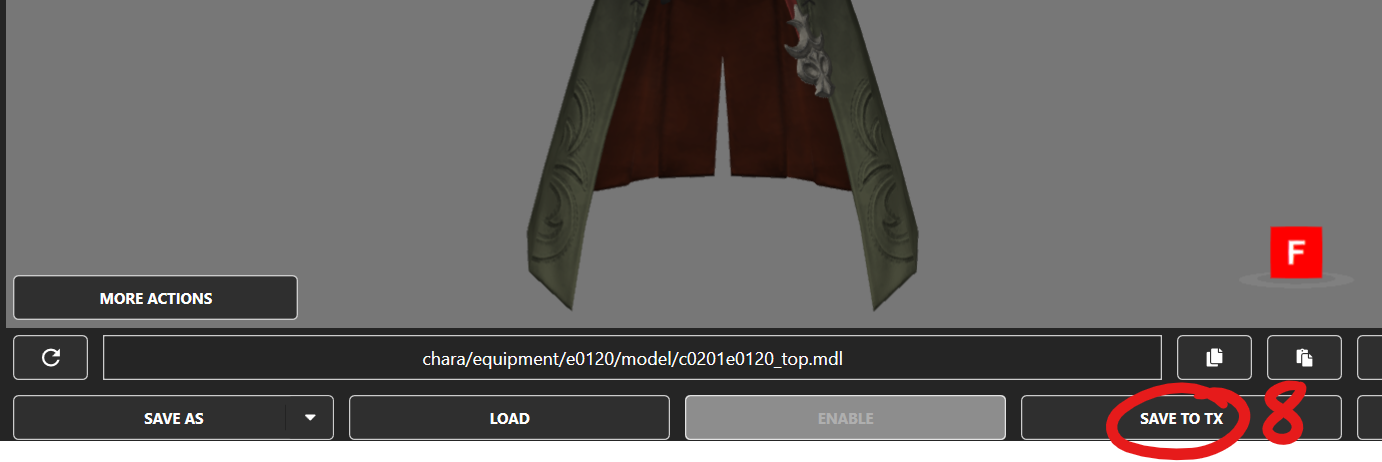
8- Hit "save to TX" at the bottom.
9- Pack as normal using your preferred modpacking method. I will not be explaining this here.
That is how you assign materials in textools. I feel like creating a new material and assigning textures is fairly self-explanitory if you're willing to click around, but if a simple non-video guide doesn't exist for that, then I can make one in the future, if people need it.