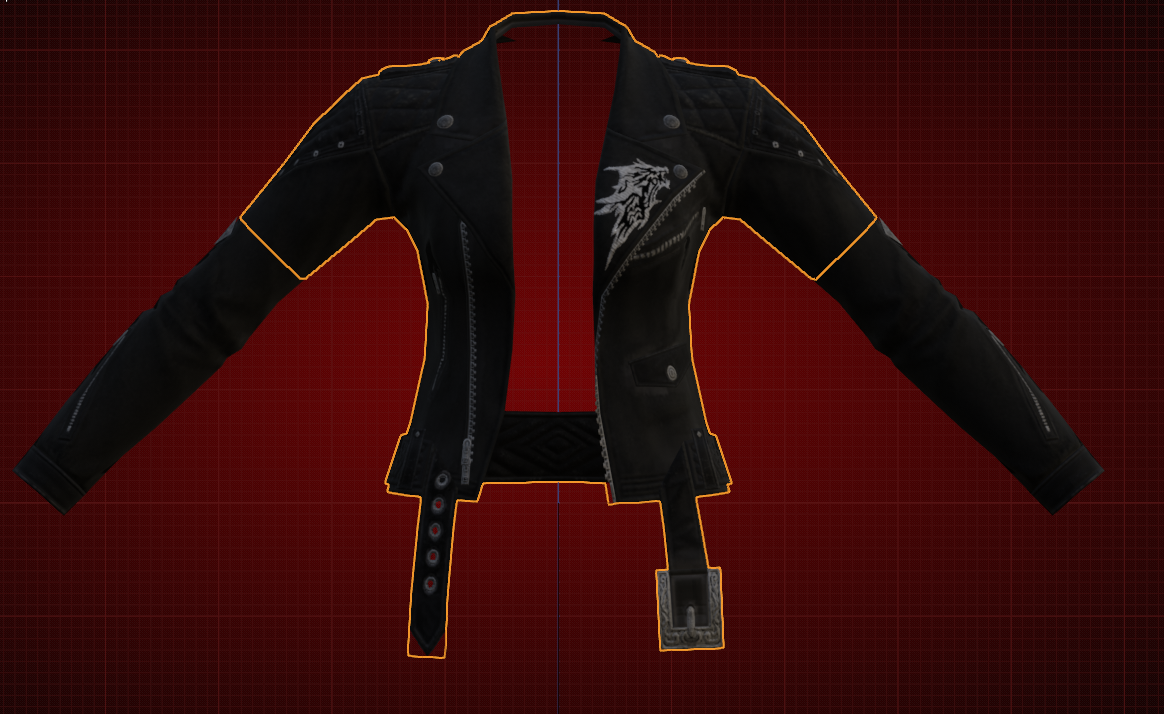
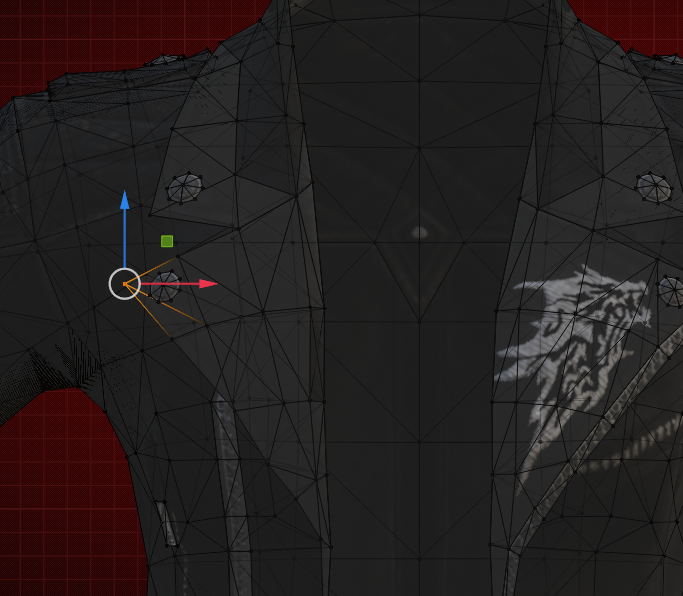
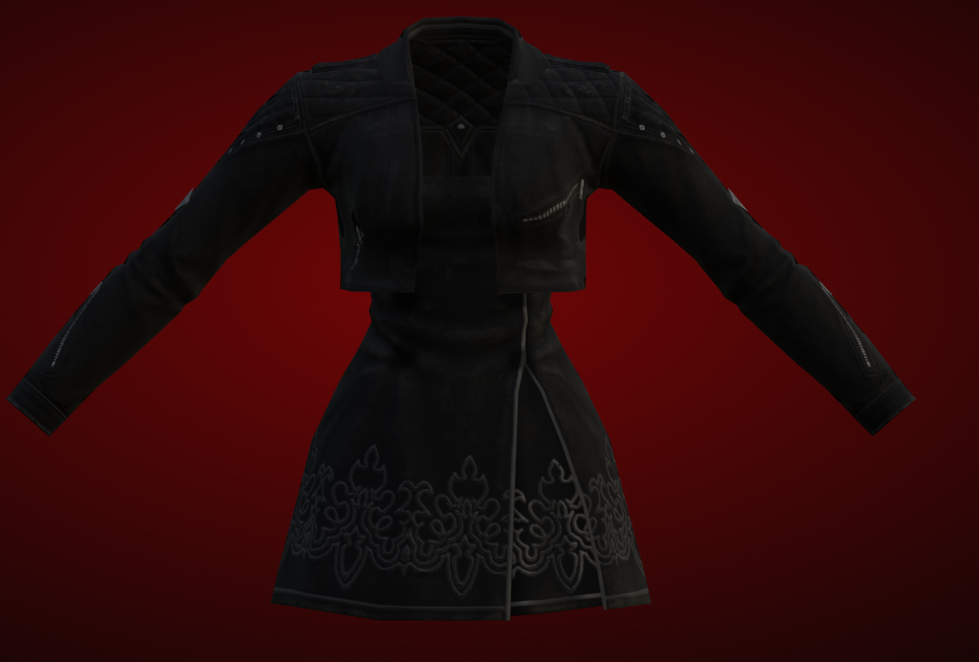
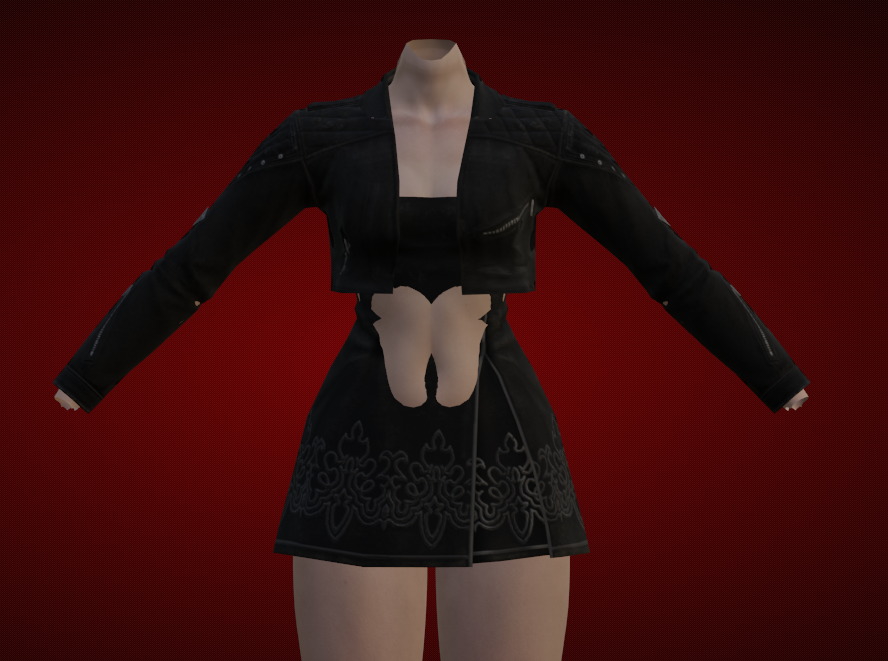
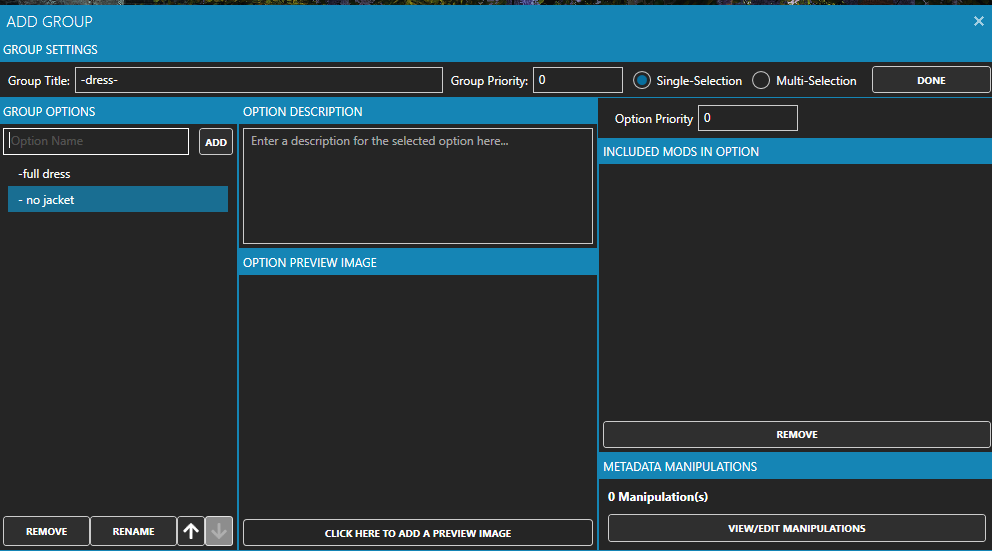
# 7.0 Mashup Walkthrough

# <span style="font-size: 20pt; font-family: Arial,sans-serif; color: #000000; background-color: transparent; font-weight: 400; font-style: normal; font-variant: normal; text-decoration: none; vertical-align: baseline; white-space: pre-wrap;">Intro</span>

- <span style="font-size: 13.999999999999998pt; font-family: Arial,sans-serif; color: #434343; background-color: transparent; font-weight: 400; font-style: normal; font-variant: normal; text-decoration: none; vertical-align: baseline; white-space: pre-wrap;">Installing TexTools</span>
    - [<span style="font-size: 11pt; font-family: Arial,sans-serif; color: #1155cc; background-color: transparent; font-weight: 400; font-style: normal; font-variant: normal; text-decoration: underline; -webkit-text-decoration-skip: none; text-decoration-skip-ink: none; vertical-align: baseline; white-space: pre-wrap;">https://www.ffxiv-textools.net/</span>](https://www.ffxiv-textools.net/)
    - [<span style="font-size: 11pt; font-family: Arial,sans-serif; color: #1155cc; background-color: transparent; font-weight: 400; font-style: normal; font-variant: normal; text-decoration: underline; -webkit-text-decoration-skip: none; text-decoration-skip-ink: none; vertical-align: baseline; white-space: pre-wrap;">https://discord.com/invite/ffxivtextools</span>](https://discord.com/invite/ffxivtextools)<span style="font-size: 11pt; font-family: Arial,sans-serif; color: #000000; background-color: transparent; font-weight: 400; font-style: normal; font-variant: normal; text-decoration: none; vertical-align: baseline; white-space: pre-wrap;"> </span>
- <span style="font-size: 11pt; font-family: Arial,sans-serif; color: #000000; background-color: transparent; font-weight: 400; font-style: normal; font-variant: normal; text-decoration: none; vertical-align: baseline; white-space: pre-wrap;">To start, grab the TexTools download from the site. It’ll have the most recent version for it, but you can also join the discord if you’d like to get it from there! </span>
- <span style="font-size: 13.999999999999998pt; font-family: Arial,sans-serif; color: #434343; background-color: transparent; font-weight: 400; font-style: normal; font-variant: normal; text-decoration: none; vertical-align: baseline; white-space: pre-wrap;">Installing Blender</span>
    - <span style="font-size: 11pt; font-family: Arial,sans-serif; color: #000000; background-color: transparent; font-weight: 400; font-style: normal; font-variant: normal; text-decoration: none; vertical-align: baseline; white-space: pre-wrap;">I use Blender 3.6, but any version below 4.0 works just fine! </span>
        - [<span style="font-size: 11pt; font-family: Arial,sans-serif; color: #1155cc; background-color: transparent; font-weight: 400; font-style: normal; font-variant: normal; text-decoration: underline; -webkit-text-decoration-skip: none; text-decoration-skip-ink: none; vertical-align: baseline; white-space: pre-wrap;">https://www.blender.org/download/releases/3-6/</span>](https://www.blender.org/download/releases/3-6/)<span style="font-size: 11pt; font-family: Arial,sans-serif; color: #000000; background-color: transparent; font-weight: 400; font-style: normal; font-variant: normal; text-decoration: none; vertical-align: baseline; white-space: pre-wrap;"> 3.6 Download</span>
        - [<span style="font-size: 11pt; font-family: Arial,sans-serif; color: #1155cc; background-color: transparent; font-weight: 400; font-style: normal; font-variant: normal; text-decoration: underline; -webkit-text-decoration-skip: none; text-decoration-skip-ink: none; vertical-align: baseline; white-space: pre-wrap;">https://www.blender.org/download/releases/4-0/</span>](https://www.blender.org/download/releases/4-0/)<span style="font-size: 11pt; font-family: Arial,sans-serif; color: #000000; background-color: transparent; font-weight: 400; font-style: normal; font-variant: normal; text-decoration: none; vertical-align: baseline; white-space: pre-wrap;"> 4.0 Download</span>

- <span style="font-size: 13.999999999999998pt; font-family: Arial,sans-serif; color: #434343; background-color: transparent; font-weight: 400; font-style: normal; font-variant: normal; text-decoration: none; vertical-align: baseline; white-space: pre-wrap;">Changing Default Settings</span>
    - <span style="font-size: 11pt; font-family: Arial,sans-serif; color: #000000; background-color: transparent; font-weight: 400; font-style: normal; font-variant: normal; text-decoration: none; vertical-align: baseline; white-space: pre-wrap;">When you boot up TexTools, it’ll have you navigate to where your game install is. You can point it to your base game, or, if you have the space, point it to a dummy copy. </span>
    - <span style="font-size: 11pt; font-family: Arial,sans-serif; color: #000000; background-color: transparent; font-weight: 400; font-style: normal; font-variant: normal; text-decoration: none; vertical-align: baseline; white-space: pre-wrap;">To find the settings, look at the top left space of TexTools, and you’ll see these 6 buttons. </span><span style="font-size: 11pt; font-family: Arial,sans-serif; color: #000000; background-color: transparent; font-weight: 400; font-style: normal; font-variant: normal; text-decoration: none; vertical-align: baseline; white-space: pre-wrap;"><span style="border: none; display: inline-block; overflow: hidden; width: 347px; height: 37px;">![](https://lh7-rt.googleusercontent.com/docsz/AD_4nXcI6FLyonsP6xzYomkdZpttRnZTlgc8fkRL8ebAdnSUGqw6TDCIieQE7gd2829DdTwljB63ugHr1D5FuYEMybxZHl1ehn-wNGWPTRY3c1DfiOdr-N-1pGM4X-LHo6L4zRzc2ZqXJMONI3Drt-txTA?key=x2SAouDxP3EayyutRfDV1A)</span></span>

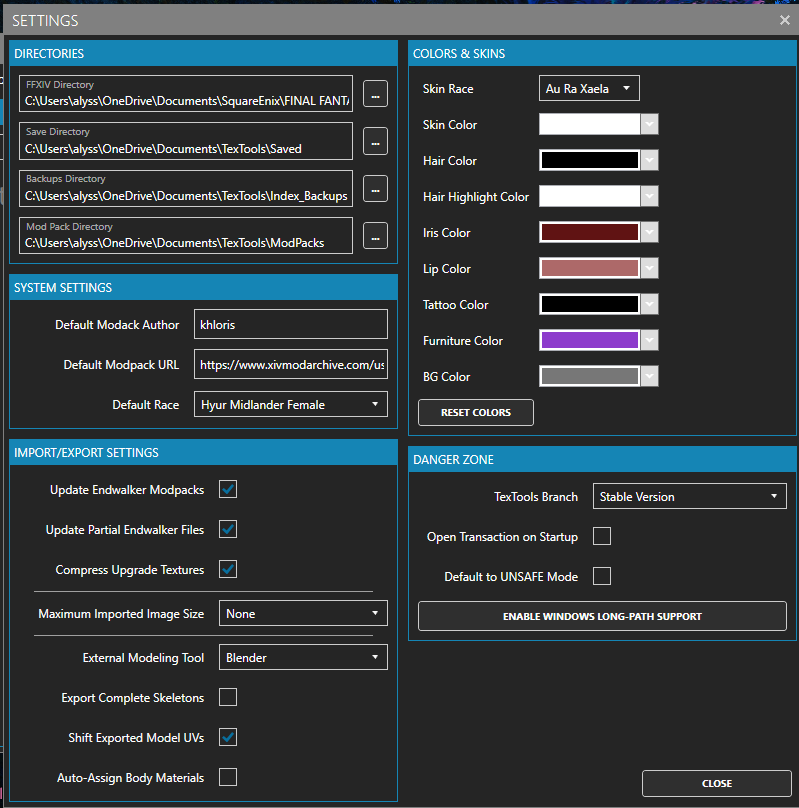
    - <span style="font-size: 11pt; font-family: Arial,sans-serif; color: #000000; background-color: transparent; font-weight: 400; font-style: normal; font-variant: normal; text-decoration: none; vertical-align: baseline; white-space: pre-wrap;">From there, click “Options”, and you’ll be met with these. They allow you to customize what your various export options will look like. They also allow you to change the default author, modpack URL, what race / gender model pops up by default, etc. Play around with these, they’ll help you in the long run! When you’re done, close it out! I’d recommend turning on “Default to UNSAFE Mode”, as that allows you to start modding without having to tick it each time you start TexTools up again.</span>

<span style="font-size: 11pt; font-family: Arial,sans-serif; color: #000000; background-color: transparent; font-weight: 400; font-style: normal; font-variant: normal; text-decoration: none; vertical-align: baseline; white-space: pre-wrap;"><span style="border: none; display: inline-block; overflow: hidden; width: 505px; height: 512px;">![](https://lh7-rt.googleusercontent.com/docsz/AD_4nXctPXDkIYK2jJ9YFklYIA9vpdtof5QWGl58A9E4MvtgzT2YKAMnRAbXtAtbgBm3ssZTI_C82fSg_ZJGSNBvExRKvjS2Rj2YS9eMHz2pQMpegb1IsVh1CpIc0ICPD9PttkUpTkSOInBWZ_eIHQTtXg?key=x2SAouDxP3EayyutRfDV1A)</span></span>

- - <span style="font-size: 11pt; font-family: Arial,sans-serif; color: #000000; background-color: transparent; font-weight: 400; font-style: normal; font-variant: normal; text-decoration: none; vertical-align: baseline; white-space: pre-wrap;">Here, you can also change where the game directory is, or where the mods will be edited / changed. This is NOT detectable server-side, it’s only client-side. If you have a dummy copy you made after installing / updating TexTools, you’ll want to change it to that directory here. </span>
- <span style="font-size: 13.999999999999998pt; font-family: Arial,sans-serif; color: #434343; background-color: transparent; font-weight: 400; font-style: normal; font-variant: normal; text-decoration: none; vertical-align: baseline; white-space: pre-wrap;">FFXIV Dummy Copy</span>
    - <span style="font-size: 11pt; font-family: Arial,sans-serif; color: #000000; background-color: transparent; font-weight: 400; font-style: normal; font-variant: normal; text-decoration: none; vertical-align: baseline; white-space: pre-wrap;">To do this, navigate to where your FFXIV install is (for me, it’s in Programs Files x86), copy the Square Enix folder, and paste it wherever you’d like. I have mine in Documents.</span>
    - <span style="font-size: 11pt; font-family: Arial,sans-serif; color: #000000; background-color: transparent; font-weight: 400; font-style: normal; font-variant: normal; text-decoration: none; vertical-align: baseline; white-space: pre-wrap;">A dummy copy allows you to make / edit modpacks without having to log in/out of the game constantly. This could chance with the Penumbra Integration, but I still find this to be the easiest method for now. </span>

# <span style="font-size: 20pt; font-family: Arial,sans-serif; color: #000000; background-color: transparent; font-weight: 400; font-style: normal; font-variant: normal; text-decoration: none; vertical-align: baseline; white-space: pre-wrap;">TexTools Setup</span>

- <span style="font-size: 11pt; font-family: Arial,sans-serif; color: #000000; background-color: transparent; font-weight: 400; font-style: normal; font-variant: normal; text-decoration: none; vertical-align: baseline; white-space: pre-wrap;">Let’s start with the basics. I’ll be covering what each of the buttons at the top left does, some in depth, some not, it depends on how much this information will contribute. </span>
- <span style="font-size: 13.999999999999998pt; font-family: Arial,sans-serif; color: #434343; background-color: transparent; font-weight: 400; font-style: normal; font-variant: normal; text-decoration: none; vertical-align: baseline; white-space: pre-wrap;">Mods</span>
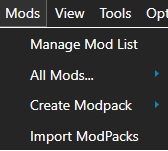
    - <span style="font-size: 11pt; font-family: Arial,sans-serif; color: #000000; background-color: transparent; font-weight: 400; font-style: normal; font-variant: normal; text-decoration: none; vertical-align: baseline; white-space: pre-wrap;">Manage Mod List: Allows you to view the various mods you have installed onto TexTools.</span>
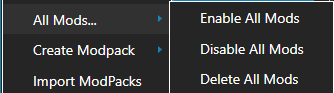
    - <span style="font-size: 11pt; font-family: Arial,sans-serif; color: #000000; background-color: transparent; font-weight: 400; font-style: normal; font-variant: normal; text-decoration: none; vertical-align: baseline; white-space: pre-wrap;">All Mods: Allows you to Enable, Disable, or Delete all mods. This just works for the modpacks you have installed. If you’ve made mods to publish, you’ll have to start over / disable those manually. </span><span style="font-size: 11pt; font-family: Arial,sans-serif; color: #000000; background-color: transparent; font-weight: 400; font-style: normal; font-variant: normal; text-decoration: none; vertical-align: baseline; white-space: pre-wrap;">  
        </span><span style="font-size: 11pt; font-family: Arial,sans-serif; color: #000000; background-color: transparent; font-weight: 400; font-style: normal; font-variant: normal; text-decoration: none; vertical-align: baseline; white-space: pre-wrap;"><span style="border: none; display: inline-block; overflow: hidden; width: 334px; height: 93px;">![](https://lh7-rt.googleusercontent.com/docsz/AD_4nXdqpwnoYofPOJWPdFRXPKT8cSb3amTt1gFlobCWEBTy9zuKAilkWrc_c8RajmSdmpXtLUOwQ2HxeX1xG6GnxwLKKDkBmLzxP1NqCJMkfxnA0cuKs17H-VuCR00dPPqip973zbMUFuf1uDJ7ycsaVQ?key=x2SAouDxP3EayyutRfDV1A)</span></span>
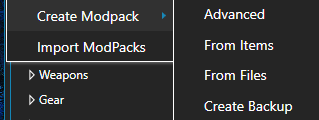
        - <span style="font-size: 11pt; font-family: Arial,sans-serif; color: #000000; background-color: transparent; font-weight: 400; font-style: normal; font-variant: normal; text-decoration: none; vertical-align: baseline; white-space: pre-wrap;">Create Modpack</span>
            - <span style="font-size: 11pt; font-family: Arial,sans-serif; color: #000000; background-color: transparent; font-weight: 400; font-style: normal; font-variant: normal; text-decoration: none; vertical-align: baseline; white-space: pre-wrap;">Advanced: Your new bestie in making mods! This is my personal favorite for making mods. This allows you to load basic modpacks to combine into one for options, import model variants, allow the people who download your mod to tick options, etc. It seems complicated, but it really isn’t!! </span>
            - <span style="font-size: 11pt; font-family: Arial,sans-serif; color: #000000; background-color: transparent; font-weight: 400; font-style: normal; font-variant: normal; text-decoration: none; vertical-align: baseline; white-space: pre-wrap;">From items: A more basic form of creating mods! This doesn’t allow for options, but if you have a mashup with no options, this’ll be the easiest way to pack it!</span>
            - <span style="font-size: 11pt; font-family: Arial,sans-serif; color: #000000; background-color: transparent; font-weight: 400; font-style: normal; font-variant: normal; text-decoration: none; vertical-align: baseline; white-space: pre-wrap;">From files: This is the most complicated one (in my opinion). It allows you to pack various files that have been imported / edited into one modpack. It essentially functions how a basic modpack did in Endwalker TexTools.</span>
            - <span style="font-size: 11pt; font-family: Arial,sans-serif; color: #000000; background-color: transparent; font-weight: 400; font-style: normal; font-variant: normal; text-decoration: none; vertical-align: baseline; white-space: pre-wrap;">Create Backup: This combines every mod you have in TexTools to one modpack, for easier handling. You won’t be using this if you’re creating mods, but it is very useful if you have to move PCs!</span>

<span style="font-size: 11pt; font-family: Arial,sans-serif; color: #000000; background-color: transparent; font-weight: 400; font-style: normal; font-variant: normal; text-decoration: none; vertical-align: baseline; white-space: pre-wrap;"><span style="border: none; display: inline-block; overflow: hidden; width: 319px; height: 120px;">![](https://lh7-rt.googleusercontent.com/docsz/AD_4nXcxVfbXSuzRaHjrS_zpibwYQzn0me5wWkhHGB2nuHcRwaJeH09S4RRCoNBBVUUVhsoh-cHzRCXZ7TOdgO3vPftHZZmyh_LR1J6mkOdcyhFDmPn1edjiNQye17ZjFgjOxSp5W34rhkwLNnwF8cUB?key=x2SAouDxP3EayyutRfDV1A)</span></span>

- - - <span style="font-size: 11pt; font-family: Arial,sans-serif; color: #000000; background-color: transparent; font-weight: 400; font-style: normal; font-variant: normal; text-decoration: none; vertical-align: baseline; white-space: pre-wrap;">Import Modpacks</span>
            - <span style="font-size: 11pt; font-family: Arial,sans-serif; color: #000000; background-color: transparent; font-weight: 400; font-style: normal; font-variant: normal; text-decoration: none; vertical-align: baseline; white-space: pre-wrap;">The most simple of them, you click / select the mods you want to import into TexTools.</span>

<span style="font-size: 11pt; font-family: Arial,sans-serif; color: #000000; background-color: transparent; font-weight: 400; font-style: normal; font-variant: normal; text-decoration: none; vertical-align: baseline; white-space: pre-wrap;"><span style="border: none; display: inline-block; overflow: hidden; width: 151px; height: 135px;">![](https://lh7-rt.googleusercontent.com/docsz/AD_4nXdS-DtmsOrd5j7Z6KjQyjBcH0yY5KWwVXrmYtmx5thGKYRrndIkIBN07AamwGAmgNrwuRDD5lGLw4MkOnvueguxYFPCUAi8XvMWdKxy-QMQVF-0PC9MSdcbEJU74SIQieIcEFMbK39Y9nGOUZrWKg?key=x2SAouDxP3EayyutRfDV1A)</span></span>

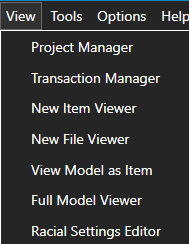
- <span style="font-size: 13.999999999999998pt; font-family: Arial,sans-serif; color: #434343; background-color: transparent; font-weight: 400; font-style: normal; font-variant: normal; text-decoration: none; vertical-align: baseline; white-space: pre-wrap;">View</span>
    - <span style="font-size: 11pt; font-family: Arial,sans-serif; color: #000000; background-color: transparent; font-weight: 400; font-style: normal; font-variant: normal; text-decoration: none; vertical-align: baseline; white-space: pre-wrap;">This section won’t be as in depth, as I haven’t explored most of these options. What I have written here is inferred, and may be wrong.</span>
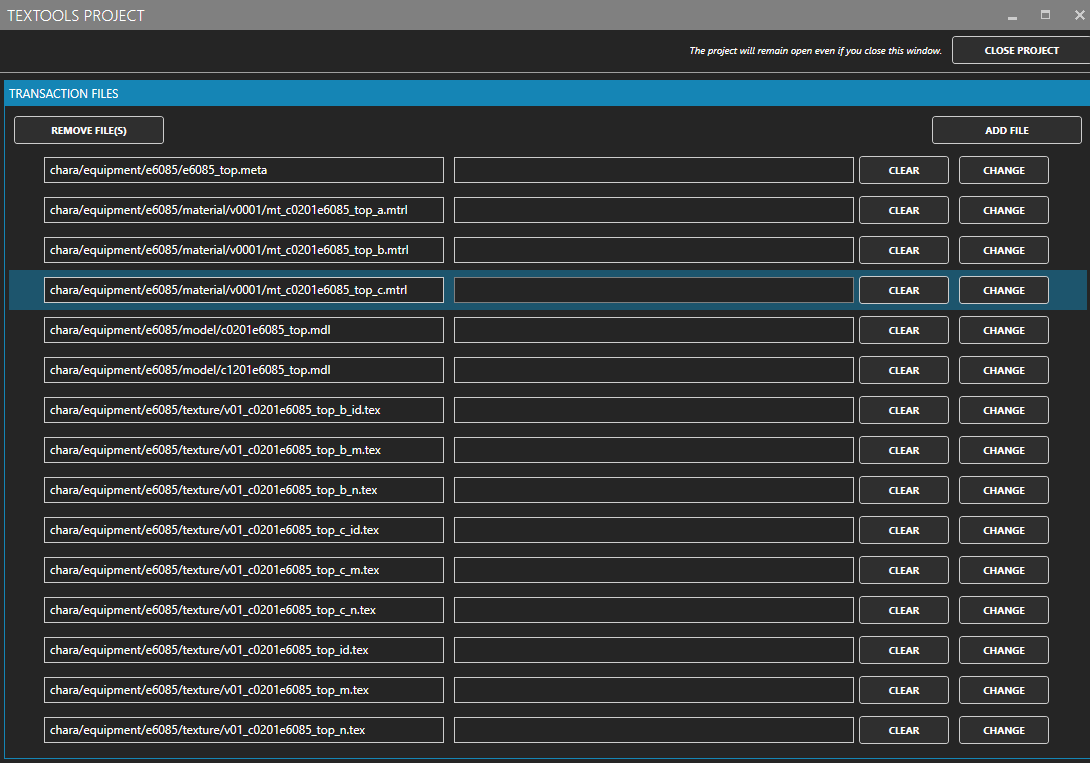
    - <span style="font-size: 11pt; font-family: Arial,sans-serif; color: #000000; background-color: transparent; font-weight: 400; font-style: normal; font-variant: normal; text-decoration: none; vertical-align: baseline; white-space: pre-wrap;">Project Manager: Opens basic modpacks to view their contents. Doesn’t work with advanced modpacks / modpacks with options. </span><span style="font-size: 11pt; font-family: Arial,sans-serif; color: #000000; background-color: transparent; font-weight: 400; font-style: normal; font-variant: normal; text-decoration: none; vertical-align: baseline; white-space: pre-wrap;">  
        </span><span style="font-size: 11pt; font-family: Arial,sans-serif; color: #000000; background-color: transparent; font-weight: 400; font-style: normal; font-variant: normal; text-decoration: none; vertical-align: baseline; white-space: pre-wrap;"><span style="border: none; display: inline-block; overflow: hidden; width: 562px; height: 394px;">![](https://lh7-rt.googleusercontent.com/docsz/AD_4nXc0u92lqUJXeiHV27x2PpNceCi68Tg5u-VFyhjiwtjyFKC0akh-cAE5RAe5IbMMPsEdggZIRUl2_Au_4N7RljzWxURz_MRKgd-IiVzYKuGXDJUQkhpGncAtkkfAc-b_WAJiYRnL6GpIFJUE5aYHlg?key=x2SAouDxP3EayyutRfDV1A)</span></span>
    - <span style="font-size: 11pt; font-family: Arial,sans-serif; color: #000000; background-color: transparent; font-weight: 400; font-style: normal; font-variant: normal; text-decoration: none; vertical-align: baseline; white-space: pre-wrap;">Racial Settings Editor: Allows for you to change how drastic the in-game scalers are for each race. For example, it allows you to make your characters shorter without the use of customize plus, or makes their tails longer, etc. </span>
<span style="font-size: 11pt; font-family: Arial,sans-serif; color: #000000; background-color: transparent; font-weight: 400; font-style: normal; font-variant: normal; text-decoration: none; vertical-align: baseline; white-space: pre-wrap;"><span style="border: none; display: inline-block; overflow: hidden; width: 170px; height: 220px;">![](https://lh7-rt.googleusercontent.com/docsz/AD_4nXeIA4lRsrTx_7b3RjvT9VGA1kGfbLdXRIWKRVcMUvaAHEyTVBP56x_ekcEKmAV7bs_2OrNXZSUSHfrI9iEOa_hs4SgC-mjdal1psohTouxmf6sJhVtRe4i4wopKlEqU4whZDX6YKlKw8hchqBHODA?key=x2SAouDxP3EayyutRfDV1A)</span></span>

- <span style="font-size: 13.999999999999998pt; font-family: Arial,sans-serif; color: #434343; background-color: transparent; font-weight: 400; font-style: normal; font-variant: normal; text-decoration: none; vertical-align: baseline; white-space: pre-wrap;">Tools</span>
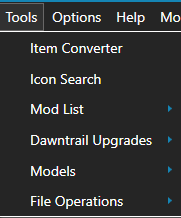
    - <span style="font-size: 11pt; font-family: Arial,sans-serif; color: #000000; background-color: transparent; font-weight: 400; font-style: normal; font-variant: normal; text-decoration: none; vertical-align: baseline; white-space: pre-wrap;">Item Converter: An item swap for TexTools! You choose the item you’d like to swap, and the item you want to swap it to! Doesn’t work for cross-slot items though, like necklace -&gt; ring. </span>
    - <span style="font-size: 11pt; font-family: Arial,sans-serif; color: #000000; background-color: transparent; font-weight: 400; font-style: normal; font-variant: normal; text-decoration: none; vertical-align: baseline; white-space: pre-wrap;">Icon Search: Used to bring up various icons found ingame, such as the inventory icon!</span>
    - <span style="font-size: 11pt; font-family: Arial,sans-serif; color: #000000; background-color: transparent; font-weight: 400; font-style: normal; font-variant: normal; text-decoration: none; vertical-align: baseline; white-space: pre-wrap;">Mod List: Checks your mods to ensure they’re installed correctly.</span>
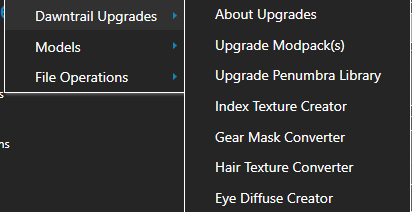
    - <span style="font-size: 11pt; font-family: Arial,sans-serif; color: #000000; background-color: transparent; font-weight: 400; font-style: normal; font-variant: normal; text-decoration: none; vertical-align: baseline; white-space: pre-wrap;">Dawntrail Upgrades: Allows for the user to easily convert their various mods created before Dawntrail, that no longer work due to the graphics update. It works for clothes and hair primarily, but there are other features in this category!</span>
        - <span style="font-size: 11pt; font-family: Arial,sans-serif; color: #000000; background-color: transparent; font-weight: 400; font-style: normal; font-variant: normal; text-decoration: none; vertical-align: baseline; white-space: pre-wrap;">Upgrade Modpack(s): Modpack goes in, Dawntrail Compatible modpack comes out. It’s pretty simple, and while it doesn’t work 100% of the time, I’ve had most of my mods work very well with it!</span>
        - <span style="font-size: 11pt; font-family: Arial,sans-serif; color: #000000; background-color: transparent; font-weight: 400; font-style: normal; font-variant: normal; text-decoration: none; vertical-align: baseline; white-space: pre-wrap;">Upgrade Penumbra Library: If you have a Penumbra library full of mods created before Dawntrail, this tool will convert most, if not all of them! It lists within the tool which mods will / won’t work. </span>
    - <span style="font-size: 11pt; font-family: Arial,sans-serif; color: #000000; background-color: transparent; font-weight: 400; font-style: normal; font-variant: normal; text-decoration: none; vertical-align: baseline; white-space: pre-wrap;"><span class="Apple-tab-span" style="white-space: pre;"> </span></span><span style="font-size: 11pt; font-family: Arial,sans-serif; color: #000000; background-color: transparent; font-weight: 400; font-style: normal; font-variant: normal; text-decoration: none; vertical-align: baseline; white-space: pre-wrap;"><span class="Apple-tab-span" style="white-space: pre;"> </span></span><span style="font-size: 11pt; font-family: Arial,sans-serif; color: #000000; background-color: transparent; font-weight: 400; font-style: normal; font-variant: normal; text-decoration: none; vertical-align: baseline; white-space: pre-wrap;">Index Texture Creator: The new texture system uses Normals, Indexes, and Masks. Indexes were created for assigning colorsets, so when converting gear mods manually, you’ll have to pass Pre-DT gear mod normals through this to get the new colorset. </span>
    - <span style="font-size: 11pt; font-family: Arial,sans-serif; color: #000000; background-color: transparent; font-weight: 400; font-style: normal; font-variant: normal; text-decoration: none; vertical-align: baseline; white-space: pre-wrap;"><span class="Apple-tab-span" style="white-space: pre;"> </span></span><span style="font-size: 11pt; font-family: Arial,sans-serif; color: #000000; background-color: transparent; font-weight: 400; font-style: normal; font-variant: normal; text-decoration: none; vertical-align: baseline; white-space: pre-wrap;"><span class="Apple-tab-span" style="white-space: pre;"> </span></span><span style="font-size: 11pt; font-family: Arial,sans-serif; color: #000000; background-color: transparent; font-weight: 400; font-style: normal; font-variant: normal; text-decoration: none; vertical-align: baseline; white-space: pre-wrap;">Gear Mask Converter</span>
    - <span style="font-size: 11pt; font-family: Arial,sans-serif; color: #000000; background-color: transparent; font-weight: 400; font-style: normal; font-variant: normal; text-decoration: none; vertical-align: baseline; white-space: pre-wrap;"><span class="Apple-tab-span" style="white-space: pre;"> </span></span><span style="font-size: 11pt; font-family: Arial,sans-serif; color: #000000; background-color: transparent; font-weight: 400; font-style: normal; font-variant: normal; text-decoration: none; vertical-align: baseline; white-space: pre-wrap;"><span class="Apple-tab-span" style="white-space: pre;"> </span></span><span style="font-size: 11pt; font-family: Arial,sans-serif; color: #000000; background-color: transparent; font-weight: 400; font-style: normal; font-variant: normal; text-decoration: none; vertical-align: baseline; white-space: pre-wrap;">Hair Texture Converter: Converts Pre-DT hair textures to DT</span>
    - <span style="font-size: 11pt; font-family: Arial,sans-serif; color: #000000; background-color: transparent; font-weight: 400; font-style: normal; font-variant: normal; text-decoration: none; vertical-align: baseline; white-space: pre-wrap;"><span class="Apple-tab-span" style="white-space: pre;"> </span></span><span style="font-size: 11pt; font-family: Arial,sans-serif; color: #000000; background-color: transparent; font-weight: 400; font-style: normal; font-variant: normal; text-decoration: none; vertical-align: baseline; white-space: pre-wrap;"><span class="Apple-tab-span" style="white-space: pre;"> </span></span><span style="font-size: 11pt; font-family: Arial,sans-serif; color: #000000; background-color: transparent; font-weight: 400; font-style: normal; font-variant: normal; text-decoration: none; vertical-align: baseline; white-space: pre-wrap;">Eye Diffuse Creator: Converts Pre-DT eye textures to DT</span>

<span style="font-size: 11pt; font-family: Arial,sans-serif; color: #000000; background-color: transparent; font-weight: 400; font-style: normal; font-variant: normal; text-decoration: none; vertical-align: baseline; white-space: pre-wrap;"><span class="Apple-tab-span" style="white-space: pre;"> </span></span><span style="font-size: 11pt; font-family: Arial,sans-serif; color: #000000; background-color: transparent; font-weight: 400; font-style: normal; font-variant: normal; text-decoration: none; vertical-align: baseline; white-space: pre-wrap;"><span class="Apple-tab-span" style="white-space: pre;"> </span></span><span style="font-size: 11pt; font-family: Arial,sans-serif; color: #000000; background-color: transparent; font-weight: 400; font-style: normal; font-variant: normal; text-decoration: none; vertical-align: baseline; white-space: pre-wrap;"><span style="border: none; display: inline-block; overflow: hidden; width: 412px; height: 212px;">![](https://lh7-rt.googleusercontent.com/docsz/AD_4nXfYsrUll9VxWwTf1XMFEbc4rm9KNcvCaLq_mkFl3SLIPpNx7jsSeEyX31xDpx2BYVRdDX0FlQTle40RCq9LHg432EzDcbp7vpWRYAdkKfqW1fkgmrGap_BFh6VOh0s8M2PeZH0cqzLyXMtAgQ-b?key=x2SAouDxP3EayyutRfDV1A)</span></span>

- <span style="font-size: 11pt; font-family: Arial,sans-serif; color: #000000; background-color: transparent; font-weight: 400; font-style: normal; font-variant: normal; text-decoration: none; vertical-align: baseline; white-space: pre-wrap;">Models</span>
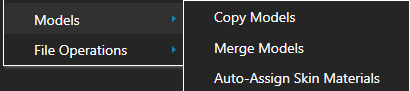
    - <span style="font-size: 11pt; font-family: Arial,sans-serif; color: #000000; background-color: transparent; font-weight: 400; font-style: normal; font-variant: normal; text-decoration: none; vertical-align: baseline; white-space: pre-wrap;">Copy Models: Works the same as an item swap, but for models only. </span>
    - <span style="font-size: 11pt; font-family: Arial,sans-serif; color: #000000; background-color: transparent; font-weight: 400; font-style: normal; font-variant: normal; text-decoration: none; vertical-align: baseline; white-space: pre-wrap;">Merge Models: Essentially mashes up items within TexTools. We will not be using this, but it is nice to note.</span>
    - <span style="font-size: 11pt; font-family: Arial,sans-serif; color: #000000; background-color: transparent; font-weight: 400; font-style: normal; font-variant: normal; text-decoration: none; vertical-align: baseline; white-space: pre-wrap;">Auto-Assign Skin Materials: same purpose as “Update Bibo Material” has in Penumbra.</span>

<span style="font-size: 11pt; font-family: Arial,sans-serif; color: #000000; background-color: transparent; font-weight: 400; font-style: normal; font-variant: normal; text-decoration: none; vertical-align: baseline; white-space: pre-wrap;"><span style="border: none; display: inline-block; overflow: hidden; width: 410px; height: 91px;">![](https://lh7-rt.googleusercontent.com/docsz/AD_4nXeECb1LGtbnv88S6RHqROn5VRkbNiDnQ_sE0G1ueAeuClBvlTlsnzhPUztDXVUM6QMFRYvuigL8IHoDQt3WUB_aVL0gSPBrHLUNcH7erUwhh_ledita0g4PTZ1FQtVCX7w0odW1m2mZaWXOYR-K?key=x2SAouDxP3EayyutRfDV1A)</span></span>

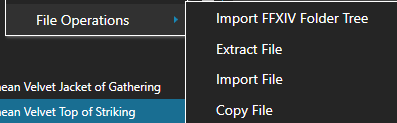
- <span style="font-size: 11pt; font-family: Arial,sans-serif; color: #000000; background-color: transparent; font-weight: 400; font-style: normal; font-variant: normal; text-decoration: none; vertical-align: baseline; white-space: pre-wrap;">File Operations</span>
    - <span style="font-size: 11pt; font-family: Arial,sans-serif; color: #000000; background-color: transparent; font-weight: 400; font-style: normal; font-variant: normal; text-decoration: none; vertical-align: baseline; white-space: pre-wrap;">I haven’t used this function, but I’ve included pictures incase you’d like to explore it. </span>
<span style="font-size: 11pt; font-family: Arial,sans-serif; color: #000000; background-color: transparent; font-weight: 400; font-style: normal; font-variant: normal; text-decoration: none; vertical-align: baseline; white-space: pre-wrap;"> </span><span style="font-size: 11pt; font-family: Arial,sans-serif; color: #000000; background-color: transparent; font-weight: 400; font-style: normal; font-variant: normal; text-decoration: none; vertical-align: baseline; white-space: pre-wrap;"><span style="border: none; display: inline-block; overflow: hidden; width: 397px; height: 123px;">![](https://lh7-rt.googleusercontent.com/docsz/AD_4nXekvdnxsF14iQnpyfMM3QDYZyvPP4tk3olOU7AIKr4NmQLL7PKW8EfF4JgN1xI27JJ2A1IBgnmpi8pm-qKJgD9CSuzSRz3Ww451E4mFM_Xb-EyUWzHbiXUibgeU_OeSarMO_WnOswwsXF_JyP-8?key=x2SAouDxP3EayyutRfDV1A)</span></span>

<span style="font-size: 11pt; font-family: Arial,sans-serif; color: #000000; background-color: transparent; font-weight: 400; font-style: normal; font-variant: normal; text-decoration: none; vertical-align: baseline; white-space: pre-wrap;"><span style="border: none; display: inline-block; overflow: hidden; width: 181px; height: 218px;">![](https://lh7-rt.googleusercontent.com/docsz/AD_4nXcOV2F2j0W7h55GPsHKCUHrvYIu_k77Tt2ud40XABFmdYH0dF_ti4pQ0rB8yFfcDIle0ur2_CEVwwXtuuIEgWfA3rF34KQb_sidZftmzYZzzHH5Bi9D_EYWO6ltObKyItdc01fzhq8Sa7TXqxbPAg?key=x2SAouDxP3EayyutRfDV1A)</span></span>

- <span style="font-size: 13.999999999999998pt; font-family: Arial,sans-serif; color: #434343; background-color: transparent; font-weight: 400; font-style: normal; font-variant: normal; text-decoration: none; vertical-align: baseline; white-space: pre-wrap;">Options</span>
    - <span style="font-size: 11pt; font-family: Arial,sans-serif; color: #000000; background-color: transparent; font-weight: 400; font-style: normal; font-variant: normal; text-decoration: none; vertical-align: baseline; white-space: pre-wrap;"><span class="Apple-tab-span" style="white-space: pre;"> </span></span><span style="font-size: 11pt; font-family: Arial,sans-serif; color: #000000; background-color: transparent; font-weight: 400; font-style: normal; font-variant: normal; text-decoration: none; vertical-align: baseline; white-space: pre-wrap;">Settings: Covered up in the “Changing Default Settings” section</span>
    - <span style="font-size: 11pt; font-family: Arial,sans-serif; color: #000000; background-color: transparent; font-weight: 400; font-style: normal; font-variant: normal; text-decoration: none; vertical-align: baseline; white-space: pre-wrap;"><span class="Apple-tab-span" style="white-space: pre;"> </span></span><span style="font-size: 11pt; font-family: Arial,sans-serif; color: #000000; background-color: transparent; font-weight: 400; font-style: normal; font-variant: normal; text-decoration: none; vertical-align: baseline; white-space: pre-wrap;">Theme: Lets you swap between Light Mode and Dark Mode</span>
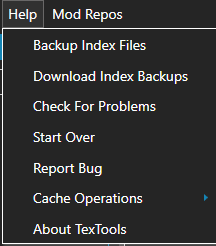
- <span style="font-size: 13.999999999999998pt; font-family: Arial,sans-serif; color: #434343; background-color: transparent; font-weight: 400; font-style: normal; font-variant: normal; text-decoration: none; vertical-align: baseline; white-space: pre-wrap;">Help </span>
    - <span style="font-size: 11pt; font-family: Arial,sans-serif; color: #000000; background-color: transparent; font-weight: 400; font-style: normal; font-variant: normal; text-decoration: none; vertical-align: baseline; white-space: pre-wrap;">Backup Index Files: Backs up all your vanilla files in your game install!</span>
    - <span style="font-size: 11pt; font-family: Arial,sans-serif; color: #000000; background-color: transparent; font-weight: 400; font-style: normal; font-variant: normal; text-decoration: none; vertical-align: baseline; white-space: pre-wrap;">Download Index Backups: Downloads the index files you backed up if you used the previous tool!</span>
    - <span style="font-size: 11pt; font-family: Arial,sans-serif; color: #000000; background-color: transparent; font-weight: 400; font-style: normal; font-variant: normal; text-decoration: none; vertical-align: baseline; white-space: pre-wrap;">Check for Problems: Ensures your game files are uncorrupted!</span>
    - <span style="font-size: 11pt; font-family: Arial,sans-serif; color: #000000; background-color: transparent; font-weight: 400; font-style: normal; font-variant: normal; text-decoration: none; vertical-align: baseline; white-space: pre-wrap;">Start Over: Restores your install to its vanilla state, removing all mods / edits made in Textools</span><span style="font-size: 11pt; font-family: Arial,sans-serif; color: #000000; background-color: transparent; font-weight: 400; font-style: normal; font-variant: normal; text-decoration: none; vertical-align: baseline; white-space: pre-wrap;">  
        </span><span style="font-size: 11pt; font-family: Arial,sans-serif; color: #000000; background-color: transparent; font-weight: 400; font-style: normal; font-variant: normal; text-decoration: none; vertical-align: baseline; white-space: pre-wrap;">Report Bug: Opens the github link to TexTools, where you can report bugs.</span>
    - <span style="font-size: 11pt; font-family: Arial,sans-serif; color: #000000; background-color: transparent; font-weight: 400; font-style: normal; font-variant: normal; text-decoration: none; vertical-align: baseline; white-space: pre-wrap;"><span class="Apple-tab-span" style="white-space: pre;"> </span></span><span style="font-size: 11pt; font-family: Arial,sans-serif; color: #000000; background-color: transparent; font-weight: 400; font-style: normal; font-variant: normal; text-decoration: none; vertical-align: baseline; white-space: pre-wrap;">Cache Operations: The options in here also ensure your game files are uncorrupted, I won’t be going into these in depth, since they aren’t relevant to the creation of mods.</span>
    - <span style="font-size: 11pt; font-family: Arial,sans-serif; color: #000000; background-color: transparent; font-weight: 400; font-style: normal; font-variant: normal; text-decoration: none; vertical-align: baseline; white-space: pre-wrap;"><span class="Apple-tab-span" style="white-space: pre;"> </span></span><span style="font-size: 11pt; font-family: Arial,sans-serif; color: #000000; background-color: transparent; font-weight: 400; font-style: normal; font-variant: normal; text-decoration: none; vertical-align: baseline; white-space: pre-wrap;">About TexTools: Shows credits / who TexTools is maintained by. </span>
<span style="font-size: 11pt; font-family: Arial,sans-serif; color: #000000; background-color: transparent; font-weight: 400; font-style: normal; font-variant: normal; text-decoration: none; vertical-align: baseline; white-space: pre-wrap;"><span style="border: none; display: inline-block; overflow: hidden; width: 199px; height: 224px;">![](https://lh7-rt.googleusercontent.com/docsz/AD_4nXdCLzsWGuPqaDePVHmu8OCAIdIEqO3BVPVZs8j4Q8nowjJQjv47GcNC31lKRQ65MF0Qk7XxSpKIiCkQYI23ShLiM1H5AG66tVZtwm4WOmR-6DA2NnmCwmJLZcsmBSe_tgq_GjIsa_6_pcNQWRvOgQ?key=x2SAouDxP3EayyutRfDV1A)</span></span>

- <span style="font-size: 13.999999999999998pt; font-family: Arial,sans-serif; color: #434343; background-color: transparent; font-weight: 400; font-style: normal; font-variant: normal; text-decoration: none; vertical-align: baseline; white-space: pre-wrap;">Mod Repos</span>
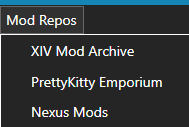
    - <span style="font-size: 11pt; font-family: Arial,sans-serif; color: #000000; background-color: transparent; font-weight: 400; font-style: normal; font-variant: normal; text-decoration: none; vertical-align: baseline; white-space: pre-wrap;">Links to various communities associated with TexTools / mod creation &amp; sharing!</span>

<span style="font-size: 11pt; font-family: Arial,sans-serif; color: #000000; background-color: transparent; font-weight: 400; font-style: normal; font-variant: normal; text-decoration: none; vertical-align: baseline; white-space: pre-wrap;"><span style="border: none; display: inline-block; overflow: hidden; width: 189px; height: 127px;">![](https://lh7-rt.googleusercontent.com/docsz/AD_4nXddA-Y8uVSMUQvPDU14Zt4_nc-ZE-0IdNqsEryi4tl5U6wwViHUErlXXdUxKckVJlV3seW6Ob33EafWSt5m_Ksbz99FU8D0obscE4O6ulaF2A623E1XrX7nZxY88v354z0tQD3CFnJfDrOUkyaFYQ?key=x2SAouDxP3EayyutRfDV1A)</span></span>

<span style="font-size: 20pt; font-family: Arial,sans-serif; color: #000000; background-color: transparent; font-weight: 400; font-style: normal; font-variant: normal; text-decoration: none; vertical-align: baseline; white-space: pre-wrap;">Exporting from TexTools</span>

- <span style="font-size: 13.999999999999998pt; font-family: Arial,sans-serif; color: #434343; background-color: transparent; font-weight: 400; font-style: normal; font-variant: normal; text-decoration: none; vertical-align: baseline; white-space: pre-wrap;">Exporting Textures</span>
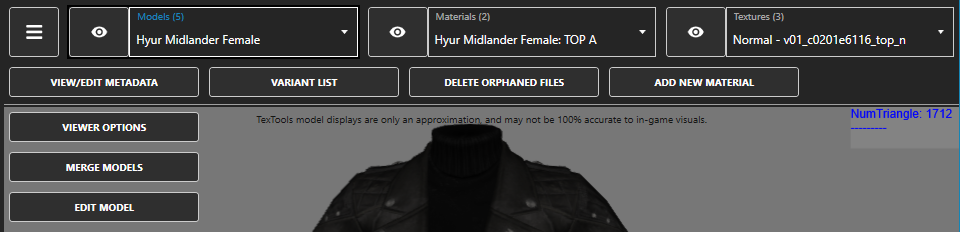
    - <span style="font-size: 11pt; font-family: Arial,sans-serif; color: #000000; background-color: transparent; font-weight: 400; font-style: normal; font-variant: normal; text-decoration: none; vertical-align: baseline; white-space: pre-wrap;">Your textures are stored in the Textures tab, at the very top right of TexTools when you’re viewing an item.</span>

<span style="font-size: 11pt; font-family: Arial,sans-serif; color: #000000; background-color: transparent; font-weight: 400; font-style: normal; font-variant: normal; text-decoration: none; vertical-align: baseline; white-space: pre-wrap;"><span style="border: none; display: inline-block; overflow: hidden; width: 624px; height: 151px;">![](https://lh7-rt.googleusercontent.com/docsz/AD_4nXeatw7rL_Ujmu_vK2YlWu-SbMLtYSqriWYZnr0g6J-vYCaebOhGHAxCmIBVZ4fall0iAXJf6010noHjsITZYTZfSe175c69kL2OQWbGrJsx-_6KQeYgWtSB9FHTTZsW8D3ZaiQXUfIsnXo9zWZGVA?key=x2SAouDxP3EayyutRfDV1A)</span></span>

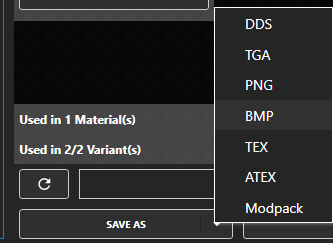
- - <span style="font-size: 11pt; font-family: Arial,sans-serif; color: #000000; background-color: transparent; font-weight: 400; font-style: normal; font-variant: normal; text-decoration: none; vertical-align: baseline; white-space: pre-wrap;">To export your textures, click the dropdown box, and click on any one of the textures, you’ll have to do this for all of them. </span>
    - <span style="font-size: 11pt; font-family: Arial,sans-serif; color: #000000; background-color: transparent; font-weight: 400; font-style: normal; font-variant: normal; text-decoration: none; vertical-align: baseline; white-space: pre-wrap;">At the very bottom, there’s an option that says “Save As”</span>

<span style="font-size: 11pt; font-family: Arial,sans-serif; color: #000000; background-color: transparent; font-weight: 400; font-style: normal; font-variant: normal; text-decoration: none; vertical-align: baseline; white-space: pre-wrap;"><span style="border: none; display: inline-block; overflow: hidden; width: 333px; height: 243px;">![](https://lh7-rt.googleusercontent.com/docsz/AD_4nXdJewxT5rsnwV9AzzT7ekBVRVZ3j2Btf7K2JRfegX5h3PSbwuXLG4ZugIz1XpLRT0Egtfkmq8iU0tcM_Qf12PdyBR8SeNX2ZV_17HpT9OwXZu4h72-1r9-L3Ufhn7zBWEUtu7jzhaFMNKhWThufOw?key=x2SAouDxP3EayyutRfDV1A)</span></span>

- - <span style="font-size: 11pt; font-family: Arial,sans-serif; color: #000000; background-color: transparent; font-weight: 400; font-style: normal; font-variant: normal; text-decoration: none; vertical-align: baseline; white-space: pre-wrap;">You’re going to want to export as a PNG, especially if you intend to edit your textures later on. It’s possible to edit DDS textures, but PNG is used more widely, and it’s the one I personally use, since I use Procreate to edit most, if not all of my textures. </span>
    - <span style="font-size: 11pt; font-family: Arial,sans-serif; color: #000000; background-color: transparent; font-weight: 400; font-style: normal; font-variant: normal; text-decoration: none; vertical-align: baseline; white-space: pre-wrap;">Save this somewhere easy to find! If you’re using multiple meshes in your mashup, I’d recommend naming the textures different numbers, correlating to the part number.</span>
        - <span style="font-size: 11pt; font-family: Arial,sans-serif; color: #000000; background-color: transparent; font-weight: 400; font-style: normal; font-variant: normal; text-decoration: none; vertical-align: baseline; white-space: pre-wrap;">I use 1n, 1m, and 1i for the normal, multi, and index. </span>
    - <span style="font-size: 11pt; font-family: Arial,sans-serif; color: #000000; background-color: transparent; font-weight: 400; font-style: normal; font-variant: normal; text-decoration: none; vertical-align: baseline; white-space: pre-wrap;">Do this for each individual texture, all of them are necessary!!! </span>
- <span style="font-size: 13.999999999999998pt; font-family: Arial,sans-serif; color: #434343; background-color: transparent; font-weight: 400; font-style: normal; font-variant: normal; text-decoration: none; vertical-align: baseline; white-space: pre-wrap;">Exporting Colorsets</span>
    - <span style="font-size: 11pt; font-family: Arial,sans-serif; color: #000000; background-color: transparent; font-weight: 400; font-style: normal; font-variant: normal; text-decoration: none; vertical-align: baseline; white-space: pre-wrap;">Your colorsets are located in the Materials tab, in the middle!</span>

<span style="font-size: 11pt; font-family: Arial,sans-serif; color: #000000; background-color: transparent; font-weight: 400; font-style: normal; font-variant: normal; text-decoration: none; vertical-align: baseline; white-space: pre-wrap;"><span style="border: none; display: inline-block; overflow: hidden; width: 555px; height: 38px;">![](https://lh7-rt.googleusercontent.com/docsz/AD_4nXcSp4-FhDmLkfzFiWcbl9yRFZ7pyjMlgqRsGxPEVXP5zRgvUMiNJ9sZHa-htwvoqxfqcAab_g7Zhy-Q1-ALtX4b8jfI0uNkjH4OVRWsVwqWB78udgrz5RlJZQt_AwOT82gt0drkfpc6LurMRYWX?key=x2SAouDxP3EayyutRfDV1A)</span></span>

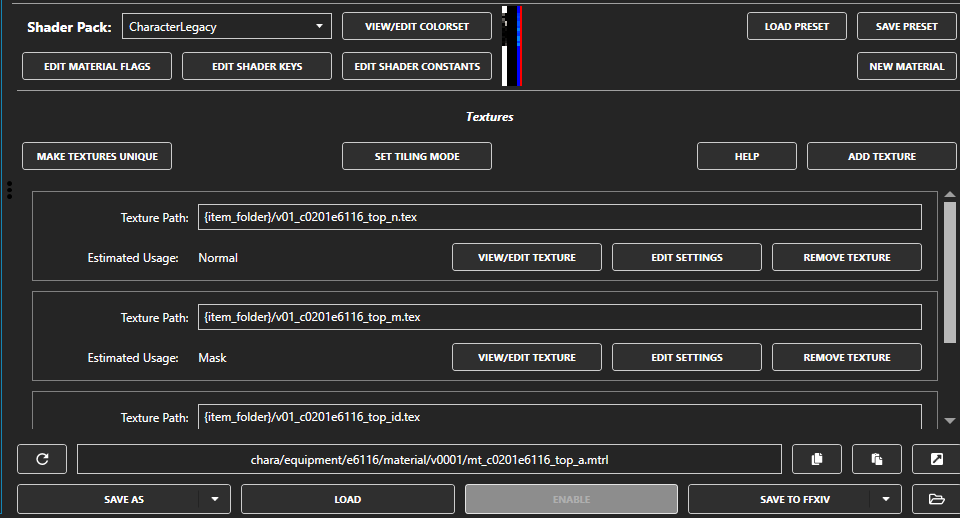
- - <span style="font-size: 11pt; font-family: Arial,sans-serif; color: #000000; background-color: transparent; font-weight: 400; font-style: normal; font-variant: normal; text-decoration: none; vertical-align: baseline; white-space: pre-wrap;">To export your colorset, go to the material, where you’ll see this menu.</span>

<span style="font-size: 11pt; font-family: Arial,sans-serif; color: #000000; background-color: transparent; font-weight: 400; font-style: normal; font-variant: normal; text-decoration: none; vertical-align: baseline; white-space: pre-wrap;"><span style="border: none; display: inline-block; overflow: hidden; width: 494px; height: 268px;">![](https://lh7-rt.googleusercontent.com/docsz/AD_4nXc_kVxHKJvaNAdQw03Qx_CBFZZwhoDgy89vRNHMV20lSLHWSUSfmL_eF6KDPggj7cefcOJEEw8ZQIXc3mapDi2gbdAUeAMsmJaLLcLgcDDjKptdBNrbzhafL5qE9gGK02RR4asaWglOG9mydGqm-A?key=x2SAouDxP3EayyutRfDV1A)</span></span>

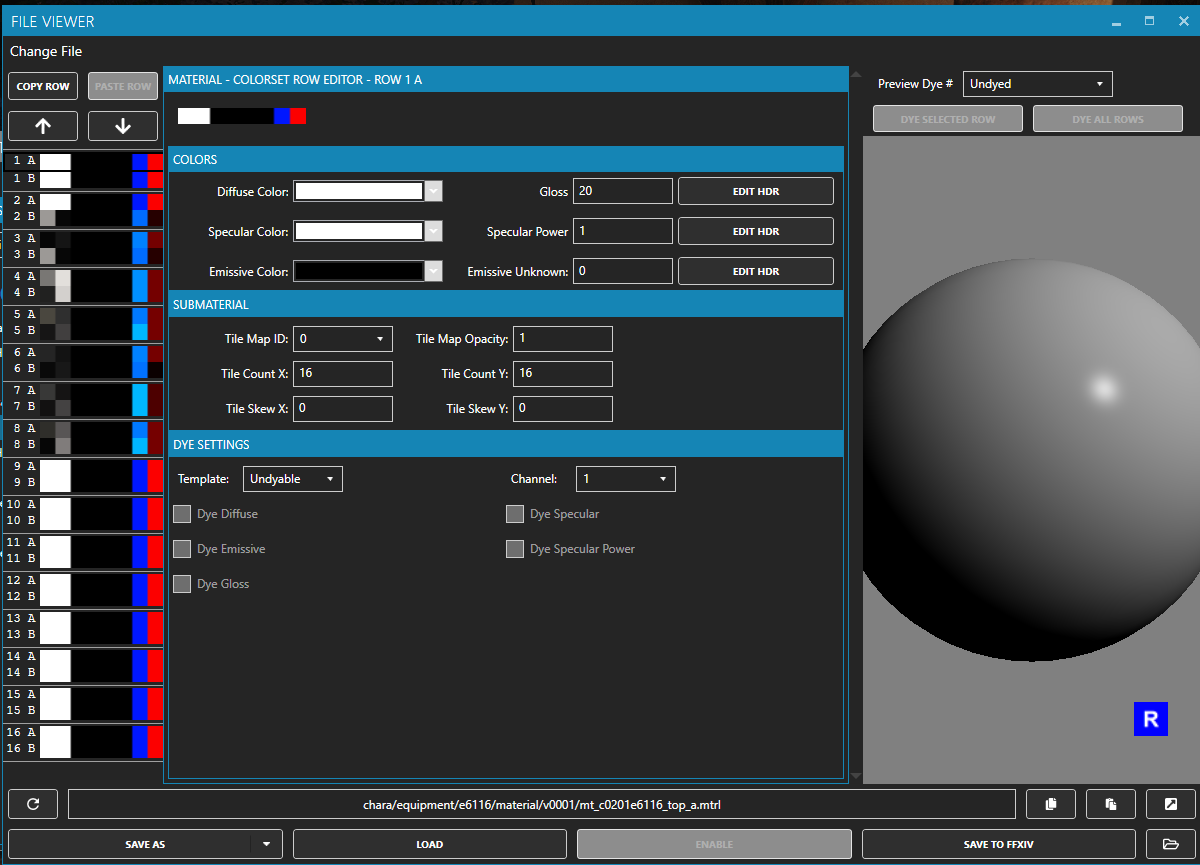
- - <span style="font-size: 11pt; font-family: Arial,sans-serif; color: #000000; background-color: transparent; font-weight: 400; font-style: normal; font-variant: normal; text-decoration: none; vertical-align: baseline; white-space: pre-wrap;">Go to “View/Edit Colorset.” Here lies your colorset!</span>

<span style="font-size: 11pt; font-family: Arial,sans-serif; color: #000000; background-color: transparent; font-weight: 400; font-style: normal; font-variant: normal; text-decoration: none; vertical-align: baseline; white-space: pre-wrap;"><span style="border: none; display: inline-block; overflow: hidden; width: 530px; height: 383px;">![](https://lh7-rt.googleusercontent.com/docsz/AD_4nXeVHx-X0bBG4GIOCh9Jp7l_jhntxhnsueSb4_h-hXcTXPH4n9Bgs67-NgTExJnTBahj1-W8cJNoAHFw-oLFyoGj1OZGrKoQmLi25SSVDfXpRG4nkCas6PTkdtoItWQLpZckDpWvSfxqPh-W3Cevzg?key=x2SAouDxP3EayyutRfDV1A)</span></span>

- - <span style="font-size: 11pt; font-family: Arial,sans-serif; color: #000000; background-color: transparent; font-weight: 400; font-style: normal; font-variant: normal; text-decoration: none; vertical-align: baseline; white-space: pre-wrap;">To export your colorset, hit the dropdown next to “Save As”, and save as DDS.</span>
    - <span style="font-size: 11pt; font-family: Arial,sans-serif; color: #000000; background-color: transparent; font-weight: 400; font-style: normal; font-variant: normal; text-decoration: none; vertical-align: baseline; white-space: pre-wrap;">If you want to include colorset options in your mod, you’ll want to save as a modpack! This is one of the methods of doing so, but I won’t cover that here.</span>
- <span style="font-size: 13.999999999999998pt; font-family: Arial,sans-serif; color: #434343; background-color: transparent; font-weight: 400; font-style: normal; font-variant: normal; text-decoration: none; vertical-align: baseline; white-space: pre-wrap;">Exporting FBX (your mesh)</span>
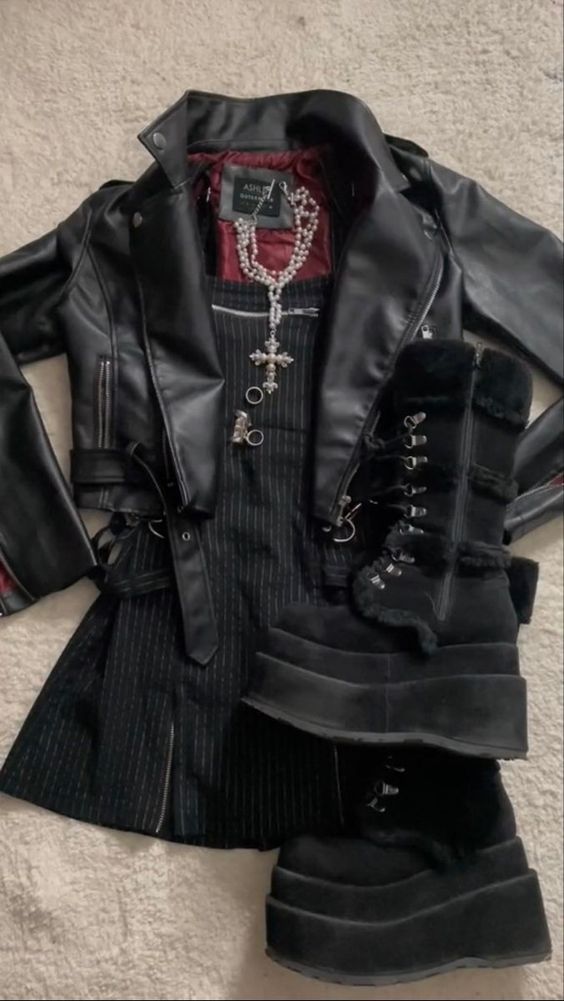
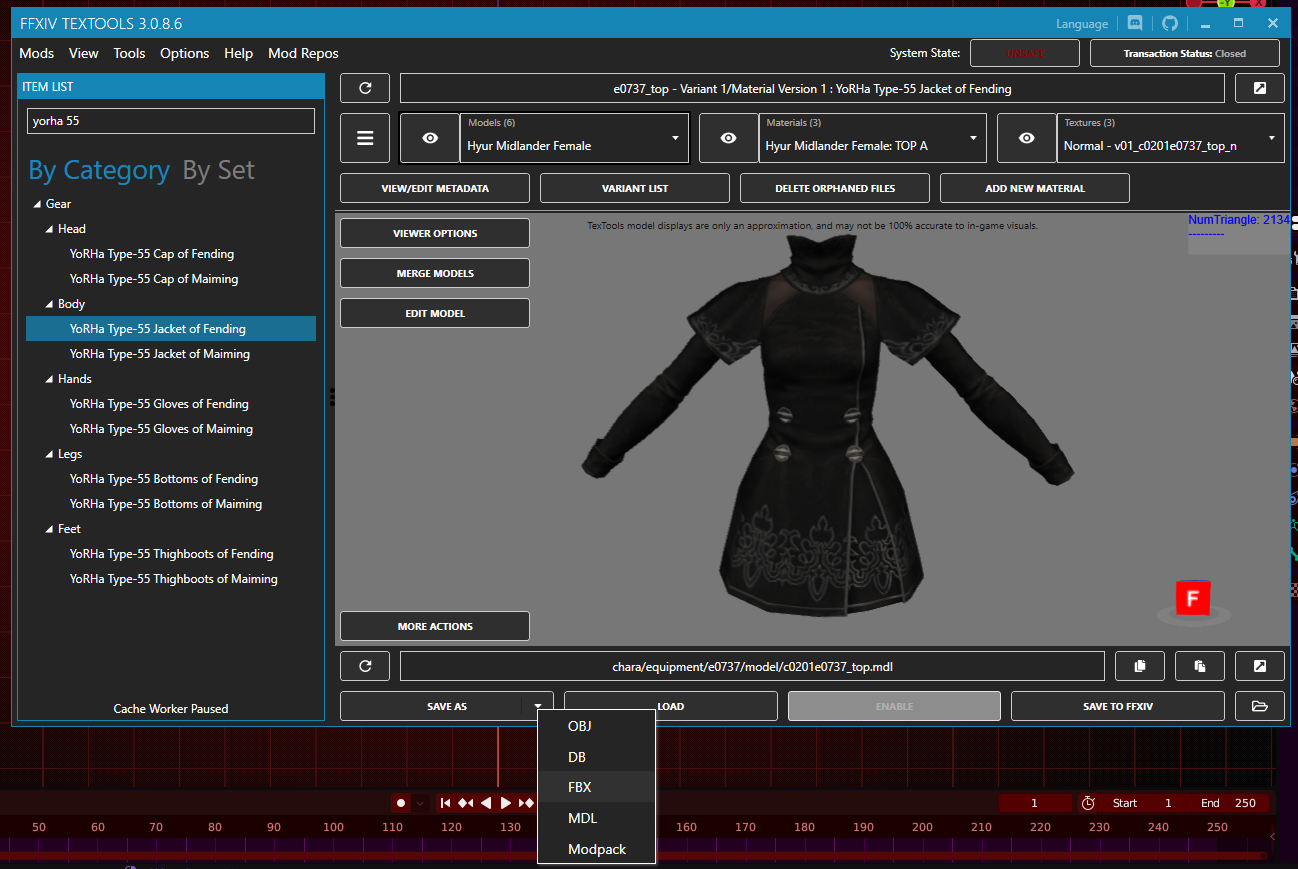
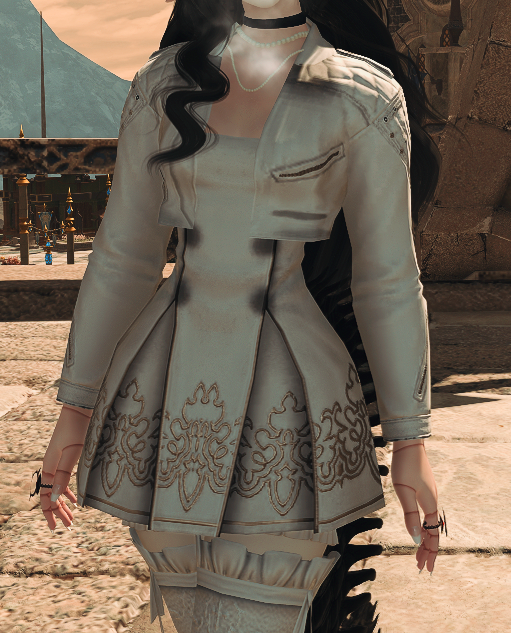
    - <span style="font-size: 11pt; font-family: Arial,sans-serif; color: #000000; background-color: transparent; font-weight: 400; font-style: normal; font-variant: normal; text-decoration: none; vertical-align: baseline; white-space: pre-wrap;">Navigate to the gear you’d like to be your base. I’m going off of this inspiration picture</span>

<span style="font-size: 11pt; font-family: Arial,sans-serif; color: #000000; background-color: transparent; font-weight: 400; font-style: normal; font-variant: normal; text-decoration: none; vertical-align: baseline; white-space: pre-wrap;"><span style="border: none; display: inline-block; overflow: hidden; width: 236px; height: 418px;">![](https://lh7-rt.googleusercontent.com/docsz/AD_4nXcE-leFDrLfeS9djpF4eeN7NYT_S1gtIA8cGO-1uDh8PAZkbo3tjH22wJEFUiN-3eDC3faIfU3IZEYtj7SDNRm1yuWVBIAcie771pYoUHAIzAEblA9sEbSMqmAPAMKV47eqei32Z_AOngObrRiJdg?key=x2SAouDxP3EayyutRfDV1A)</span></span>

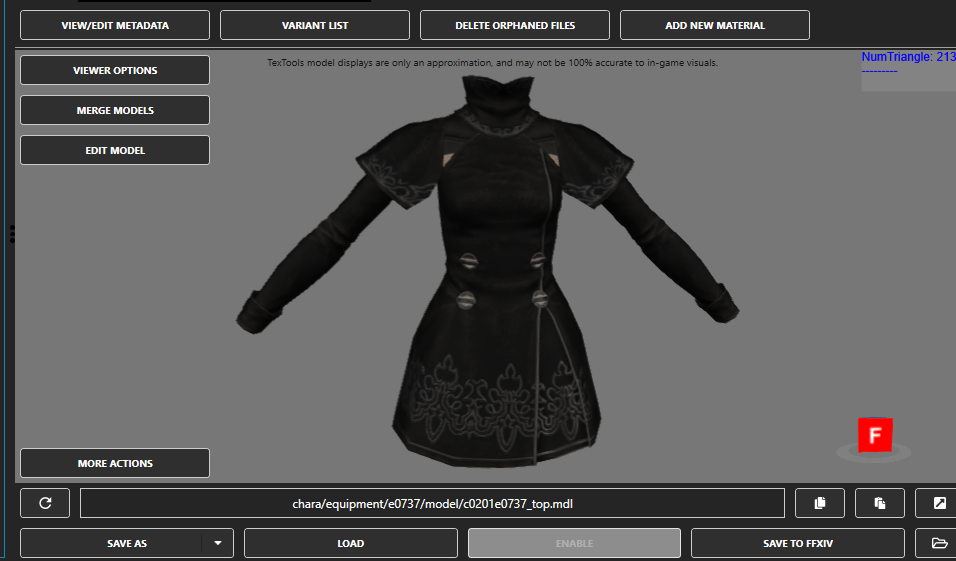
- - <span style="font-size: 11pt; font-family: Arial,sans-serif; color: #000000; background-color: transparent; font-weight: 400; font-style: normal; font-variant: normal; text-decoration: none; vertical-align: baseline; white-space: pre-wrap;">I’m choosing to use the Yorha Type-55 Fending top or the base!</span>

<span style="font-size: 11pt; font-family: Arial,sans-serif; color: #000000; background-color: transparent; font-weight: 400; font-style: normal; font-variant: normal; text-decoration: none; vertical-align: baseline; white-space: pre-wrap;"><span style="border: none; display: inline-block; overflow: hidden; width: 526px; height: 362px;">![](https://lh7-rt.googleusercontent.com/docsz/AD_4nXcntlqXN1Ft-z22VOPe-ErF1CEFo_1oqvhxWSXcJr0H5h1OQZdvFUr0XFQFgi-8UzOOzXJwrrFLAqTTFEl37PWFZCvc86EGL9GFnSOemX-KU-INgxRaL1zR6aUzOmnG5n8y6ifipOd2TEHVkTGrTw?key=x2SAouDxP3EayyutRfDV1A)</span></span>

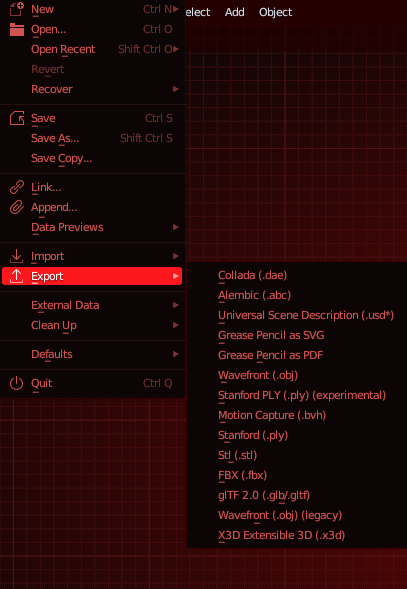
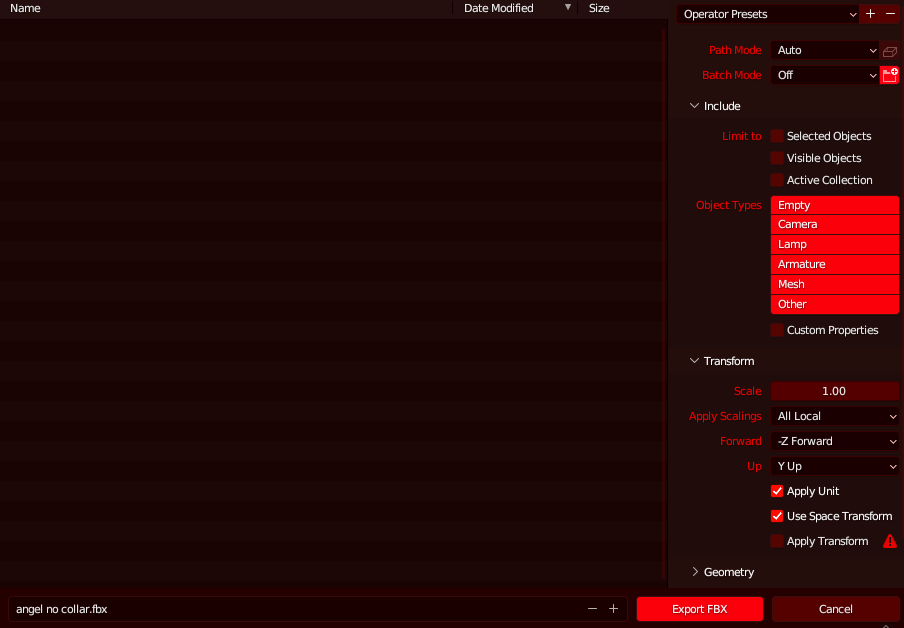
- - <span style="font-size: 11pt; font-family: Arial,sans-serif; color: #000000; background-color: transparent; font-weight: 400; font-style: normal; font-variant: normal; text-decoration: none; vertical-align: baseline; white-space: pre-wrap;">Export this top as an FBX, and hit save.</span>
- <span style="font-size: 20pt; font-family: Arial,sans-serif; color: #000000; background-color: transparent; font-weight: 400; font-style: normal; font-variant: normal; text-decoration: none; vertical-align: baseline; white-space: pre-wrap;">Editing the Mesh</span>
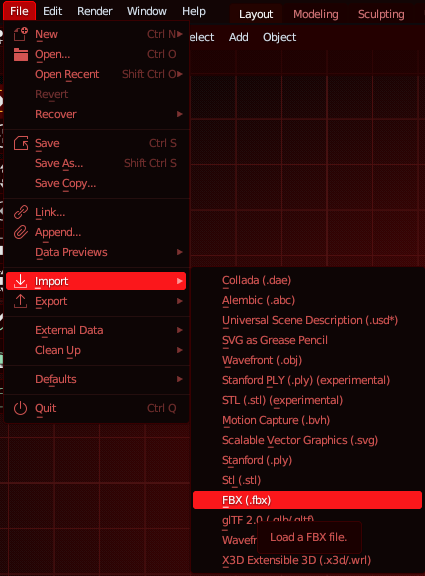
    - <span style="font-size: 11pt; font-family: Arial,sans-serif; color: #000000; background-color: transparent; font-weight: 400; font-style: normal; font-variant: normal; text-decoration: none; vertical-align: baseline; white-space: pre-wrap;">In Blender, once you have your base, you’ll need to import it!</span>

<span style="font-size: 11pt; font-family: Arial,sans-serif; color: #000000; background-color: transparent; font-weight: 400; font-style: normal; font-variant: normal; text-decoration: none; vertical-align: baseline; white-space: pre-wrap;"><span style="border: none; display: inline-block; overflow: hidden; width: 383px; height: 509px;">![](https://lh7-rt.googleusercontent.com/docsz/AD_4nXeOpc8Tbx0VRtDXx5rDAL9SgYzGrEJckXP6J-fLTqzdOgDM9p-uag6z9Ejn7bXXSL9gqZfCZDxlNhZYSJo0WncAf-0G6nZtzTw22aUy497jWa2MxdQmnO0vAVq3kUBwlzNEkfP3v3E_r55gpzNQUg?key=x2SAouDxP3EayyutRfDV1A)</span></span>

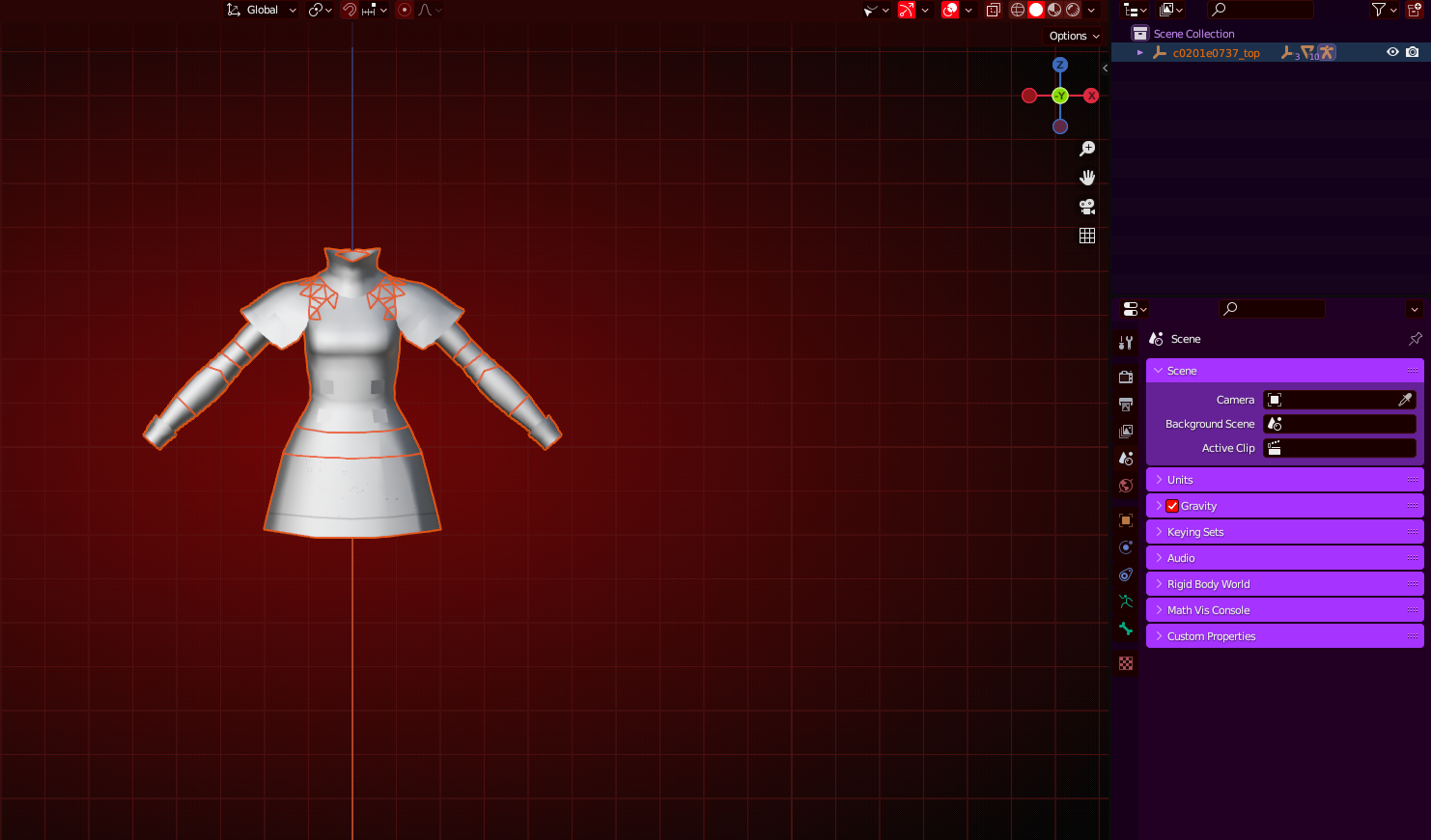
- - <span style="font-size: 11pt; font-family: Arial,sans-serif; color: #000000; background-color: transparent; font-weight: 400; font-style: normal; font-variant: normal; text-decoration: none; vertical-align: baseline; white-space: pre-wrap;">Import your mesh using these settings, and you should have it in blender now!</span>

<span style="font-size: 11pt; font-family: Arial,sans-serif; color: #000000; background-color: transparent; font-weight: 400; font-style: normal; font-variant: normal; text-decoration: none; vertical-align: baseline; white-space: pre-wrap;"><span style="border: none; display: inline-block; overflow: hidden; width: 576px; height: 338px;">![](https://lh7-rt.googleusercontent.com/docsz/AD_4nXdZw_ynZysP0TWQV0ZVHOMd9zNzw4FDipuit-47vUySS9gKuioEdUE6kr0vjqcQCtFcGBZve_tet5dngt0_U1ew3WzeXlmlK5ivmhfYAjXKtxX3gnxgeu28CSU-iks-xqVEppw8dTONt1ELhfwsGw?key=x2SAouDxP3EayyutRfDV1A)</span></span>

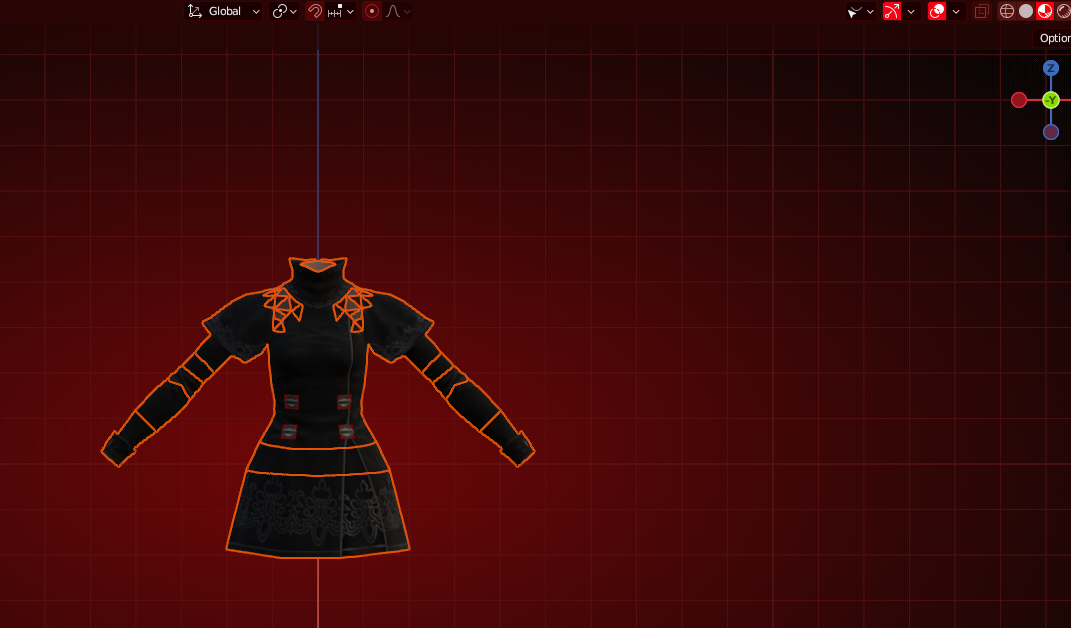
- - <span style="font-size: 11pt; font-family: Arial,sans-serif; color: #000000; background-color: transparent; font-weight: 400; font-style: normal; font-variant: normal; text-decoration: none; vertical-align: baseline; white-space: pre-wrap;">You’ll notice it’s a white, undetailed blob. Let’s fix that! Up in the top right corner, you’ll see 4 orbs! You want to change it to the 3rd option, that looks slightly checkered.</span>

<span style="font-size: 11pt; font-family: Arial,sans-serif; color: #000000; background-color: transparent; font-weight: 400; font-style: normal; font-variant: normal; text-decoration: none; vertical-align: baseline; white-space: pre-wrap;"><span style="border: none; display: inline-block; overflow: hidden; width: 576px; height: 337px;">![](https://lh7-rt.googleusercontent.com/docsz/AD_4nXfpuvCrjCawHRBGOnwcsLTlrhzA1CMiaR6vKuzIlQ3Kg_WJhK4YoupeVpIvAY-QzVgo4KeRMFaI4cYIAqzkNPOCfQ9zNrkq30xAKTKbDqErSaNjzQGzh2eoah4OsHokfLnZtyB4vyjDT4Pc7Ul1gg?key=x2SAouDxP3EayyutRfDV1A)</span></span>

- - <span style="font-size: 11pt; font-family: Arial,sans-serif; color: #000000; background-color: transparent; font-weight: 400; font-style: normal; font-variant: normal; text-decoration: none; vertical-align: baseline; white-space: pre-wrap;">You’ll notice that some bits of the clothes are transparent, like the 4 buttons. That’s fixed in the material settings.</span>

<span style="font-size: 11pt; font-family: Arial,sans-serif; color: #000000; background-color: transparent; font-weight: 400; font-style: normal; font-variant: normal; text-decoration: none; vertical-align: baseline; white-space: pre-wrap;"><span style="border: none; display: inline-block; overflow: hidden; width: 335px; height: 342px;">![](https://lh7-rt.googleusercontent.com/docsz/AD_4nXcu_3Lacms8NTCi1C2h8rraB8hAbp3xZbBg6N7yfzusPl049mH_9d6TiJqmYZvh5JAyhEYI0TF5WiMtmeUDvBNW9TRYzoo53rPEt4dXUqwqfbyKtLrgmsiXaBeJyTDhvbDDhz74UdtfrI77v3jefA?key=x2SAouDxP3EayyutRfDV1A)</span></span>

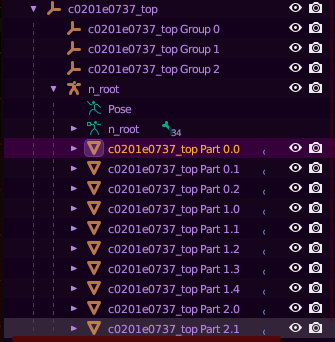
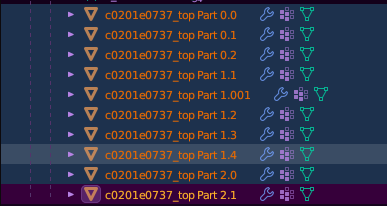
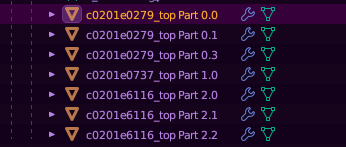
- - <span style="font-size: 11pt; font-family: Arial,sans-serif; color: #000000; background-color: transparent; font-weight: 400; font-style: normal; font-variant: normal; text-decoration: none; vertical-align: baseline; white-space: pre-wrap;">You need to click various parts to fix their material settings. Each part is divided into various bits (0.0, 0.1, 0.2, etc)</span>
        - <span style="font-size: 11pt; font-family: Arial,sans-serif; color: #000000; background-color: transparent; font-weight: 400; font-style: normal; font-variant: normal; text-decoration: none; vertical-align: baseline; white-space: pre-wrap;">If you change the material settings on 0.0, it’ll affect 0.1 and 0.2, as they’re all bits of the same part. You’ll have to do this for each individual part, so in this mesh’s case, 3 times!</span>
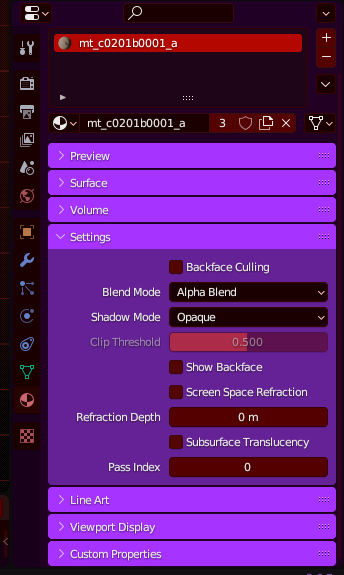
    - <span style="font-size: 11pt; font-family: Arial,sans-serif; color: #000000; background-color: transparent; font-weight: 400; font-style: normal; font-variant: normal; text-decoration: none; vertical-align: baseline; white-space: pre-wrap;">Below the meshes, there’s this box. Click on the checkered orb, and close the boxes until you see Settings. </span>
<span style="font-size: 11pt; font-family: Arial,sans-serif; color: #000000; background-color: transparent; font-weight: 400; font-style: normal; font-variant: normal; text-decoration: none; vertical-align: baseline; white-space: pre-wrap;"><span style="border: none; display: inline-block; overflow: hidden; width: 237px; height: 392px;">![](https://lh7-rt.googleusercontent.com/docsz/AD_4nXdeYSH9hkTDKJUYLQx3-TjKGLzPJOjJg3MEpAT2HYy3QxY3j4SJjieR7ogpSeOZ2_O12V8NUCoAZ1_WwuXb3bh_eSTZhz5L6h4OMm4Y8fGyNZy46QcOpp-0LavCuqK48t_vkoqvaEQGWZ5Fn6KVMQ?key=x2SAouDxP3EayyutRfDV1A)</span></span>

- - <span style="font-size: 11pt; font-family: Arial,sans-serif; color: #000000; background-color: transparent; font-weight: 400; font-style: normal; font-variant: normal; text-decoration: none; vertical-align: baseline; white-space: pre-wrap;">Check Backface Culling, and change the Alpha Blend mode to Alpha clip.</span>
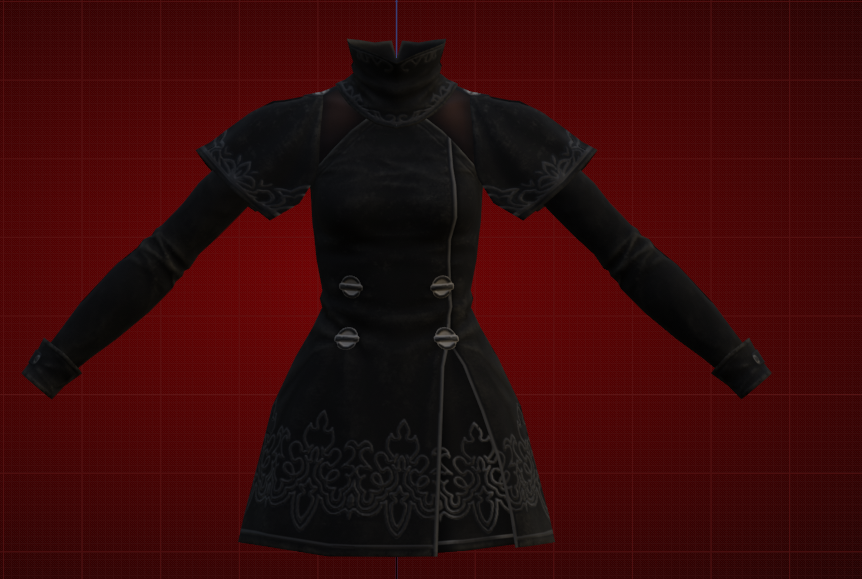
    - <span style="font-size: 11pt; font-family: Arial,sans-serif; color: #000000; background-color: transparent; font-weight: 400; font-style: normal; font-variant: normal; text-decoration: none; vertical-align: baseline; white-space: pre-wrap;">Once you’ve done this for all 3 parts, it should look like this!</span>

<span style="font-size: 11pt; font-family: Arial,sans-serif; color: #000000; background-color: transparent; font-weight: 400; font-style: normal; font-variant: normal; text-decoration: none; vertical-align: baseline; white-space: pre-wrap;"><span style="border: none; display: inline-block; overflow: hidden; width: 455px; height: 309px;">![](https://lh7-rt.googleusercontent.com/docsz/AD_4nXfXHUM7Cs9ryZdc__K_Sk64gJlzFVMxmxuOYVyeoz5Bdjd8EuouizOKqYyyRaM3F2FHZkHTlrXwgxZFDp0KcwykcR70n3_p2lS1zu56sSHCmX0uvlJZWKUgmGIkvZeXEI7ISKLm5KT6fhnRjE57?key=x2SAouDxP3EayyutRfDV1A)</span></span>

- - <span style="font-size: 11pt; font-family: Arial,sans-serif; color: #000000; background-color: transparent; font-weight: 400; font-style: normal; font-variant: normal; text-decoration: none; vertical-align: baseline; white-space: pre-wrap;">We can get to working on our mashup now!</span>
    - <span style="font-size: 11pt; font-family: Arial,sans-serif; color: #000000; background-color: transparent; font-weight: 400; font-style: normal; font-variant: normal; text-decoration: none; vertical-align: baseline; white-space: pre-wrap;">Typically, Vanilla items will use part 0 as their skin material. Always check before you do so, but if you intend to upscale your mashup to a Bibo, TBSE, or Gen3 body type, you should delete part 0 as you start!</span>
    - <span style="font-size: 11pt; font-family: Arial,sans-serif; color: #000000; background-color: transparent; font-weight: 400; font-style: normal; font-variant: normal; text-decoration: none; vertical-align: baseline; white-space: pre-wrap;">I upscale to Rue+, so I’ll be deleting this part.</span>
    - <span style="font-size: 11pt; font-family: Arial,sans-serif; color: #000000; background-color: transparent; font-weight: 400; font-style: normal; font-variant: normal; text-decoration: none; vertical-align: baseline; white-space: pre-wrap;">In my inspiration picture, I can see that my dress is strapless, so I’ll be deleting the sleeves / everything above the collarbones for a start.</span>
    - <span style="font-size: 11pt; font-family: Arial,sans-serif; color: #000000; background-color: transparent; font-weight: 400; font-style: normal; font-variant: normal; text-decoration: none; vertical-align: baseline; white-space: pre-wrap;">To select all of your mesh, hit A, and go into Edit Mode via the top left dropdown box.</span>

<span style="font-size: 11pt; font-family: Arial,sans-serif; color: #000000; background-color: transparent; font-weight: 400; font-style: normal; font-variant: normal; text-decoration: none; vertical-align: baseline; white-space: pre-wrap;"><span style="border: none; display: inline-block; overflow: hidden; width: 449px; height: 307px;">![](https://lh7-rt.googleusercontent.com/docsz/AD_4nXes8BxmNFMplBn8oR1bL6QD2bhDy0XD7nXCnKAl3aMUdkFkTbYdwkrhFTOzn7MJfaRSiL6jR6G7tpb5j7dai3wtAl40tFw9P3iI1F3VLy62PvJ-7Cwij-6T3FXrAH6YluNkRUzOz5D-h8qgx-kUEg?key=x2SAouDxP3EayyutRfDV1A)</span></span><span style="font-size: 11pt; font-family: Arial,sans-serif; color: #000000; background-color: transparent; font-weight: 400; font-style: normal; font-variant: normal; text-decoration: none; vertical-align: baseline; white-space: pre-wrap;"> </span>

- <span style="font-size: 13.999999999999998pt; font-family: Arial,sans-serif; color: #434343; background-color: transparent; font-weight: 400; font-style: normal; font-variant: normal; text-decoration: none; vertical-align: baseline; white-space: pre-wrap;">Toggle X-Ray</span>
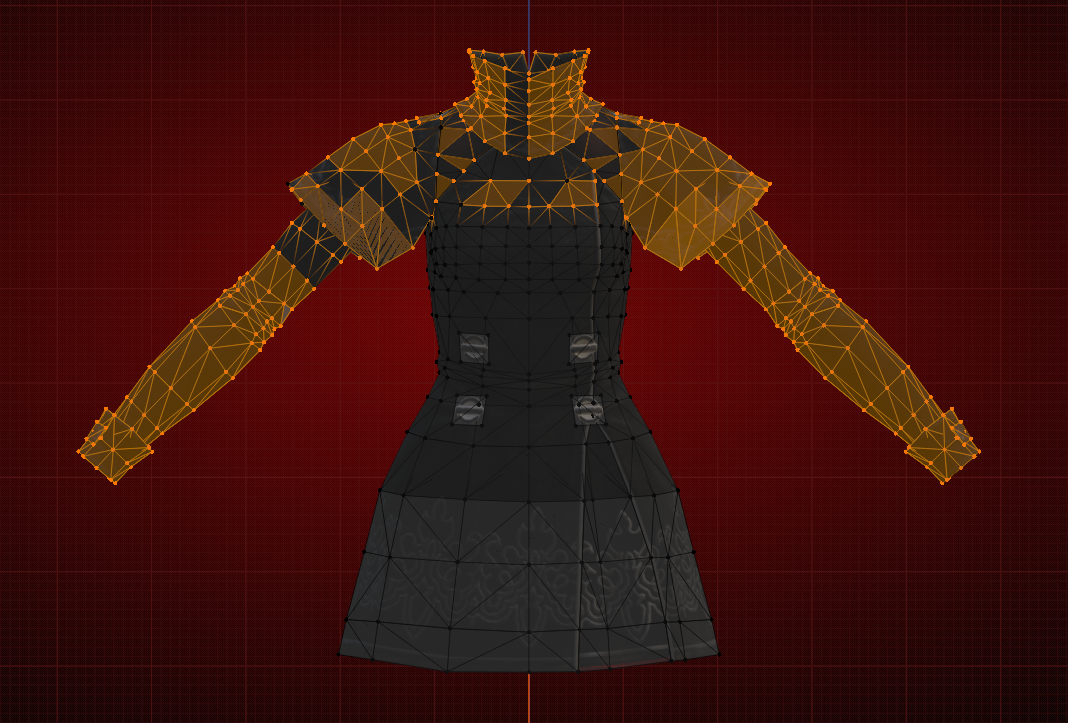
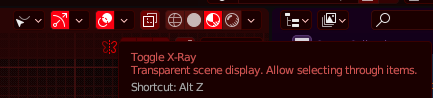
    - <span style="font-size: 11pt; font-family: Arial,sans-serif; color: #000000; background-color: transparent; font-weight: 400; font-style: normal; font-variant: normal; text-decoration: none; vertical-align: baseline; white-space: pre-wrap;">You’ll notice some bits aren’t being selected. This is changed through the “Toggle X-Ray” option, next to the 4 orbs!</span>

<span style="font-size: 11pt; font-family: Arial,sans-serif; color: #000000; background-color: transparent; font-weight: 400; font-style: normal; font-variant: normal; text-decoration: none; vertical-align: baseline; white-space: pre-wrap;"> </span><span style="font-size: 11pt; font-family: Arial,sans-serif; color: #000000; background-color: transparent; font-weight: 400; font-style: normal; font-variant: normal; text-decoration: none; vertical-align: baseline; white-space: pre-wrap;"><span style="border: none; display: inline-block; overflow: hidden; width: 433px; height: 98px;">![](https://lh7-rt.googleusercontent.com/docsz/AD_4nXczelECIQ9feJyWqiBf8jnsFHY_4hlEAeqF4dXpHpz9_VZ8tMrI8-1udf6nD3dvOK3D5baiz-uFuV5CGEcFQnPOa2fnG0XYD6sUQ3Cx6wvNLTKAIdemb8GY8xxSB1fk6tyoKlQuLDUjtAjAVwqecA?key=x2SAouDxP3EayyutRfDV1A)</span></span>

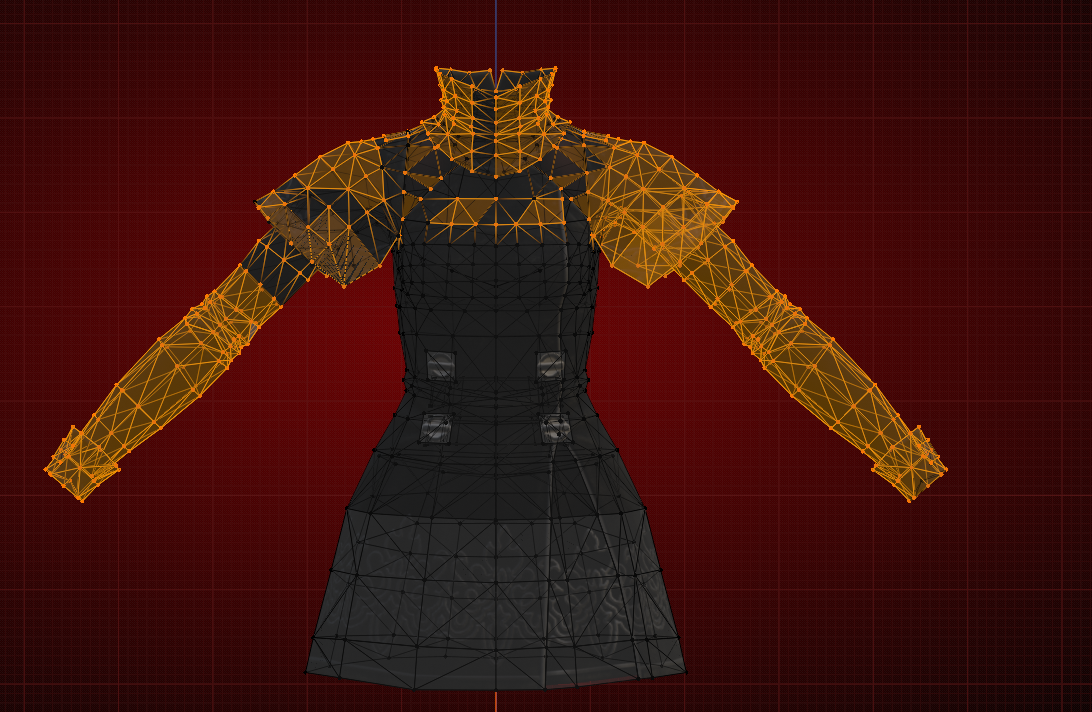
- - <span style="font-size: 11pt; font-family: Arial,sans-serif; color: #000000; background-color: transparent; font-weight: 400; font-style: normal; font-variant: normal; text-decoration: none; vertical-align: baseline; white-space: pre-wrap;">Once you’ve turned this on, a LOT more vertices will appear. </span>
<span style="font-size: 11pt; font-family: Arial,sans-serif; color: #000000; background-color: transparent; font-weight: 400; font-style: normal; font-variant: normal; text-decoration: none; vertical-align: baseline; white-space: pre-wrap;"><span style="border: none; display: inline-block; overflow: hidden; width: 450px; height: 295px;">![](https://lh7-rt.googleusercontent.com/docsz/AD_4nXfZV3NU42r_X6_vKiZngU7ogJkUiChyxDxGbdsHAVXP-BDq61VWDeMyGOX9YGv-sxmuIHfQ_c0OIfkRgAkySo636l03glqne4qpTMpjd2jw8Io_G4swe4XmfDbJpB4RCQY9-EJvfwlD-ImL94sL?key=x2SAouDxP3EayyutRfDV1A)</span></span>

- - <span style="font-size: 11pt; font-family: Arial,sans-serif; color: #000000; background-color: transparent; font-weight: 400; font-style: normal; font-variant: normal; text-decoration: none; vertical-align: baseline; white-space: pre-wrap;">Keep selecting the bits you want to delete, then right click -&gt; delete! </span>

<span style="font-size: 11pt; font-family: Arial,sans-serif; color: #000000; background-color: transparent; font-weight: 400; font-style: normal; font-variant: normal; text-decoration: none; vertical-align: baseline; white-space: pre-wrap;"><span style="border: none; display: inline-block; overflow: hidden; width: 475px; height: 341px;">![](https://lh7-rt.googleusercontent.com/docsz/AD_4nXdareXAF38zU95b8MSMwgUWqfJeRglyYGhrA4PHBhoqQnJYi26hnivQd4eQPtG45lqiiNECy3eEUT1JzMiQHiEmihrOQ2WeLQP4z0ZaMkRC9cK6KhtSd_m1E9kUWQkt6zTRgh-_iOpdrN2wcC7sTQ?key=x2SAouDxP3EayyutRfDV1A)</span></span>

- - <span style="font-size: 11pt; font-family: Arial,sans-serif; color: #000000; background-color: transparent; font-weight: 400; font-style: normal; font-variant: normal; text-decoration: none; vertical-align: baseline; white-space: pre-wrap;">You’ll notice, if you look from the side, that some bits are wonky looking. Select these vertices, and adjust them with the move tool until you’re satisfied! (you can also delete them, just depends on what you want to do!)</span>

<span style="font-size: 11pt; font-family: Arial,sans-serif; color: #000000; background-color: transparent; font-weight: 400; font-style: normal; font-variant: normal; text-decoration: none; vertical-align: baseline; white-space: pre-wrap;"><span style="border: none; display: inline-block; overflow: hidden; width: 332px; height: 342px;">![](https://lh7-rt.googleusercontent.com/docsz/AD_4nXf45wTdpaA7nwUz1Tk7E7skzoCk6OerJ5_IUbQYFDFwXNR8R5zHjUb1QnymuvDZ09Bk3hCTdCHfzVUK6pRrIU8Q3N3n9j3A_Zk-W3GRIU1pz8qQYxaKaWbouMc_9I4my_FYNY-a-psbgsn6OOpKhg?key=x2SAouDxP3EayyutRfDV1A)</span></span>

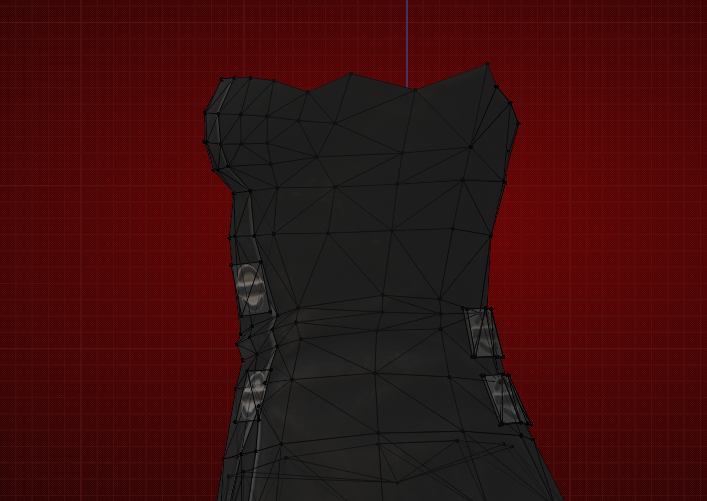
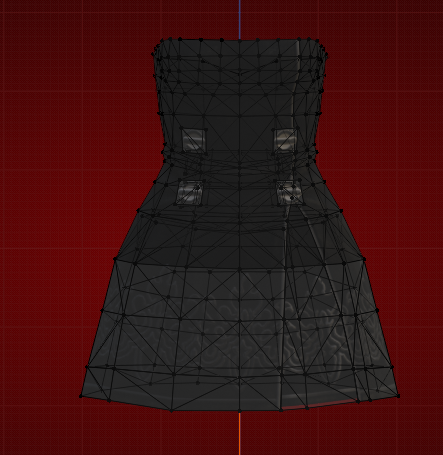
- - <span style="font-size: 11pt; font-family: Arial,sans-serif; color: #000000; background-color: transparent; font-weight: 400; font-style: normal; font-variant: normal; text-decoration: none; vertical-align: baseline; white-space: pre-wrap;">From here, I’m going to delete the buttons on the front and the back!</span>

<span style="font-size: 11pt; font-family: Arial,sans-serif; color: #000000; background-color: transparent; font-weight: 400; font-style: normal; font-variant: normal; text-decoration: none; vertical-align: baseline; white-space: pre-wrap;"><span style="border: none; display: inline-block; overflow: hidden; width: 310px; height: 341px;">![](https://lh7-rt.googleusercontent.com/docsz/AD_4nXdkoI9H8s_EPuNK-MZa-wsOV-it01YlAD2AvNgAsZVPNaXskDR1rDkY3jea6DFl1faotPnU-S6e0rbf0J02vVgdzsm2AyFSAlT0pGRvJL1S0Hk19rt73c1TZCkADXrgBm1gUF4CJmvFWCzfRHlv?key=x2SAouDxP3EayyutRfDV1A)</span></span>

- - <span style="font-size: 11pt; font-family: Arial,sans-serif; color: #000000; background-color: transparent; font-weight: 400; font-style: normal; font-variant: normal; text-decoration: none; vertical-align: baseline; white-space: pre-wrap;">For the last touch, I want the dress to be symmetrical with the slits.</span>
    - <span style="font-size: 11pt; font-family: Arial,sans-serif; color: #000000; background-color: transparent; font-weight: 400; font-style: normal; font-variant: normal; text-decoration: none; vertical-align: baseline; white-space: pre-wrap;">To accomplish this, we’ll be using the Mirror Modifier!</span>
    - <span style="font-size: 11pt; font-family: Arial,sans-serif; color: #000000; background-color: transparent; font-weight: 400; font-style: normal; font-variant: normal; text-decoration: none; vertical-align: baseline; white-space: pre-wrap;">Firstly, delete the half of your mesh you want to replace. In my case, that’s the left half!</span><span style="font-size: 11pt; font-family: Arial,sans-serif; color: #000000; background-color: transparent; font-weight: 400; font-style: normal; font-variant: normal; text-decoration: none; vertical-align: baseline; white-space: pre-wrap;">  
        </span>
    - <span style="font-size: 11pt; font-family: Arial,sans-serif; color: #000000; background-color: transparent; font-weight: 400; font-style: normal; font-variant: normal; text-decoration: none; vertical-align: baseline; white-space: pre-wrap;">Make sure that this is directly down the blue line, or the Y axis!</span>
- <span style="font-size: 13.999999999999998pt; font-family: Arial,sans-serif; color: #434343; background-color: transparent; font-weight: 400; font-style: normal; font-variant: normal; text-decoration: none; vertical-align: baseline; white-space: pre-wrap;">Mirror Modifier</span>
    - <span style="font-size: 11pt; font-family: Arial,sans-serif; color: #000000; background-color: transparent; font-weight: 400; font-style: normal; font-variant: normal; text-decoration: none; vertical-align: baseline; white-space: pre-wrap;"> Located under the wrench tab, you’ll add the mirror modifier, like so! </span><span style="font-size: 11pt; font-family: Arial,sans-serif; color: #000000; background-color: transparent; font-weight: 400; font-style: normal; font-variant: normal; text-decoration: none; vertical-align: baseline; white-space: pre-wrap;">  
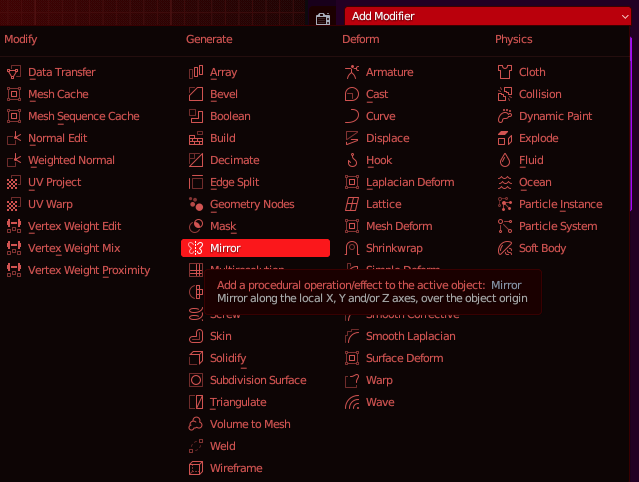
        </span><span style="font-size: 11pt; font-family: Arial,sans-serif; color: #000000; background-color: transparent; font-weight: 400; font-style: normal; font-variant: normal; text-decoration: none; vertical-align: baseline; white-space: pre-wrap;"><span style="border: none; display: inline-block; overflow: hidden; width: 505px; height: 382px;">![](https://lh7-rt.googleusercontent.com/docsz/AD_4nXfRR7uw9Erp5nj7_zSKDRdK_Erjym84XgfjZ4GQqnqUdzdmGVNXcPGV1ljaporiNGVu2UIOJxbA71ahfqxgxA5emTihSAZ2ufz5FrcsH0K1HFsnzTvImb7KrKvX9Wpn3J5hIiuFq6LgOb0qkUqvVA?key=x2SAouDxP3EayyutRfDV1A)</span></span>
    - <span style="font-size: 11pt; font-family: Arial,sans-serif; color: #000000; background-color: transparent; font-weight: 400; font-style: normal; font-variant: normal; text-decoration: none; vertical-align: baseline; white-space: pre-wrap;">Apply the mirror modifier! </span>
- <span style="font-size: 13.999999999999998pt; font-family: Arial,sans-serif; color: #434343; background-color: transparent; font-weight: 400; font-style: normal; font-variant: normal; text-decoration: none; vertical-align: baseline; white-space: pre-wrap;">Shape Keys</span>
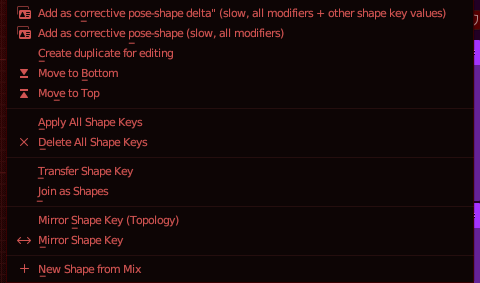
    - <span style="font-size: 11pt; font-family: Arial,sans-serif; color: #000000; background-color: transparent; font-weight: 400; font-style: normal; font-variant: normal; text-decoration: none; vertical-align: baseline; white-space: pre-wrap;">Note: you can’t do this with shape keys, if your mesh has shape keys, you can easily remove them! Navigate to the green triangle tab, underneath the wrench. </span>
    - <span style="font-size: 11pt; font-family: Arial,sans-serif; color: #000000; background-color: transparent; font-weight: 400; font-style: normal; font-variant: normal; text-decoration: none; vertical-align: baseline; white-space: pre-wrap;">To remove the shape keys, you can hit the minus sign, or you can hit the downward arrow, and select “Delete all Shapekeys”</span>

<span style="font-size: 11pt; font-family: Arial,sans-serif; color: #000000; background-color: transparent; font-weight: 400; font-style: normal; font-variant: normal; text-decoration: none; vertical-align: baseline; white-space: pre-wrap;"><span style="border: none; display: inline-block; overflow: hidden; width: 480px; height: 283px;">![](https://lh7-rt.googleusercontent.com/docsz/AD_4nXc6nT5hjFqN5BwPESOL1jSsdFuzXh4ze4G-bvVZ0gse7h_hrhPpZ56M9cKW2gbKVbzOqxfqhQOttsnOxDdVQqJNoKzVKhkw9bduXUkBtYuqRxUrD2W8e_2i6jlmVPnNB4gP8y5DInJTCO3i8U8Uig?key=x2SAouDxP3EayyutRfDV1A)</span></span>

- - <span style="font-size: 11pt; font-family: Arial,sans-serif; color: #000000; background-color: transparent; font-weight: 400; font-style: normal; font-variant: normal; text-decoration: none; vertical-align: baseline; white-space: pre-wrap;">After the mirror modifier is applied, you have one more step: merging the middle vertices! It’s simple, but worth mentioning. </span>
    - <span style="font-size: 11pt; font-family: Arial,sans-serif; color: #000000; background-color: transparent; font-weight: 400; font-style: normal; font-variant: normal; text-decoration: none; vertical-align: baseline; white-space: pre-wrap;">Using the “Select Box” option, select all the middle vertices that fall on the Y axis, like so: </span>
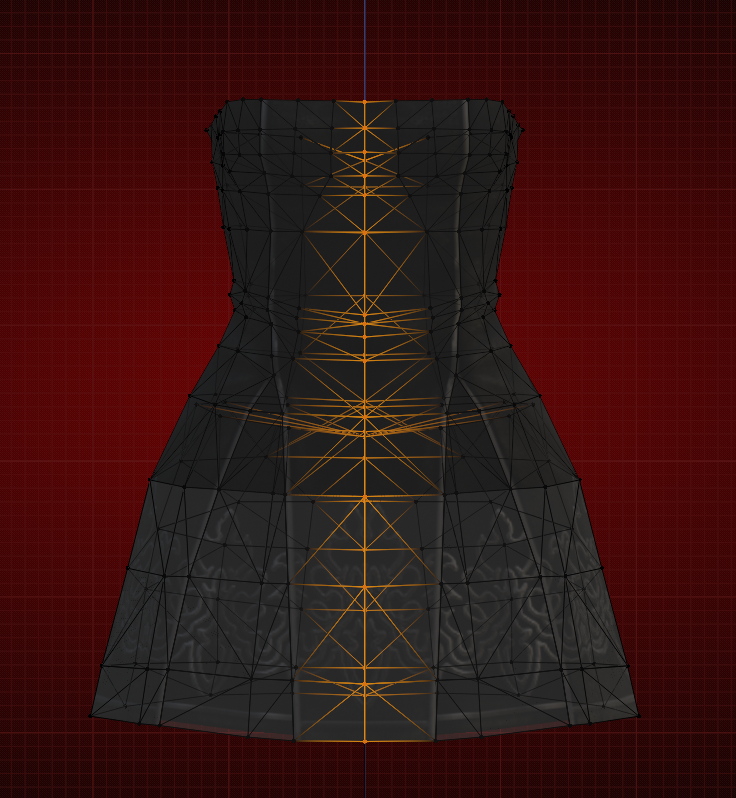
<span style="font-size: 11pt; font-family: Arial,sans-serif; color: #000000; background-color: transparent; font-weight: 400; font-style: normal; font-variant: normal; text-decoration: none; vertical-align: baseline; white-space: pre-wrap;"><span style="border: none; display: inline-block; overflow: hidden; width: 329px; height: 357px;">![](https://lh7-rt.googleusercontent.com/docsz/AD_4nXeuJs9VmmjAW17JYzGkM5PKAewG0pNSa0I7Rb-kJ8PG5yr_JqosGkzEfdDxXG_dZwLMpOW3lFJho_dowplIyMWBBw6OxbUAX6u19uxECPopIt-03AtwzFqNrIGdPwMVxjEwTlYXmYIcosoBZ0ZwwQ?key=x2SAouDxP3EayyutRfDV1A)</span></span>

- - <span style="font-size: 11pt; font-family: Arial,sans-serif; color: #000000; background-color: transparent; font-weight: 400; font-style: normal; font-variant: normal; text-decoration: none; vertical-align: baseline; white-space: pre-wrap;">Right click -&gt; Merge Verticies -&gt; Merge Verticies by Distance</span><span style="font-size: 11pt; font-family: Arial,sans-serif; color: #000000; background-color: transparent; font-weight: 400; font-style: normal; font-variant: normal; text-decoration: none; vertical-align: baseline; white-space: pre-wrap;">  
        </span><span style="font-size: 11pt; font-family: Arial,sans-serif; color: #000000; background-color: transparent; font-weight: 400; font-style: normal; font-variant: normal; text-decoration: none; vertical-align: baseline; white-space: pre-wrap;"><span style="border: none; display: inline-block; overflow: hidden; width: 166px; height: 25px;">![](https://lh7-rt.googleusercontent.com/docsz/AD_4nXf90ODCoHZcu5rdenLyYr1itgmVRLhZM0eyjtCpfWHY9n77iEdLZ2SMi5lvSozVUu0NBIGXiB7ukQqGKLjbJJm6CExvGa6G1hFBrhouJuETjx8qXSFU-M0CUgtkp-_qRLZtG5ultELsDvqp6adcEQ?key=x2SAouDxP3EayyutRfDV1A)</span></span>
    - <span style="font-size: 11pt; font-family: Arial,sans-serif; color: #000000; background-color: transparent; font-weight: 400; font-style: normal; font-variant: normal; text-decoration: none; vertical-align: baseline; white-space: pre-wrap;">When you get the “Removed (x) vertice(s)” notification at the bottom of the screen, you’ll know it worked! </span>
    - <span style="font-size: 11pt; font-family: Arial,sans-serif; color: #000000; background-color: transparent; font-weight: 400; font-style: normal; font-variant: normal; text-decoration: none; vertical-align: baseline; white-space: pre-wrap;">All done with the dress! I’ll be adding a jacket on, again like the inspiration picture!</span>
    - <span style="font-size: 11pt; font-family: Arial,sans-serif; color: #000000; background-color: transparent; font-weight: 400; font-style: normal; font-variant: normal; text-decoration: none; vertical-align: baseline; white-space: pre-wrap;">The jacket I’ll be adding onto the dress is invisible on the inside, let’s fix that!</span><span style="font-size: 11pt; font-family: Arial,sans-serif; color: #000000; background-color: transparent; font-weight: 400; font-style: normal; font-variant: normal; text-decoration: none; vertical-align: baseline; white-space: pre-wrap;">  
        </span><span style="font-size: 11pt; font-family: Arial,sans-serif; color: #000000; background-color: transparent; font-weight: 400; font-style: normal; font-variant: normal; text-decoration: none; vertical-align: baseline; white-space: pre-wrap;"><span style="border: none; display: inline-block; overflow: hidden; width: 364px; height: 228px;">![](https://lh7-rt.googleusercontent.com/docsz/AD_4nXdIqgLSeR7heUqKzTrGwoizyWTc4xWMnao1ydpoGyJiZJnnChm75y0KtZ7iN0O0x-AeYhLFIzL_I7Oi4-9dZb9ENY9S5f-YtPVpdUDNKnvPq11qzdaDRV2iahw4XO46iyjjN7RKc7uXw0DEoWnh-A?key=x2SAouDxP3EayyutRfDV1A)</span></span>
    - <span style="font-size: 11pt; font-family: Arial,sans-serif; color: #000000; background-color: transparent; font-weight: 400; font-style: normal; font-variant: normal; text-decoration: none; vertical-align: baseline; white-space: pre-wrap;">Right click your mesh in the right tab, and copy it. Paste it, and expand the tabs again.</span>
    - <span style="font-size: 11pt; font-family: Arial,sans-serif; color: #000000; background-color: transparent; font-weight: 400; font-style: normal; font-variant: normal; text-decoration: none; vertical-align: baseline; white-space: pre-wrap;">Select your new mesh, go into Edit Mode, and hit A to select the entire mesh. </span>
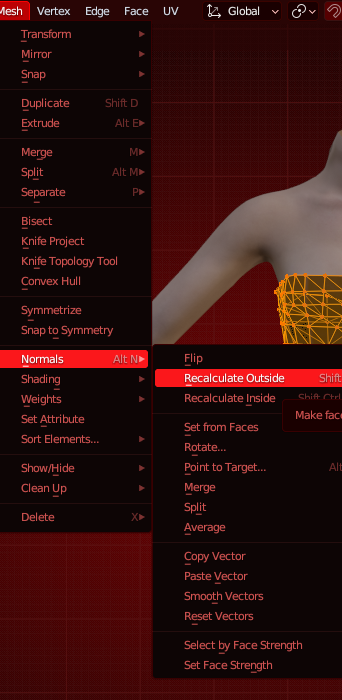
    - <span style="font-size: 11pt; font-family: Arial,sans-serif; color: #000000; background-color: transparent; font-weight: 400; font-style: normal; font-variant: normal; text-decoration: none; vertical-align: baseline; white-space: pre-wrap;">In the top left corner, there’s a box named Mesh. Open it up, and navigate down to Normals. You’ll want to hit “Recalculate Inside”. </span><span style="font-size: 11pt; font-family: Arial,sans-serif; color: #000000; background-color: transparent; font-weight: 400; font-style: normal; font-variant: normal; text-decoration: none; vertical-align: baseline; white-space: pre-wrap;">  
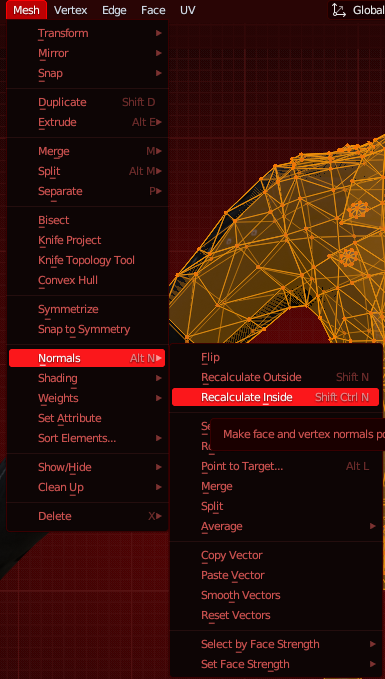
        </span><span style="font-size: 11pt; font-family: Arial,sans-serif; color: #000000; background-color: transparent; font-weight: 400; font-style: normal; font-variant: normal; text-decoration: none; vertical-align: baseline; white-space: pre-wrap;"> </span><span style="font-size: 11pt; font-family: Arial,sans-serif; color: #000000; background-color: transparent; font-weight: 400; font-style: normal; font-variant: normal; text-decoration: none; vertical-align: baseline; white-space: pre-wrap;"><span style="border: none; display: inline-block; overflow: hidden; width: 238px; height: 414px;">![](https://lh7-rt.googleusercontent.com/docsz/AD_4nXeSYzQX7gSkstN1otGUKxQM33eiJZee3PmsNIZcIhNa71hwOqC5hg-izDC8X5Biwq6MjFF7Wb-9To6K08Oqj141etD6CsZC2JJS1-I2-jG1YgDBj3z4E4Fdc3wkjtEoVqESNnFjPC-3OhsQSE3e0w?key=x2SAouDxP3EayyutRfDV1A)</span></span>
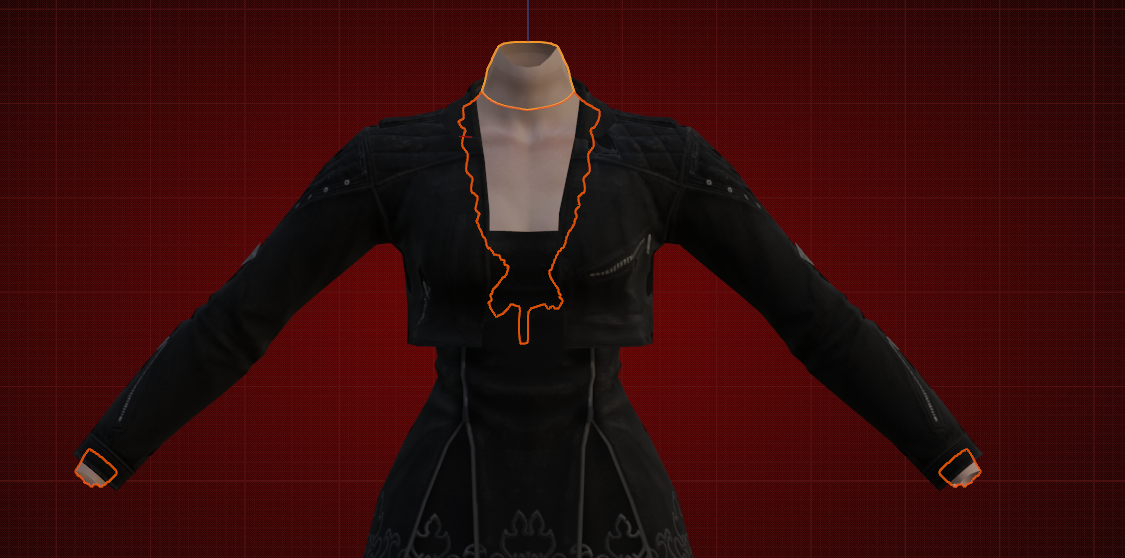
    - <span style="font-size: 11pt; font-family: Arial,sans-serif; color: #000000; background-color: transparent; font-weight: 400; font-style: normal; font-variant: normal; text-decoration: none; vertical-align: baseline; white-space: pre-wrap;">Afterwards, you’ll want to delete the bits that either wont be visible from the inside, or that already had backfaces. For this jacket, that’d be the collar bits, the arms up to the shoulder, the jewelry, and the dangly bits. You could technically leave them, but lowering your mod size is always a good idea!</span>

<span style="font-size: 11pt; font-family: Arial,sans-serif; color: #000000; background-color: transparent; font-weight: 400; font-style: normal; font-variant: normal; text-decoration: none; vertical-align: baseline; white-space: pre-wrap;"> </span><span style="font-size: 11pt; font-family: Arial,sans-serif; color: #000000; background-color: transparent; font-weight: 400; font-style: normal; font-variant: normal; text-decoration: none; vertical-align: baseline; white-space: pre-wrap;"><span style="border: none; display: inline-block; overflow: hidden; width: 358px; height: 312px;">![](https://lh7-rt.googleusercontent.com/docsz/AD_4nXe0QiXzL92ioCaKLWsseCMekkshyRhhMaCjpJCrvANqV9FPHI9puZ5SaAvADp4KZ1un_WWDtDh4RFVGHz9ijQQhggMosFlugFK-x_bGJEmQVneox7CpKM09wovN6y6qQA6TUtnpAHrWjfFncf84?key=x2SAouDxP3EayyutRfDV1A)</span></span>

- - <span style="font-size: 11pt; font-family: Arial,sans-serif; color: #000000; background-color: transparent; font-weight: 400; font-style: normal; font-variant: normal; text-decoration: none; vertical-align: baseline; white-space: pre-wrap;">When you’re selecting bits like this, you can hit Ctrl + L, and it’ll select everything linked to it. </span>
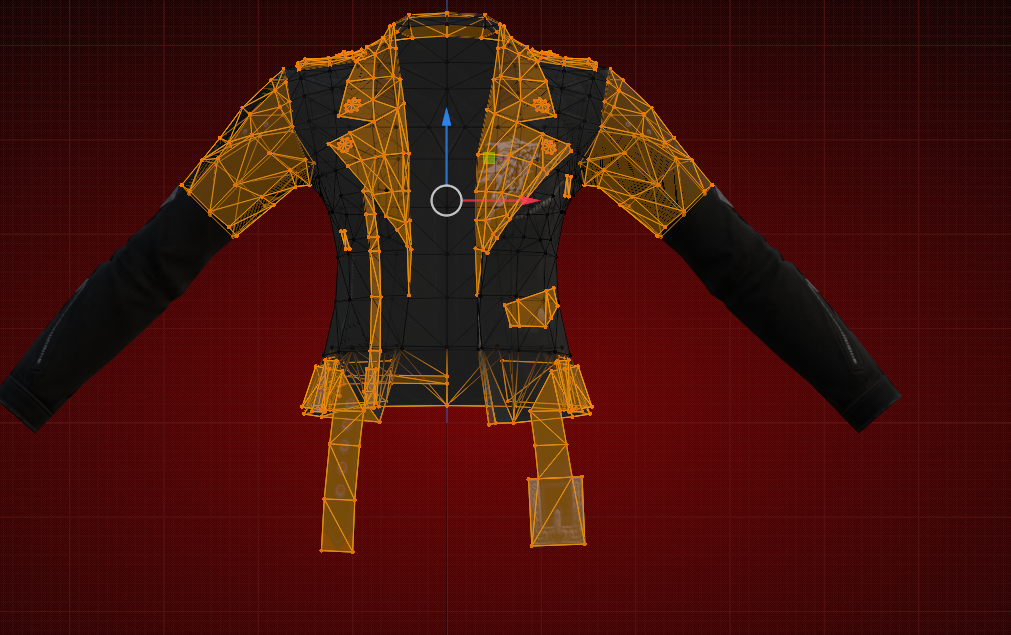
<span style="font-size: 11pt; font-family: Arial,sans-serif; color: #000000; background-color: transparent; font-weight: 400; font-style: normal; font-variant: normal; text-decoration: none; vertical-align: baseline; white-space: pre-wrap;">  
</span><span style="font-size: 11pt; font-family: Arial,sans-serif; color: #000000; background-color: transparent; font-weight: 400; font-style: normal; font-variant: normal; text-decoration: none; vertical-align: baseline; white-space: pre-wrap;"><span style="border: none; display: inline-block; overflow: hidden; width: 357px; height: 284px;">![](https://lh7-rt.googleusercontent.com/docsz/AD_4nXckp9h7pG-TCRqfE6SBUrv2_vgZwLeGynFdLSERtoSTdo8N1Uv09v385klh7w25IKDks_1JpdwsqP5mpyQja0KfERViRa4nMByO_SuNlzKmA1RtvHwJKJ6uhMJkSN4oCG4LFpf7m92FoP65yUXn?key=x2SAouDxP3EayyutRfDV1A)</span></span>

- - <span style="font-size: 11pt; font-family: Arial,sans-serif; color: #000000; background-color: transparent; font-weight: 400; font-style: normal; font-variant: normal; text-decoration: none; vertical-align: baseline; white-space: pre-wrap;">Here’s everything I’ll be deleting off this mesh!</span>
    - <span style="font-size: 11pt; font-family: Arial,sans-serif; color: #000000; background-color: transparent; font-weight: 400; font-style: normal; font-variant: normal; text-decoration: none; vertical-align: baseline; white-space: pre-wrap;">From here, it’s small edits. Select the copy of the mesh, and the original mesh, and move it around until you like it! Proportional editing is fantastic for this! It’s the little target option at the top-middle of your screen. You can also hit O to turn it on! </span>
    - <span style="font-size: 11pt; font-family: Arial,sans-serif; color: #000000; background-color: transparent; font-weight: 400; font-style: normal; font-variant: normal; text-decoration: none; vertical-align: baseline; white-space: pre-wrap;">Afterwards, select a vertex and hold G, then zoom in. There’ll be a circle that decreases as you zoom in. This is the radius of vertices affected by proportional editing. Play around with this, find a radius you like. You’ll have to change it a few times to get used to it!</span>

<span style="font-size: 11pt; font-family: Arial,sans-serif; color: #000000; background-color: transparent; font-weight: 400; font-style: normal; font-variant: normal; text-decoration: none; vertical-align: baseline; white-space: pre-wrap;"><span style="border: none; display: inline-block; overflow: hidden; width: 555px; height: 54px;">![](https://lh7-rt.googleusercontent.com/docsz/AD_4nXfVh9Elw0g_G5kZxh7rRp3HcVPVEcnMFwWO0Tih2zpMWYoI7loGdQFLO56KaYPR6GdL0apsbEQ_blsMl2yP3nSFpbQDuZpZu2v7Zao09w_kZB4-EQgeBQAPVxJ_6XWC16pHYcgRwSAr08gojRTx4g?key=x2SAouDxP3EayyutRfDV1A)</span></span><span style="font-size: 11pt; font-family: Arial,sans-serif; color: #000000; background-color: transparent; font-weight: 400; font-style: normal; font-variant: normal; text-decoration: none; vertical-align: baseline; white-space: pre-wrap;">  
</span><span style="font-size: 11pt; font-family: Arial,sans-serif; color: #000000; background-color: transparent; font-weight: 400; font-style: normal; font-variant: normal; text-decoration: none; vertical-align: baseline; white-space: pre-wrap;"><span style="border: none; display: inline-block; overflow: hidden; width: 399px; height: 272px;">![](https://lh7-rt.googleusercontent.com/docsz/AD_4nXdMUZKlPhVCbhGJTGH0ln15-DhB-O0w0398mgGSgL2D1Z6P2WtCjZm2-4GTZELi2zaF2-1sN4aiK0um0wMSLsP42etqpRr9ZSu6stv5lXupTQMKRVm32Hvrg7qBORWewu-tnoCk2PLHl4maWYX2Qg?key=x2SAouDxP3EayyutRfDV1A)</span></span>

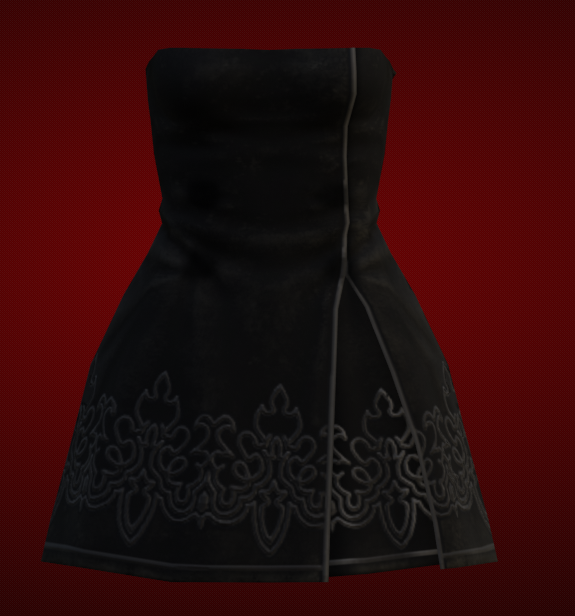
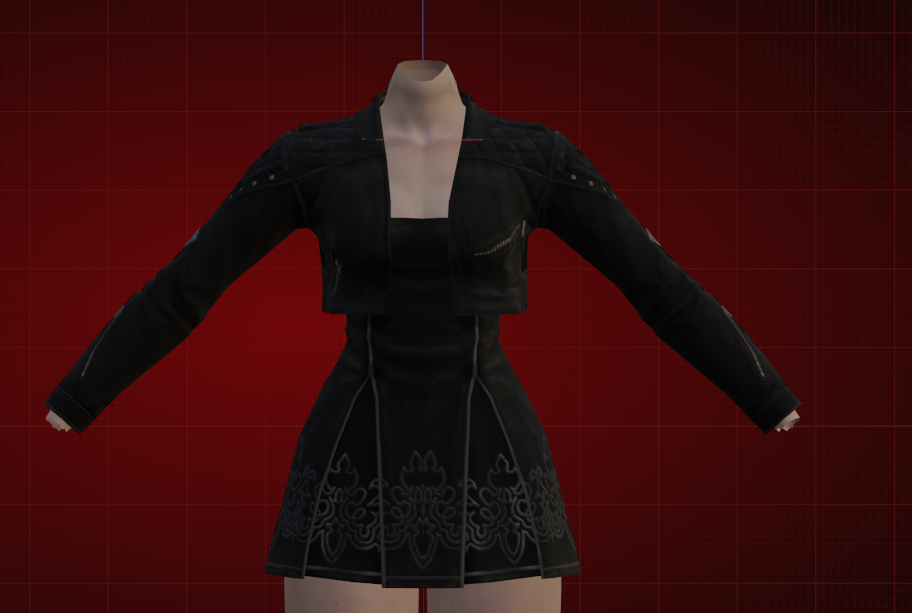
- - <span style="font-size: 11pt; font-family: Arial,sans-serif; color: #000000; background-color: transparent; font-weight: 400; font-style: normal; font-variant: normal; text-decoration: none; vertical-align: baseline; white-space: pre-wrap;">In the end, I’m left with this, after all the edits!</span>
    - <span style="font-size: 11pt; font-family: Arial,sans-serif; color: #000000; background-color: transparent; font-weight: 400; font-style: normal; font-variant: normal; text-decoration: none; vertical-align: baseline; white-space: pre-wrap;">I like to move my meshes into one group + rename them before I work on refitting &amp; weights! In order to do this, select all your meshes, drag them over one n\_root, hold Shift + Alt, and drop them! </span>
        - <span style="font-size: 11pt; font-family: Arial,sans-serif; color: #000000; background-color: transparent; font-weight: 400; font-style: normal; font-variant: normal; text-decoration: none; vertical-align: baseline; white-space: pre-wrap;">After you’ve moved them over one n\_root, make sure that your armature modifier matches the n\_root it’s under, like so: </span>
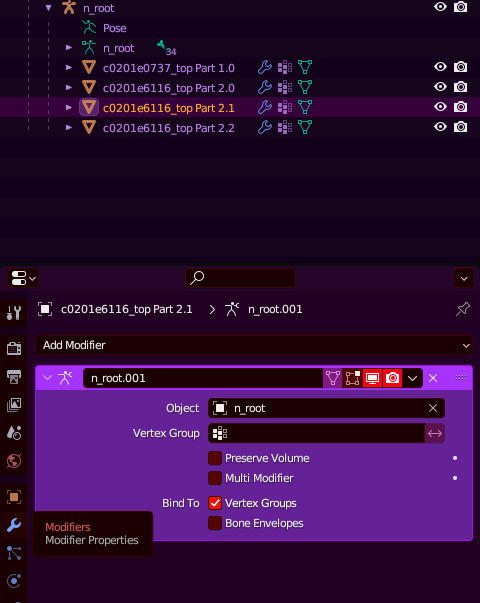
<span style="font-size: 11pt; font-family: Arial,sans-serif; color: #000000; background-color: transparent; font-weight: 400; font-style: normal; font-variant: normal; text-decoration: none; vertical-align: baseline; white-space: pre-wrap;"><span style="border: none; display: inline-block; overflow: hidden; width: 295px; height: 376px;">![](https://lh7-rt.googleusercontent.com/docsz/AD_4nXesmmejyk18CSFMb1KJ029ZlH_y3mgxzrANGN71-YU6yLGiBzxroEocsADGzf6nVs7kfmCqpdp0teeQcu8BGfxqzF8In9HTeAev8eFFXD_0BcAtRd7vgIMYwmUF_xrQ5y9s2SYTlLose1HG1CIS?key=x2SAouDxP3EayyutRfDV1A)</span></span>

- - <span style="font-size: 11pt; font-family: Arial,sans-serif; color: #000000; background-color: transparent; font-weight: 400; font-style: normal; font-variant: normal; text-decoration: none; vertical-align: baseline; white-space: pre-wrap;">If it doesn’t match, click the Object box, and make it match! If it’s under n\_root, then the object needs to be n\_root. </span>
        - <span style="font-size: 11pt; font-family: Arial,sans-serif; color: #000000; background-color: transparent; font-weight: 400; font-style: normal; font-variant: normal; text-decoration: none; vertical-align: baseline; white-space: pre-wrap;">To rename, just double click the name. You want each mesh that comes from a different item to have a different number. For example:</span>
            - <span style="font-size: 11pt; font-family: Arial,sans-serif; color: #000000; background-color: transparent; font-weight: 400; font-style: normal; font-variant: normal; text-decoration: none; vertical-align: baseline; white-space: pre-wrap;">Skin: Part 0.0</span>
            - <span style="font-size: 11pt; font-family: Arial,sans-serif; color: #000000; background-color: transparent; font-weight: 400; font-style: normal; font-variant: normal; text-decoration: none; vertical-align: baseline; white-space: pre-wrap;">Yorha Type-55 Jacket of Fending: Part 1.0</span>
            - <span style="font-size: 11pt; font-family: Arial,sans-serif; color: #000000; background-color: transparent; font-weight: 400; font-style: normal; font-variant: normal; text-decoration: none; vertical-align: baseline; white-space: pre-wrap;">Calfskin Jacket: Part 2.0</span>
- <span style="font-size: 20pt; font-family: Arial,sans-serif; color: #000000; background-color: transparent; font-weight: 400; font-style: normal; font-variant: normal; text-decoration: none; vertical-align: baseline; white-space: pre-wrap;">Refitting to our Body</span>
    - <span style="font-size: 11pt; font-family: Arial,sans-serif; color: #000000; background-color: transparent; font-weight: 400; font-style: normal; font-variant: normal; text-decoration: none; vertical-align: baseline; white-space: pre-wrap;">After you’re done with your base mashup, you can move to refitting it to your body!</span>
    - <span style="font-size: 11pt; font-family: Arial,sans-serif; color: #000000; background-color: transparent; font-weight: 400; font-style: normal; font-variant: normal; text-decoration: none; vertical-align: baseline; white-space: pre-wrap;">I use Rue+ small chest, and Skullcrusher legs. I already have those meshes exported, but if you’d like to grab them; import the base body, select your settings, and export the Emperor’s New Robe, Pants, and Gloves. Gloves may not always be necessary, but it’s good to have! </span>
    - <span style="font-size: 11pt; font-family: Arial,sans-serif; color: #000000; background-color: transparent; font-weight: 400; font-style: normal; font-variant: normal; text-decoration: none; vertical-align: baseline; white-space: pre-wrap;">Import these into Blender!</span>

<span style="font-size: 11pt; font-family: Arial,sans-serif; color: #000000; background-color: transparent; font-weight: 400; font-style: normal; font-variant: normal; text-decoration: none; vertical-align: baseline; white-space: pre-wrap;"><span style="border: none; display: inline-block; overflow: hidden; width: 415px; height: 297px;">![](https://lh7-rt.googleusercontent.com/docsz/AD_4nXeyv3fqF8o1HU0Mc_qUW0t26NEXmioybdT0t_JrO_B9jVy7M0p6uupxykG8yYz8o6Ynto1Alv6EdACZ6M60KY1TApFDFUOAkYjCw7hzwYlMn2Q0Fus06aOdvwu_1K6msmgdz2eHnNdDqM4hz3Nd?key=x2SAouDxP3EayyutRfDV1A)</span></span>

- - <span style="font-size: 11pt; font-family: Arial,sans-serif; color: #000000; background-color: transparent; font-weight: 400; font-style: normal; font-variant: normal; text-decoration: none; vertical-align: baseline; white-space: pre-wrap;">You’ll notice that there’s quite a bit of clipping. Same as when you made your mashup, you’ve just gotta go and move the vertices around until it looks decent. Don’t worry about getting it absolutely perfect, if you can’t see the skin, you can delete it afterwards!</span>
    - <span style="font-size: 11pt; font-family: Arial,sans-serif; color: #000000; background-color: transparent; font-weight: 400; font-style: normal; font-variant: normal; text-decoration: none; vertical-align: baseline; white-space: pre-wrap;">A very big part of re-fitting clothes is Proportional Editing, so make sure you have that on for this!</span>
        - <span style="font-size: 11pt; font-family: Arial,sans-serif; color: #000000; background-color: transparent; font-weight: 400; font-style: normal; font-variant: normal; text-decoration: none; vertical-align: baseline; white-space: pre-wrap;">The mirror modifier is also very useful here, and if I have to do a lot of refitting, I’ll use it here!</span>

<span style="font-size: 11pt; font-family: Arial,sans-serif; color: #000000; background-color: transparent; font-weight: 400; font-style: normal; font-variant: normal; text-decoration: none; vertical-align: baseline; white-space: pre-wrap;"><span style="border: none; display: inline-block; overflow: hidden; width: 383px; height: 272px;">![](https://lh7-rt.googleusercontent.com/docsz/AD_4nXcDKF5COiPzhySWbBWir38kfwSokKfwGE0XkG-RqHYvunRmTKMJhr9bhXElxY-03z_ANgEcv6a9DLP2fE1vBjjsSlogp7Fj2NKpB447k41fyKu5jW0JPu1VQAdTxQKreETCZKEybONltM6MCvLU?key=x2SAouDxP3EayyutRfDV1A)</span></span>

- - <span style="font-size: 11pt; font-family: Arial,sans-serif; color: #000000; background-color: transparent; font-weight: 400; font-style: normal; font-variant: normal; text-decoration: none; vertical-align: baseline; white-space: pre-wrap;">After you’ve finished refitting, it’s time to cull the skin underneath!</span>
    - <span style="font-size: 11pt; font-family: Arial,sans-serif; color: #000000; background-color: transparent; font-weight: 400; font-style: normal; font-variant: normal; text-decoration: none; vertical-align: baseline; white-space: pre-wrap;">Sometimes, in mods, you can see the skin was kept, but I’ve found it lightens the modpack size + the weights work nicer if the skin underneath is deleted. </span>
    - <span style="font-size: 11pt; font-family: Arial,sans-serif; color: #000000; background-color: transparent; font-weight: 400; font-style: normal; font-variant: normal; text-decoration: none; vertical-align: baseline; white-space: pre-wrap;">Again, this process is a lot of moving vertices around, and looking at different angles through your mesh. </span>
        - <span style="font-size: 11pt; font-family: Arial,sans-serif; color: #000000; background-color: transparent; font-weight: 400; font-style: normal; font-variant: normal; text-decoration: none; vertical-align: baseline; white-space: pre-wrap;">I’d recommend hiding the parts you intend to keep first, to ensure you won’t be deleting anything that’s visible!</span>

<span style="font-size: 11pt; font-family: Arial,sans-serif; color: #000000; background-color: transparent; font-weight: 400; font-style: normal; font-variant: normal; text-decoration: none; vertical-align: baseline; white-space: pre-wrap;"> </span><span style="font-size: 11pt; font-family: Arial,sans-serif; color: #000000; background-color: transparent; font-weight: 400; font-style: normal; font-variant: normal; text-decoration: none; vertical-align: baseline; white-space: pre-wrap;"><span style="border: none; display: inline-block; overflow: hidden; width: 464px; height: 237px;">![](https://lh7-rt.googleusercontent.com/docsz/AD_4nXfyAPKuwGULUYwQJaK2HKNw8Hx-wOup4uFubF1pw_WOffK4VXu8-qlfgZ5bFWfOR5n4-FLy5iQFsnpmw7eObNpXQ2btclW5R3dhfJLIm9A_BkNGWR3I3wnASILRP8_OAMiA6VwjAv7wx4Q2ZCuVxA?key=x2SAouDxP3EayyutRfDV1A)</span></span>

- - <span style="font-size: 11pt; font-family: Arial,sans-serif; color: #000000; background-color: transparent; font-weight: 400; font-style: normal; font-variant: normal; text-decoration: none; vertical-align: baseline; white-space: pre-wrap;">As you can see, the majority of the skin material has been deleted! We can move onto the weighting! Make sure to move your skin material underneath your mashup’s n\_root before you progress!</span>
- <span style="font-size: 20pt; font-family: Arial,sans-serif; color: #000000; background-color: transparent; font-weight: 400; font-style: normal; font-variant: normal; text-decoration: none; vertical-align: baseline; white-space: pre-wrap;">Weighting</span>
    - <span style="font-size: 11pt; font-family: Arial,sans-serif; color: #000000; background-color: transparent; font-weight: 400; font-style: normal; font-variant: normal; text-decoration: none; vertical-align: baseline; white-space: pre-wrap;">We’ll be weighting our mashup through weight transferring. It’s the simplest method that I’ve found, and it works the majority of the time!</span>
    - <span style="font-size: 11pt; font-family: Arial,sans-serif; color: #000000; background-color: transparent; font-weight: 400; font-style: normal; font-variant: normal; text-decoration: none; vertical-align: baseline; white-space: pre-wrap;">In order to weight transfer, we have to find an ingame glamour that’s similar in shape to what our mashup looks like. I’ll be using the Yorha Type-55 Jacket of Fending, since I have it on hand, and it’s a similar shape to begin with. </span>
    - <span style="font-size: 11pt; font-family: Arial,sans-serif; color: #000000; background-color: transparent; font-weight: 400; font-style: normal; font-variant: normal; text-decoration: none; vertical-align: baseline; white-space: pre-wrap;">Import the item you’re going to weight transfer from. You want the item to be one cohesive part, weight transferring from multiple parts is a pain in the butt</span>
    - <span style="font-size: 11pt; font-family: Arial,sans-serif; color: #000000; background-color: transparent; font-weight: 400; font-style: normal; font-variant: normal; text-decoration: none; vertical-align: baseline; white-space: pre-wrap;">Select the bottom part, hold shift, and select the bottom part</span>

<span style="font-size: 11pt; font-family: Arial,sans-serif; color: #000000; background-color: transparent; font-weight: 400; font-style: normal; font-variant: normal; text-decoration: none; vertical-align: baseline; white-space: pre-wrap;"><span style="border: none; display: inline-block; overflow: hidden; width: 368px; height: 197px;">![](https://lh7-rt.googleusercontent.com/docsz/AD_4nXchQlRV1hIa254pfeHyON4hc3ydqkRKQjEV-m0Rhl1uQCtdNN_-NHAV4bSddLvqziByIkWe071wIYEAY6PIL4nvyDrKyVBaomMHPdR_4JeIUDBK56DtyBbh9p9WYwS9fbMktTLrrNTrM2e_B0yQ2A?key=x2SAouDxP3EayyutRfDV1A)</span></span>

- - <span style="font-size: 11pt; font-family: Arial,sans-serif; color: #000000; background-color: transparent; font-weight: 400; font-style: normal; font-variant: normal; text-decoration: none; vertical-align: baseline; white-space: pre-wrap;">Hit Ctrl + J to join all these parts!</span>
    - <span style="font-size: 11pt; font-family: Arial,sans-serif; color: #000000; background-color: transparent; font-weight: 400; font-style: normal; font-variant: normal; text-decoration: none; vertical-align: baseline; white-space: pre-wrap;">You now have an easy to work with mesh to steal the weights from!</span>
- <span style="font-size: 13.999999999999998pt; font-family: Arial,sans-serif; color: #434343; background-color: transparent; font-weight: 400; font-style: normal; font-variant: normal; text-decoration: none; vertical-align: baseline; white-space: pre-wrap;">Prepping for Weight Transfer</span>
    - <span style="font-size: 11pt; font-family: Arial,sans-serif; color: #000000; background-color: transparent; font-weight: 400; font-style: normal; font-variant: normal; text-decoration: none; vertical-align: baseline; white-space: pre-wrap;">Before we weight, we need to remove our mashup’s weights, otherwise they may go funky after weight transferring.</span>
    - <span style="font-size: 11pt; font-family: Arial,sans-serif; color: #000000; background-color: transparent; font-weight: 400; font-style: normal; font-variant: normal; text-decoration: none; vertical-align: baseline; white-space: pre-wrap;">Move to the tab we went to for shapekeys. Vertex Groups, our weights, are also held here! </span>
    - <span style="font-size: 11pt; font-family: Arial,sans-serif; color: #000000; background-color: transparent; font-weight: 400; font-style: normal; font-variant: normal; text-decoration: none; vertical-align: baseline; white-space: pre-wrap;">We’ll be removing all of these, for each part. </span><span style="font-size: 11pt; font-family: Arial,sans-serif; color: #000000; background-color: transparent; font-weight: 400; font-style: normal; font-variant: normal; text-decoration: none; vertical-align: baseline; white-space: pre-wrap;">  
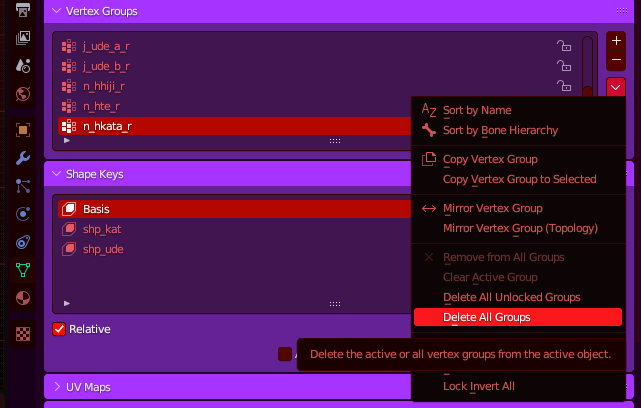
        </span><span style="font-size: 11pt; font-family: Arial,sans-serif; color: #000000; background-color: transparent; font-weight: 400; font-style: normal; font-variant: normal; text-decoration: none; vertical-align: baseline; white-space: pre-wrap;"><span style="border: none; display: inline-block; overflow: hidden; width: 530px; height: 340px;">![](https://lh7-rt.googleusercontent.com/docsz/AD_4nXfjAybWJRpyqYl52OqVlyPzQfLpYHRL8XwRWBT9Y9HRZdLIiVfO7e3fJYQ_DrBXSDM3L-Lg1iMC1GqAg-otolWmdx-Hj8HVfZKa-oCPC13Ftbb5ENgd5g5uT90L7zOKYt_nHJzRsla3YYhPRBFCXQ?key=x2SAouDxP3EayyutRfDV1A)</span></span>
    - <span style="font-size: 11pt; font-family: Arial,sans-serif; color: #000000; background-color: transparent; font-weight: 400; font-style: normal; font-variant: normal; text-decoration: none; vertical-align: baseline; white-space: pre-wrap;">Similar to removing shapekeys, hit the drop down button, and “Delete all Groups” </span>
        - <span style="font-size: 11pt; font-family: Arial,sans-serif; color: #000000; background-color: transparent; font-weight: 400; font-style: normal; font-variant: normal; text-decoration: none; vertical-align: baseline; white-space: pre-wrap;">You do not want to do this by hand, trust me, there’s like 20 groups, it really hurts afterwards.</span>
    - <span style="font-size: 11pt; font-family: Arial,sans-serif; color: #000000; background-color: transparent; font-weight: 400; font-style: normal; font-variant: normal; text-decoration: none; vertical-align: baseline; white-space: pre-wrap;">Do this for each part, until the Vertex Groups tab is clear. We can leave the shapekeys, if you decided to keep them!</span>

<span style="font-size: 11pt; font-family: Arial,sans-serif; color: #000000; background-color: transparent; font-weight: 400; font-style: normal; font-variant: normal; text-decoration: none; vertical-align: baseline; white-space: pre-wrap;"><span style="border: none; display: inline-block; overflow: hidden; width: 346px; height: 147px;">![](https://lh7-rt.googleusercontent.com/docsz/AD_4nXfyMT2Zu0YV2lQrj1ZaWnc-gOAg9tYdYjBFXAt5Rmb_EAOrQHBxseG66_QUB58ylJOstPt8JzUzDz6IXEKGEw1GYhd27No9EXoWMJF6C_nTrOXJbt_x7KmXjlbe2KTCCobx7I6ktvQhdfy81WsjIg?key=x2SAouDxP3EayyutRfDV1A)</span></span>

- - <span style="font-size: 11pt; font-family: Arial,sans-serif; color: #000000; background-color: transparent; font-weight: 400; font-style: normal; font-variant: normal; text-decoration: none; vertical-align: baseline; white-space: pre-wrap;">If your parts still have the honeycomb icon, shown below, you haven’t removed the weights. </span>

<span style="font-size: 11pt; font-family: Arial,sans-serif; color: #000000; background-color: transparent; font-weight: 400; font-style: normal; font-variant: normal; text-decoration: none; vertical-align: baseline; white-space: pre-wrap;"><span style="border: none; display: inline-block; overflow: hidden; width: 50px; height: 40px;">![](https://lh7-rt.googleusercontent.com/docsz/AD_4nXcWmqHGmm1coP4beZBjAirULbCIXWPCyunterDdShpOgXTpZmJZ_pw99NglQZIzbZT4uu6kVXIZFYB61V323zH8Za5JOk5V82XwOIabBP6uX4SVzjUce-a38EfurUquXqMAExnu7Ib0ewsahV__Ig?key=x2SAouDxP3EayyutRfDV1A)</span></span>

- - <span style="font-size: 11pt; font-family: Arial,sans-serif; color: #000000; background-color: transparent; font-weight: 400; font-style: normal; font-variant: normal; text-decoration: none; vertical-align: baseline; white-space: pre-wrap;">This next part is tedious, unfortunately I haven’t found a quicker way to do this. </span>
    - <span style="font-size: 11pt; font-family: Arial,sans-serif; color: #000000; background-color: transparent; font-weight: 400; font-style: normal; font-variant: normal; text-decoration: none; vertical-align: baseline; white-space: pre-wrap;">Select the mesh you’re stealing the weights from, hold Ctrl, and select one of the parts from your mashup, like so:</span>

<span style="font-size: 11pt; font-family: Arial,sans-serif; color: #000000; background-color: transparent; font-weight: 400; font-style: normal; font-variant: normal; text-decoration: none; vertical-align: baseline; white-space: pre-wrap;"><span style="border: none; display: inline-block; overflow: hidden; width: 386px; height: 172px;">![](https://lh7-rt.googleusercontent.com/docsz/AD_4nXf0vzFit1p6FImZSz-cvFNgbXalPEJiMLu4Ikk3c4Rt5Hn94WXPeDNOHKvVx3NyWQj9O8oL9JOQYTOXjPy_iBKL1LeEN6F8zX7b2ABildoYEd84CTTgcBZEGRxe9Fuigoi-5Y3cd8bqb67Eh_FTZA?key=x2SAouDxP3EayyutRfDV1A)</span></span>

- <span style="font-size: 13.999999999999998pt; font-family: Arial,sans-serif; color: #434343; background-color: transparent; font-weight: 400; font-style: normal; font-variant: normal; text-decoration: none; vertical-align: baseline; white-space: pre-wrap;">Weight Transfer Settings</span>
    - <span style="font-size: 11pt; font-family: Arial,sans-serif; color: #000000; background-color: transparent; font-weight: 400; font-style: normal; font-variant: normal; text-decoration: none; vertical-align: baseline; white-space: pre-wrap;">Move over to “Weight Paint” from the top left dropdown menu!</span>

<span style="font-size: 11pt; font-family: Arial,sans-serif; color: #000000; background-color: transparent; font-weight: 400; font-style: normal; font-variant: normal; text-decoration: none; vertical-align: baseline; white-space: pre-wrap;"><span style="border: none; display: inline-block; overflow: hidden; width: 314px; height: 172px;">![](https://lh7-rt.googleusercontent.com/docsz/AD_4nXcGwGwmQDbcXVFhXRjOp8nkqHyJzhgfixPzHrU8AqtCHn0WMSQtlLgEIcRsRLJRMwpGh2doNq4K1k-rl30rIX6TkEbsAEW7XglEAbU7sC6Tw1h4NZn_MPcvOHLkSk3msaylrS8hPeVLwc8wS_L7OA?key=x2SAouDxP3EayyutRfDV1A)</span></span>

- - <span style="font-size: 11pt; font-family: Arial,sans-serif; color: #000000; background-color: transparent; font-weight: 400; font-style: normal; font-variant: normal; text-decoration: none; vertical-align: baseline; white-space: pre-wrap;">The part you are weighting should be blue. If the mesh you’re stealing weights from is blue, you did it in the wrong order! </span>
    - <span style="font-size: 11pt; font-family: Arial,sans-serif; color: #000000; background-color: transparent; font-weight: 400; font-style: normal; font-variant: normal; text-decoration: none; vertical-align: baseline; white-space: pre-wrap;">We’ll be using the weight transfer function!Go to the Weights tab on the left, and move down to Transfer Weights. Clicking this will bring up a little pop-up menu on the bottom left.</span>

<span style="font-size: 11pt; font-family: Arial,sans-serif; color: #000000; background-color: transparent; font-weight: 400; font-style: normal; font-variant: normal; text-decoration: none; vertical-align: baseline; white-space: pre-wrap;"><span style="border: none; display: inline-block; overflow: hidden; width: 411px; height: 328px;">![](https://lh7-rt.googleusercontent.com/docsz/AD_4nXd3JrzFwgm9LRpXlYXvsW7mz1em_zeEfhTxF4pZWzcyRT8qHHmYUKKbMecDC4U3x3IwJkqdcajdnDF8S0DJBtLVTXoYVmhLENHY198RkYMPyzw4hYJvce9VrLxg7r80-2cknpcDdV73wlVMnrXq-w?key=x2SAouDxP3EayyutRfDV1A)</span></span>

- - <span style="font-size: 11pt; font-family: Arial,sans-serif; color: #000000; background-color: transparent; font-weight: 400; font-style: normal; font-variant: normal; text-decoration: none; vertical-align: baseline; white-space: pre-wrap;">Open this pop up menu! We’ll be changing the settings used!</span>
    - <span style="font-size: 11pt; font-family: Arial,sans-serif; color: #000000; background-color: transparent; font-weight: 400; font-style: normal; font-variant: normal; text-decoration: none; vertical-align: baseline; white-space: pre-wrap;">Make your settings look like this. These are the settings I personally use, and they’ve always worked!</span>

<span style="font-size: 11pt; font-family: Arial,sans-serif; color: #000000; background-color: transparent; font-weight: 400; font-style: normal; font-variant: normal; text-decoration: none; vertical-align: baseline; white-space: pre-wrap;"><span style="border: none; display: inline-block; overflow: hidden; width: 283px; height: 308px;">![](https://lh7-rt.googleusercontent.com/docsz/AD_4nXe0i89-5WmJWfHp4WKIT-KAsO_qH39zV-3gigYXhWTOMqRqporp4PZjPmCh3fUadSFZm8BymhAdR99SAGdOjkQXPVu23RqvwXUINMM07Hvlam7kim0l9SfeKORcG3a1LrKkBondSf_NcZMA7iA-5A?key=x2SAouDxP3EayyutRfDV1A)</span></span>

- - <span style="font-size: 11pt; font-family: Arial,sans-serif; color: #000000; background-color: transparent; font-weight: 400; font-style: normal; font-variant: normal; text-decoration: none; vertical-align: baseline; white-space: pre-wrap;">After your settings look like this, you’re ready to weight transfer on each of your mashup’s parts. Again, it’s very tedious. </span>
    - <span style="font-size: 11pt; font-family: Arial,sans-serif; color: #000000; background-color: transparent; font-weight: 400; font-style: normal; font-variant: normal; text-decoration: none; vertical-align: baseline; white-space: pre-wrap;">Your parts should all have the cute honeycomb icon back now! </span>
    - <span style="font-size: 11pt; font-family: Arial,sans-serif; color: #000000; background-color: transparent; font-weight: 400; font-style: normal; font-variant: normal; text-decoration: none; vertical-align: baseline; white-space: pre-wrap;">Now, move your parts to the mesh you stole weights from using Shift + Alt, and re-set the n\_roots. This ensures the weights you just transferred have the correct skeleton to use! </span>
    - <span style="font-size: 11pt; font-family: Arial,sans-serif; color: #000000; background-color: transparent; font-weight: 400; font-style: normal; font-variant: normal; text-decoration: none; vertical-align: baseline; white-space: pre-wrap;">And with that, we’re done! </span>
- <span style="font-size: 20pt; font-family: Arial,sans-serif; color: #000000; background-color: transparent; font-weight: 400; font-style: normal; font-variant: normal; text-decoration: none; vertical-align: baseline; white-space: pre-wrap;">Exporting from Blender</span>
    - <span style="font-size: 11pt; font-family: Arial,sans-serif; color: #000000; background-color: transparent; font-weight: 400; font-style: normal; font-variant: normal; text-decoration: none; vertical-align: baseline; white-space: pre-wrap;">When you’re ready to export, go to the File tab, at the very top left corner. You will be exporting your mesh as FBX, or whatever file type you chose to export as.</span>

<span style="font-size: 11pt; font-family: Arial,sans-serif; color: #000000; background-color: transparent; font-weight: 400; font-style: normal; font-variant: normal; text-decoration: none; vertical-align: baseline; white-space: pre-wrap;"> </span><span style="font-size: 11pt; font-family: Arial,sans-serif; color: #000000; background-color: transparent; font-weight: 400; font-style: normal; font-variant: normal; text-decoration: none; vertical-align: baseline; white-space: pre-wrap;"><span style="border: none; display: inline-block; overflow: hidden; width: 366px; height: 530px;">![](https://lh7-rt.googleusercontent.com/docsz/AD_4nXcUnvkjL0pEiMO7SHA6hekA0rVXINrpFTSTKGR89mTgaQYojxP9lB3aZYwSQgHJw3_Pr_8KSMniOm8aVQRp6kH9SdstuFkTCIhZXMtzzeSiwjtNszZo5qYsaLUB0nUVG1w02YYpvZCaoRFfXWzMlg?key=x2SAouDxP3EayyutRfDV1A)</span></span>

- - <span style="font-size: 11pt; font-family: Arial,sans-serif; color: #000000; background-color: transparent; font-weight: 400; font-style: normal; font-variant: normal; text-decoration: none; vertical-align: baseline; white-space: pre-wrap;">Most of these settings, you can ignore. However, there is one setting that you should take note of. Close the include tab, and the transform tab, and open the geometry tab.</span>

<span style="font-size: 11pt; font-family: Arial,sans-serif; color: #000000; background-color: transparent; font-weight: 400; font-style: normal; font-variant: normal; text-decoration: none; vertical-align: baseline; white-space: pre-wrap;"><span style="border: none; display: inline-block; overflow: hidden; width: 580px; height: 404px;">![](https://lh7-rt.googleusercontent.com/docsz/AD_4nXfYySQquG9RTTPA47ks5ekMZ1LiukCoGvIlLoDAlpxRmNTGDrBnBR9sazF9DhPr0wl59cFRrPR2w3Yyf7nx8aEHGAhApXgcNXAHJJIwNw1IgaTCpyA8jmmlJ5m8-JgD220jyyBpA645HDzIxkPNQg?key=x2SAouDxP3EayyutRfDV1A)</span></span>

- - <span style="font-size: 11pt; font-family: Arial,sans-serif; color: #000000; background-color: transparent; font-weight: 400; font-style: normal; font-variant: normal; text-decoration: none; vertical-align: baseline; white-space: pre-wrap;">“Apply Modifiers” and “Triangulate Faces” are the important settings to note here.</span>
    - <span style="font-size: 11pt; font-family: Arial,sans-serif; color: #000000; background-color: transparent; font-weight: 400; font-style: normal; font-variant: normal; text-decoration: none; vertical-align: baseline; white-space: pre-wrap;">Apply Modifiers ensures that you can leave Mirror Modifiers, Shrinkwrap Modifiers, Armature Modifiers, etc. unapplied, and they’ll still work. </span>
    - <span style="font-size: 11pt; font-family: Arial,sans-serif; color: #000000; background-color: transparent; font-weight: 400; font-style: normal; font-variant: normal; text-decoration: none; vertical-align: baseline; white-space: pre-wrap;">Triangulate Faces fixes your mesh if you choose to subdivide it. </span>
    - <span style="font-size: 11pt; font-family: Arial,sans-serif; color: #000000; background-color: transparent; font-weight: 400; font-style: normal; font-variant: normal; text-decoration: none; vertical-align: baseline; white-space: pre-wrap;">Subdividing doubles the vertex count of the area you’ve selected, and makes it easier to work with. I haven’t done it in this guide, as it simply wasn’t needed this time around. If you subdivide your mesh in the future, however, you need to have this setting turned on, or TexTools will not take it. </span>
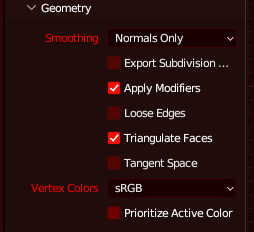
<span style="font-size: 11pt; font-family: Arial,sans-serif; color: #000000; background-color: transparent; font-weight: 400; font-style: normal; font-variant: normal; text-decoration: none; vertical-align: baseline; white-space: pre-wrap;"><span style="border: none; display: inline-block; overflow: hidden; width: 254px; height: 232px;">![](https://lh7-rt.googleusercontent.com/docsz/AD_4nXfKQ-szNRrUuNvEj1eSRyPM40r2kFX6RAT6jAN7isahoL2dmZG2jJ-JvbqlkM1q9quNGhI5MZu6j9-VXHJpE7XRsZ_tycx8YPCQ8lM-IEMrB0fMX4qTkYLa87AO0YayVqWLigKXWmq2g8z1D3cIQA?key=x2SAouDxP3EayyutRfDV1A)</span></span>

- - <span style="font-size: 11pt; font-family: Arial,sans-serif; color: #000000; background-color: transparent; font-weight: 400; font-style: normal; font-variant: normal; text-decoration: none; vertical-align: baseline; white-space: pre-wrap;">Once you’ve ensured that these settings are ticked, ensure that you’re saving your mesh somewhere you can easily locate, and hit “Export FBX”.</span><span style="font-size: 11pt; font-family: Arial,sans-serif; color: #000000; background-color: transparent; font-weight: 400; font-style: normal; font-variant: normal; text-decoration: none; vertical-align: baseline; white-space: pre-wrap;"><span style="border: none; display: inline-block; overflow: hidden; width: 624px; height: 32px;">![](https://lh7-rt.googleusercontent.com/docsz/AD_4nXeIAkkqiNDAIxyFiMYMirRSKOpZrZU2vWmSnelMB0lSrF96fPIU8R85omdn2H6dAtqroyhMn3lFSzLLCk6CygeCByuPMzNNMEJ1i-vDX8MY1rq0Mc0CkdTZ2gBQuuiQbaqBlOioRZ6TQAHckziSwg?key=x2SAouDxP3EayyutRfDV1A)</span></span>

- <span style="font-size: 20pt; font-family: Arial,sans-serif; color: #000000; background-color: transparent; font-weight: 400; font-style: normal; font-variant: normal; text-decoration: none; vertical-align: baseline; white-space: pre-wrap;">Importing to TexTools</span>
    - <span style="font-size: 11pt; font-family: Arial,sans-serif; color: #000000; background-color: transparent; font-weight: 400; font-style: normal; font-variant: normal; text-decoration: none; vertical-align: baseline; white-space: pre-wrap;">When you’re ready to put your mashup together, navigate to the item you’re intending to replace with your mashup. </span>
- <span style="font-size: 13.999999999999998pt; font-family: Arial,sans-serif; color: #434343; background-color: transparent; font-weight: 400; font-style: normal; font-variant: normal; text-decoration: none; vertical-align: baseline; white-space: pre-wrap;">Making a new Material</span>
    - <span style="font-size: 11pt; font-family: Arial,sans-serif; color: #000000; background-color: transparent; font-weight: 400; font-style: normal; font-variant: normal; text-decoration: none; vertical-align: baseline; white-space: pre-wrap;">On the item you’re replacing, there’ll be 3 lines! Click that, and it’ll bring up this menu. </span><span style="font-size: 11pt; font-family: Arial,sans-serif; color: #000000; background-color: transparent; font-weight: 400; font-style: normal; font-variant: normal; text-decoration: none; vertical-align: baseline; white-space: pre-wrap;"><span style="border: none; display: inline-block; overflow: hidden; width: 562px; height: 70px;">![](https://lh7-rt.googleusercontent.com/docsz/AD_4nXepyJVttO_3Uq1H3Hm1upICa2wuPpGoDrsUNu9BTK9ePEraRYdmTs7-KXV9Zk_EbJnK24JIqukWXQvdvei0tgsITJtFpuDlTb1SA04WN99_gEDSHqplYjDoIS9AV6nzLU7Ou6etMn0yl7E1lTzhXA?key=x2SAouDxP3EayyutRfDV1A)</span></span>

    - <span style="font-size: 11pt; font-family: Arial,sans-serif; color: #000000; background-color: transparent; font-weight: 400; font-style: normal; font-variant: normal; text-decoration: none; vertical-align: baseline; white-space: pre-wrap;">It doesn’t matter what you name materials, but I like to set my names to correlate with my part #s. Part 1 gets Material A, Part 2 gets Material B, etc. </span>
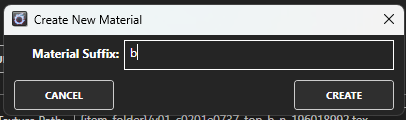
<span style="font-size: 11pt; font-family: Arial,sans-serif; color: #000000; background-color: transparent; font-weight: 400; font-style: normal; font-variant: normal; text-decoration: none; vertical-align: baseline; white-space: pre-wrap;"><span style="border: none; display: inline-block; overflow: hidden; width: 365px; height: 110px;">![](https://lh7-rt.googleusercontent.com/docsz/AD_4nXdqJaG9LTWpMt86iT_5ksxLZnlftA4sr4erg63YIL3wmBynN0EFFXgjkJ4IbqgrIkW57Byf18w03xcYCoE7bdk3a70EJ8gPf85Qh3bf0xhSrYJJGYS9BE9fRy9C9H02fgxHryMkBamPjYoVBlBHwA?key=x2SAouDxP3EayyutRfDV1A)</span></span>

- - <span style="font-size: 11pt; font-family: Arial,sans-serif; color: #000000; background-color: transparent; font-weight: 400; font-style: normal; font-variant: normal; text-decoration: none; vertical-align: baseline; white-space: pre-wrap;">Hitting “CREATE” will bring up a new menu, where you see these options! Here, you can load colorsets, add different textures, load presets, change shaders, etc.</span>

<span style="font-size: 11pt; font-family: Arial,sans-serif; color: #000000; background-color: transparent; font-weight: 400; font-style: normal; font-variant: normal; text-decoration: none; vertical-align: baseline; white-space: pre-wrap;"><span style="border: none; display: inline-block; overflow: hidden; width: 562px; height: 308px;">![](https://lh7-rt.googleusercontent.com/docsz/AD_4nXeucaOyEw_o3ohHqkyIKiQY-6vuCWAL-gAwUVrQ6rtNEX8X4z9Y1O2ZP2oRsy0BuOeE-GSpSjCYlTykgIWTctOtf1PaeRd2lSVonTGUU2fudFJHJzDRZ0-Uep2znNC5vOmb4WJFiMk0XGz-mYbIGA?key=x2SAouDxP3EayyutRfDV1A)</span></span>

- - <span style="font-size: 11pt; font-family: Arial,sans-serif; color: #000000; background-color: transparent; font-weight: 400; font-style: normal; font-variant: normal; text-decoration: none; vertical-align: baseline; white-space: pre-wrap;">For now, hit “Make Textures Unique”, and then hit “Save to FFXIV”. </span>
- <span style="font-size: 13.999999999999998pt; font-family: Arial,sans-serif; color: #434343; background-color: transparent; font-weight: 400; font-style: normal; font-variant: normal; text-decoration: none; vertical-align: baseline; white-space: pre-wrap;">Importing your Textures</span>
    - <span style="font-size: 11pt; font-family: Arial,sans-serif; color: #000000; background-color: transparent; font-weight: 400; font-style: normal; font-variant: normal; text-decoration: none; vertical-align: baseline; white-space: pre-wrap;">From here, we’ll go to the Texture drop down menu again. Start with the Normal, and import the Normal you saved earlier. Remember to hit “Save to FFXIV”</span>
    - <span style="font-size: 11pt; font-family: Arial,sans-serif; color: #000000; background-color: transparent; font-weight: 400; font-style: normal; font-variant: normal; text-decoration: none; vertical-align: baseline; white-space: pre-wrap;">Move to the Multi, load the Multi you saved, and hit “Save to FFXIV”</span>
    - <span style="font-size: 11pt; font-family: Arial,sans-serif; color: #000000; background-color: transparent; font-weight: 400; font-style: normal; font-variant: normal; text-decoration: none; vertical-align: baseline; white-space: pre-wrap;">Finally, move to the Index, load the Index you saved, and hit “Save to FFXIV”</span>
    - <span style="font-size: 11pt; font-family: Arial,sans-serif; color: #000000; background-color: transparent; font-weight: 400; font-style: normal; font-variant: normal; text-decoration: none; vertical-align: baseline; white-space: pre-wrap;">That’s it for textures!</span>
- <span style="font-size: 13.999999999999998pt; font-family: Arial,sans-serif; color: #434343; background-color: transparent; font-weight: 400; font-style: normal; font-variant: normal; text-decoration: none; vertical-align: baseline; white-space: pre-wrap;">Importing your Colorset</span>
    - <span style="font-size: 11pt; font-family: Arial,sans-serif; color: #000000; background-color: transparent; font-weight: 400; font-style: normal; font-variant: normal; text-decoration: none; vertical-align: baseline; white-space: pre-wrap;">We’re going to move back to our material that we just created! </span>
    - <span style="font-size: 11pt; font-family: Arial,sans-serif; color: #000000; background-color: transparent; font-weight: 400; font-style: normal; font-variant: normal; text-decoration: none; vertical-align: baseline; white-space: pre-wrap;">When you’re at the Material tab, hit “View/Edit Colorset”</span>
    - <span style="font-size: 11pt; font-family: Arial,sans-serif; color: #000000; background-color: transparent; font-weight: 400; font-style: normal; font-variant: normal; text-decoration: none; vertical-align: baseline; white-space: pre-wrap;">Load up the colorset you just saved, and once again, hit “Save to FFXIV”</span>
- <span style="font-size: 13.999999999999998pt; font-family: Arial,sans-serif; color: #434343; background-color: transparent; font-weight: 400; font-style: normal; font-variant: normal; text-decoration: none; vertical-align: baseline; white-space: pre-wrap;">Enabling Translucency</span>
    - <span style="font-size: 11pt; font-family: Arial,sans-serif; color: #000000; background-color: transparent; font-weight: 400; font-style: normal; font-variant: normal; text-decoration: none; vertical-align: baseline; white-space: pre-wrap;">Transparency is used for hairs, and for specific clothes. If your mashup uses any transparent parts, you need to have this on, or it’ll, at the least, look wrong, and at the most, won’t show up at all. </span>
    - <span style="font-size: 11pt; font-family: Arial,sans-serif; color: #000000; background-color: transparent; font-weight: 400; font-style: normal; font-variant: normal; text-decoration: none; vertical-align: baseline; white-space: pre-wrap;">In the material tab, there’s an option for “Edit Material Flags”</span><span style="font-size: 11pt; font-family: Arial,sans-serif; color: #000000; background-color: transparent; font-weight: 400; font-style: normal; font-variant: normal; text-decoration: none; vertical-align: baseline; white-space: pre-wrap;"><span style="border: none; display: inline-block; overflow: hidden; width: 446px; height: 89px;">![](https://lh7-rt.googleusercontent.com/docsz/AD_4nXfYrOzuj2cJ2FZ2nfEeOvcncyU0b2UbEgPYJPINx9R_gTf6IaQf3GA5Pgh3QRT4TUfZgChCmXR6X3Tx3Vov5V2UKIAhylXBESQmwhIQ_aUUPX96UGIFaIussIzEo7eKLseSqRIjNNzTHqqW3HP6bw?key=x2SAouDxP3EayyutRfDV1A)</span></span>

    - <span style="font-size: 11pt; font-family: Arial,sans-serif; color: #000000; background-color: transparent; font-weight: 400; font-style: normal; font-variant: normal; text-decoration: none; vertical-align: baseline; white-space: pre-wrap;">You’re going to click on this, and it’ll bring up another menu. </span><span style="font-size: 11pt; font-family: Arial,sans-serif; color: #000000; background-color: transparent; font-weight: 400; font-style: normal; font-variant: normal; text-decoration: none; vertical-align: baseline; white-space: pre-wrap;"><span style="border: none; display: inline-block; overflow: hidden; width: 505px; height: 306px;">![](https://lh7-rt.googleusercontent.com/docsz/AD_4nXf6J5m75Fy6g8XpSL5vlh-8rXsCz8hWRySsV32lYEE4RvZI3KqJnHsX3eJ9mtH2_0WaqegHjOaOjLelOx1WCYlfvjysqM83J8sEkTmlg-ftk2r5SDL7CzqL4HoG8uXfbnOyHF8CowzWhXLsacEvug?key=x2SAouDxP3EayyutRfDV1A)</span></span>
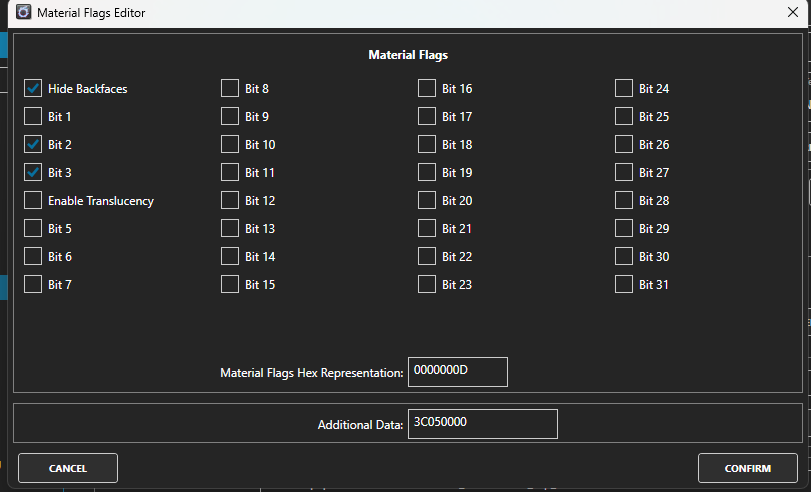
    - <span style="font-size: 11pt; font-family: Arial,sans-serif; color: #000000; background-color: transparent; font-weight: 400; font-style: normal; font-variant: normal; text-decoration: none; vertical-align: baseline; white-space: pre-wrap;">As you can see, the “Enable Translucency” option is not ticked. For the mashup I’ve made in this guide, I don’t need translucency enabled. However, this is a good setting to note, as eventually, you’ll make a mashup with transparent bits, or you’ll make a mesh transparent yourself! </span>
- <span style="font-size: 13.999999999999998pt; font-family: Arial,sans-serif; color: #434343; background-color: transparent; font-weight: 400; font-style: normal; font-variant: normal; text-decoration: none; vertical-align: baseline; white-space: pre-wrap;">Importing your Mesh &amp; Assigning Textures</span>
    - <span style="font-size: 11pt; font-family: Arial,sans-serif; color: #000000; background-color: transparent; font-weight: 400; font-style: normal; font-variant: normal; text-decoration: none; vertical-align: baseline; white-space: pre-wrap;">At last, we’re getting our mesh into TexTools. Move over to the models tab, and select the race / gender your mashup is for. Mine is on Midlander Female. </span>
    - <span style="font-size: 11pt; font-family: Arial,sans-serif; color: #000000; background-color: transparent; font-weight: 400; font-style: normal; font-variant: normal; text-decoration: none; vertical-align: baseline; white-space: pre-wrap;">Your window should look like this, with an unmodded mesh. If the mesh is modded, hit disable. You may need to start over your TexTools, and that’s fine! Ensure you don’t have any other mods that you’re working on / cannot re-acquire before you do so.</span>

<span style="font-size: 11pt; font-family: Arial,sans-serif; color: #000000; background-color: transparent; font-weight: 400; font-style: normal; font-variant: normal; text-decoration: none; vertical-align: baseline; white-space: pre-wrap;"> </span><span style="font-size: 11pt; font-family: Arial,sans-serif; color: #000000; background-color: transparent; font-weight: 400; font-style: normal; font-variant: normal; text-decoration: none; vertical-align: baseline; white-space: pre-wrap;"><span style="border: none; display: inline-block; overflow: hidden; width: 505px; height: 297px;">![](https://lh7-rt.googleusercontent.com/docsz/AD_4nXfvlaplyUbDNAfR5AcpRrY8aP3evhn40hFci0hZvJ1-cSK60P_m9L3LWEz1yC_nBK56IOcLM_3crv-3k1KB14RQOZvSzTM4LvrTmElbIA2Vyou94j-VHP9a8StpyB6exRXD9E5lgvMquzKuFMYIlQ?key=x2SAouDxP3EayyutRfDV1A)</span></span>

- - <span style="font-size: 11pt; font-family: Arial,sans-serif; color: #000000; background-color: transparent; font-weight: 400; font-style: normal; font-variant: normal; text-decoration: none; vertical-align: baseline; white-space: pre-wrap;">To load our mesh, we’ll hit “Load”, and select the FBX we exported from Blender. </span>
    - <span style="font-size: 11pt; font-family: Arial,sans-serif; color: #000000; background-color: transparent; font-weight: 400; font-style: normal; font-variant: normal; text-decoration: none; vertical-align: baseline; white-space: pre-wrap;">There’s a few settings to take note of here, specifically “Shift Imported UVs” and “Clone UV1 to UV2” </span>
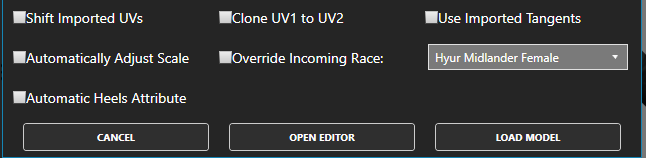
<span style="font-size: 11pt; font-family: Arial,sans-serif; color: #000000; background-color: transparent; font-weight: 400; font-style: normal; font-variant: normal; text-decoration: none; vertical-align: baseline; white-space: pre-wrap;"><span style="border: none; display: inline-block; overflow: hidden; width: 505px; height: 125px;">![](https://lh7-rt.googleusercontent.com/docsz/AD_4nXfocUKP_F6v5S33Y3ia7dKHI2YY3jiASdr_M66KZ2wUq9_ch0s5Q9ZPw0Uw8a8dC-B3zHUwLdL6rg3YFRGe02MVGCsaeZ828E1IVvbTIuyirIgpZAgL5fuROSyPqJ8FkD77K6w5DRnnNI0g07Mg5A?key=x2SAouDxP3EayyutRfDV1A)</span></span>

- - <span style="font-size: 11pt; font-family: Arial,sans-serif; color: #000000; background-color: transparent; font-weight: 400; font-style: normal; font-variant: normal; text-decoration: none; vertical-align: baseline; white-space: pre-wrap;">For now, just tick “Clone UV1 to UV2” and hit “Open Editor”</span>
    - <span style="font-size: 11pt; font-family: Arial,sans-serif; color: #000000; background-color: transparent; font-weight: 400; font-style: normal; font-variant: normal; text-decoration: none; vertical-align: baseline; white-space: pre-wrap;">You’ll likely see a warning that says “Group: 0 Part: 1 : : 4 Vertices had major corrections made to their weight data.” Typically, this can be ignored. It’s TexTools normalizing your weights, and unless it’s 200 vertices being adjusted, it’s just making sure that your mesh has proper weights.This can cause issues occasionally, but most of the time, it’s fine!</span>
    - <span style="font-size: 11pt; font-family: Arial,sans-serif; color: #000000; background-color: transparent; font-weight: 400; font-style: normal; font-variant: normal; text-decoration: none; vertical-align: baseline; white-space: pre-wrap;">After you hit “Open Editor”, and waited for your mesh to load, you’ll get (yet another) window that pops up. </span>
    - <span style="font-size: 11pt; font-family: Arial,sans-serif; color: #000000; background-color: transparent; font-weight: 400; font-style: normal; font-variant: normal; text-decoration: none; vertical-align: baseline; white-space: pre-wrap;">Here, we’ll be assigning our materials. Remember the order we set up, when we named our parts? You’ll have to remember that, and assign to those parts. </span>
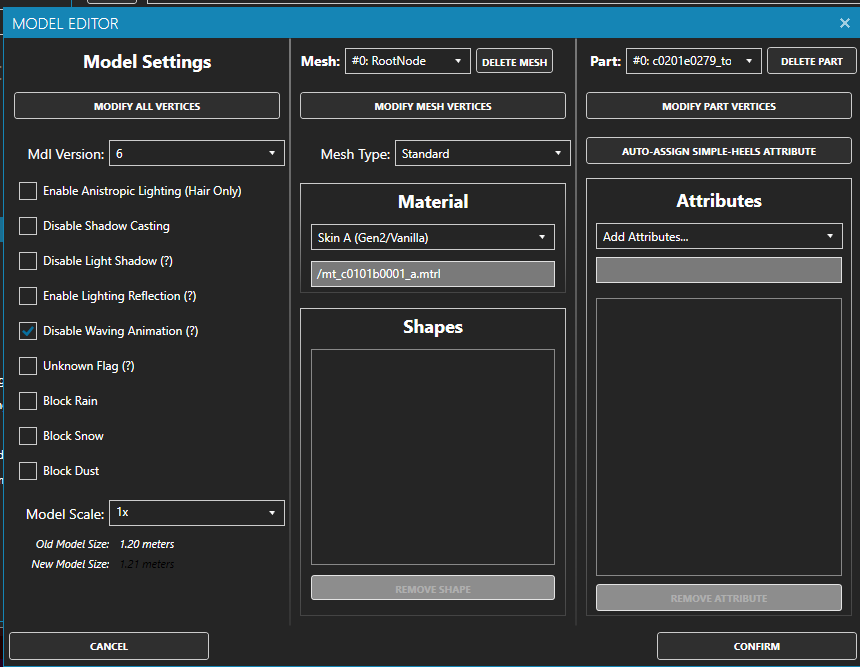
<span style="font-size: 11pt; font-family: Arial,sans-serif; color: #000000; background-color: transparent; font-weight: 400; font-style: normal; font-variant: normal; text-decoration: none; vertical-align: baseline; white-space: pre-wrap;"><span style="border: none; display: inline-block; overflow: hidden; width: 505px; height: 393px;">![](https://lh7-rt.googleusercontent.com/docsz/AD_4nXczVaROM4pnsaBTaATtmkdrg2rnlgDgIbp_318KPDdx6vJ70-3HJQq3DVvgK6bo7kCPTLnncG5K_JlxE7OK1nb1iIAQBseE3EerBkP6mmjwSqBsVyGe6u9Rxlwl-lT2ujBHKZe9tzc9M5wjCPKsDg?key=x2SAouDxP3EayyutRfDV1A)</span></span>

- - <span style="font-size: 11pt; font-family: Arial,sans-serif; color: #000000; background-color: transparent; font-weight: 400; font-style: normal; font-variant: normal; text-decoration: none; vertical-align: baseline; white-space: pre-wrap;">Once you’re done assigning materials, we now will work on assigning attributes! </span>
    - <span style="font-size: 11pt; font-family: Arial,sans-serif; color: #000000; background-color: transparent; font-weight: 400; font-style: normal; font-variant: normal; text-decoration: none; vertical-align: baseline; white-space: pre-wrap;">Attributes will dictate what is hidden when. The elbow attribute will hide anything under halfway up the upper arm. Think of how the Edenmorn Sleeve interacts with clothes. </span>
    - <span style="font-size: 11pt; font-family: Arial,sans-serif; color: #000000; background-color: transparent; font-weight: 400; font-style: normal; font-variant: normal; text-decoration: none; vertical-align: baseline; white-space: pre-wrap;">Assign Elbow Attributes to anything that’s below halfway up the upper arm, but above the forearm. </span><span style="font-size: 11pt; font-family: Arial,sans-serif; color: #000000; background-color: transparent; font-weight: 400; font-style: normal; font-variant: normal; text-decoration: none; vertical-align: baseline; white-space: pre-wrap;">  
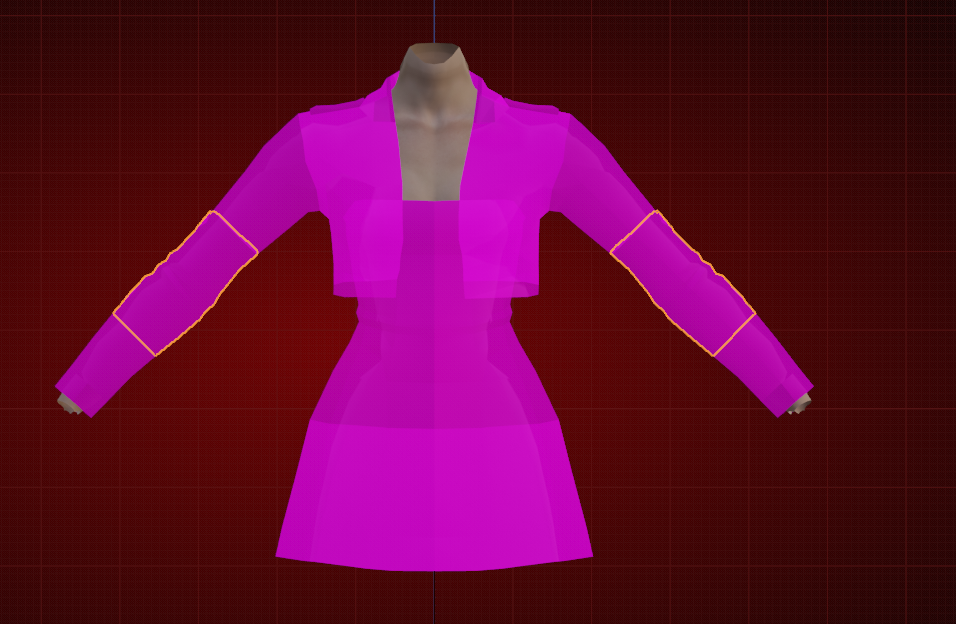
        </span><span style="font-size: 11pt; font-family: Arial,sans-serif; color: #000000; background-color: transparent; font-weight: 400; font-style: normal; font-variant: normal; text-decoration: none; vertical-align: baseline; white-space: pre-wrap;"><span style="border: none; display: inline-block; overflow: hidden; width: 485px; height: 318px;">![](https://lh7-rt.googleusercontent.com/docsz/AD_4nXdAKemeSgZMxOptzh90xc117WMeKaPjM5LCOewC-S1umXH8z7VmDi7jVtbEO7HkYA9zHuLXGSXlcHHJQ7jIk093xxGfpvmRq5Iy7JCwrZVNLnga9YpO8iYD2b3wdANtk8YosWbV_d0WWj7F0iy9cw?key=x2SAouDxP3EayyutRfDV1A)</span></span>

- - <span style="font-size: 11pt; font-family: Arial,sans-serif; color: #000000; background-color: transparent; font-weight: 400; font-style: normal; font-variant: normal; text-decoration: none; vertical-align: baseline; white-space: pre-wrap;">Assign Wrist Attributes to anything below the forearm. </span>
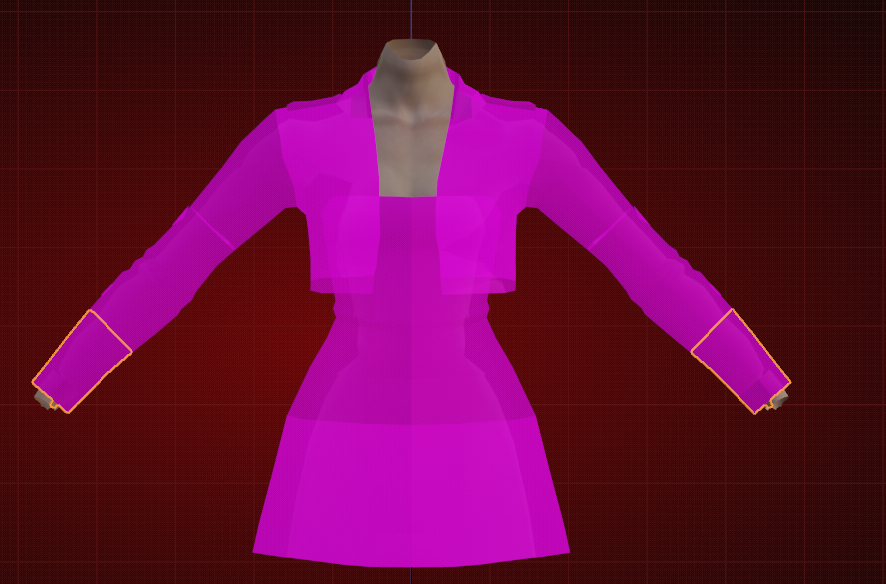
<span style="font-size: 11pt; font-family: Arial,sans-serif; color: #000000; background-color: transparent; font-weight: 400; font-style: normal; font-variant: normal; text-decoration: none; vertical-align: baseline; white-space: pre-wrap;"><span style="border: none; display: inline-block; overflow: hidden; width: 480px; height: 318px;">![](https://lh7-rt.googleusercontent.com/docsz/AD_4nXcR7QAsVPYi1QlWRuRFwox7HPuS-ur7yP_m2Hu5oYWTaeOzIn2C2ocu_qeNL9GORP8UDLLse7Mk2eMETVRjk1jeyav3EpU0NYgHB6P1JPuCHOKlycqllFB6tboLQbSKjJwnLU7BGPpWYAC6vaK-?key=x2SAouDxP3EayyutRfDV1A)</span></span>

- - <span style="font-size: 11pt; font-family: Arial,sans-serif; color: #000000; background-color: transparent; font-weight: 400; font-style: normal; font-variant: normal; text-decoration: none; vertical-align: baseline; white-space: pre-wrap;">Assign Neck Attributes to the neck connector. </span>
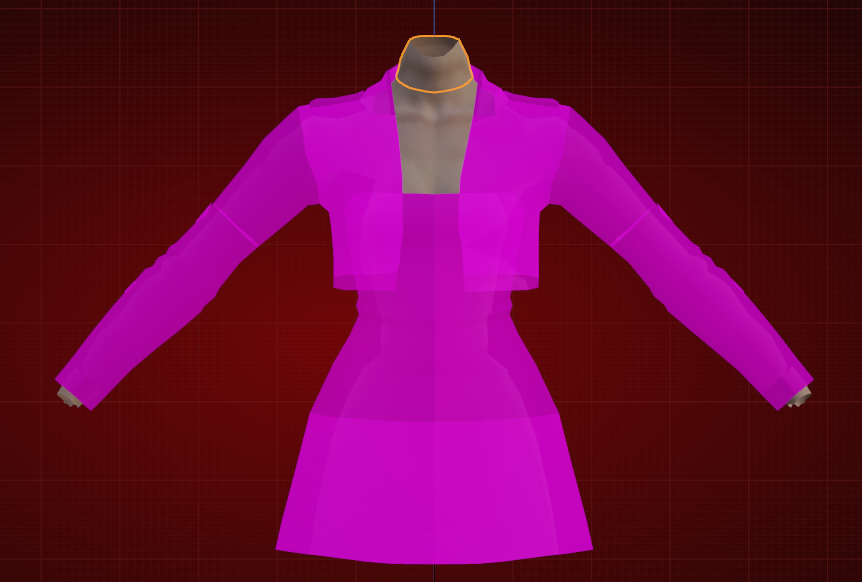
<span style="font-size: 11pt; font-family: Arial,sans-serif; color: #000000; background-color: transparent; font-weight: 400; font-style: normal; font-variant: normal; text-decoration: none; vertical-align: baseline; white-space: pre-wrap;"><span style="border: none; display: inline-block; overflow: hidden; width: 455px; height: 311px;">![](https://lh7-rt.googleusercontent.com/docsz/AD_4nXdAN0SQs9Z-9yGNiFfCuO41QJ0QbiwcwjYZdNgfOb0JESWtsmyZVTUqLeHN6t0bHeHPuZPQG8FGzo2LiueA3WNvvn9FystamXWY58qEjc3pOA91k-3gmeIyi7UCG7iwEjnE0GVb2OqxQzEy9cH6qQ?key=x2SAouDxP3EayyutRfDV1A)</span></span>

- - <span style="font-size: 11pt; font-family: Arial,sans-serif; color: #000000; background-color: transparent; font-weight: 400; font-style: normal; font-variant: normal; text-decoration: none; vertical-align: baseline; white-space: pre-wrap;">Once you’re done with assigning Attributes and Materials, click confirm. Your mesh should look cohesive and put together. If it looks warped, or wrong, you’ve assigned a material wrong. This is easily fixable by the new “Edit Model” option, in the upper left corner! Go into this option, and fix your material assignments.</span>

<span style="font-size: 11pt; font-family: Arial,sans-serif; color: #000000; background-color: transparent; font-weight: 400; font-style: normal; font-variant: normal; text-decoration: none; vertical-align: baseline; white-space: pre-wrap;"><span style="border: none; display: inline-block; overflow: hidden; width: 189px; height: 129px;">![](https://lh7-rt.googleusercontent.com/docsz/AD_4nXdPp8gYRzSuT7y-ubCZ0Kg71YDMw2FnblckeVAEmXhO-9S4ggsTwmVcHjeFUKSX_beXVJJ4qQvIN9N1C6DDhvM9PKiPP462w_A0qNKruPvbdUcD6VI_gygBqGIMLNhJolJm_f8r4Rv7okeo-HQHPA?key=x2SAouDxP3EayyutRfDV1A)</span></span>

- - <span style="font-size: 11pt; font-family: Arial,sans-serif; color: #000000; background-color: transparent; font-weight: 400; font-style: normal; font-variant: normal; text-decoration: none; vertical-align: baseline; white-space: pre-wrap;">If your materials are assigned correctly, and your mesh still looks warped / wrong, that’s probably a case of “Dawntrail UVs are weird”. This is where that “Shift Imported UVs” option comes in. </span>
    - <span style="font-size: 11pt; font-family: Arial,sans-serif; color: #000000; background-color: transparent; font-weight: 400; font-style: normal; font-variant: normal; text-decoration: none; vertical-align: baseline; white-space: pre-wrap;">Re-import your mesh with that option ticked, and see if that fixes it. If it does, but it only fixes one part, export that re-imported mesh, and import it back into Blender. </span>
    - <span style="font-size: 11pt; font-family: Arial,sans-serif; color: #000000; background-color: transparent; font-weight: 400; font-style: normal; font-variant: normal; text-decoration: none; vertical-align: baseline; white-space: pre-wrap;">Delete the bits that were not fixed by “Shift Imported UVs”, and move the bit that WAS fixed over into the original mesh. Delete the original version of that bit, re-export from blender, and re-import into TexTools. This should, fix it! </span>
- <span style="font-size: 13.999999999999998pt; font-family: Arial,sans-serif; color: #434343; background-color: transparent; font-weight: 400; font-style: normal; font-variant: normal; text-decoration: none; vertical-align: baseline; white-space: pre-wrap;">Metadata</span>
    - <span style="font-size: 11pt; font-family: Arial,sans-serif; color: #000000; background-color: transparent; font-weight: 400; font-style: normal; font-variant: normal; text-decoration: none; vertical-align: baseline; white-space: pre-wrap;">Metadata is the final step for your mashup to be complete. Open the 3 lines option, and go to “View / Edit Metadata”</span>

<span style="font-size: 11pt; font-family: Arial,sans-serif; color: #000000; background-color: transparent; font-weight: 400; font-style: normal; font-variant: normal; text-decoration: none; vertical-align: baseline; white-space: pre-wrap;"><span style="border: none; display: inline-block; overflow: hidden; width: 562px; height: 57px;">![](https://lh7-rt.googleusercontent.com/docsz/AD_4nXc8EjpApHJEaNBjdnJS49Kof3xbfwofsmLVx28ibPFkV6bwPE7-KkhLAJIGXWugWXSTJw7EzJlNKzC3rk31cHjTn1YKeKc205S0P-aUjHkjjtP8Zua-Amd_YiUP3q9owcivyxgeod6JJwtR_2SR?key=x2SAouDxP3EayyutRfDV1A)</span></span>

- - <span style="font-size: 11pt; font-family: Arial,sans-serif; color: #000000; background-color: transparent; font-weight: 400; font-style: normal; font-variant: normal; text-decoration: none; vertical-align: baseline; white-space: pre-wrap;">Going into Metadata, you’ll see this tab. There’s a few options to look at here, so we’ll work our way down.</span>
    - <span style="font-size: 11pt; font-family: Arial,sans-serif; color: #000000; background-color: transparent; font-weight: 400; font-style: normal; font-variant: normal; text-decoration: none; vertical-align: baseline; white-space: pre-wrap;">Firstly, racial models!</span>

<span style="font-size: 11pt; font-family: Arial,sans-serif; color: #000000; background-color: transparent; font-weight: 400; font-style: normal; font-variant: normal; text-decoration: none; vertical-align: baseline; white-space: pre-wrap;"><span style="border: none; display: inline-block; overflow: hidden; width: 346px; height: 189px;">![](https://lh7-rt.googleusercontent.com/docsz/AD_4nXcyTMNEGZyacQZxr21tF-fu_sM1dhkEEn4NThCV5Y3G_NA7DI5AtGVAk32yeiPZ7AdWMOmtlZ4zpG3REai7Wo7mAqqqJEVlTAqGNLyxqOMDmp11HqwCQKzsxDUr7csl0AlNH85mbjENGcgbsr-bFQ?key=x2SAouDxP3EayyutRfDV1A)</span></span>

- - <span style="font-size: 11pt; font-family: Arial,sans-serif; color: #000000; background-color: transparent; font-weight: 400; font-style: normal; font-variant: normal; text-decoration: none; vertical-align: baseline; white-space: pre-wrap;">Sometimes, meshes will have additional models for Miqote, Au Ra, Elezen, etc. You can disable these alternate meshes with very little issues! </span>
    - <span style="font-size: 11pt; font-family: Arial,sans-serif; color: #000000; background-color: transparent; font-weight: 400; font-style: normal; font-variant: normal; text-decoration: none; vertical-align: baseline; white-space: pre-wrap;">These variants exist for skin-tight meshes, such as the swimsuits, or the Emperor’s set. </span>
    - <span style="font-size: 11pt; font-family: Arial,sans-serif; color: #000000; background-color: transparent; font-weight: 400; font-style: normal; font-variant: normal; text-decoration: none; vertical-align: baseline; white-space: pre-wrap;">Next, “Extra Skeleton Settings”</span><span style="font-size: 11pt; font-family: Arial,sans-serif; color: #000000; background-color: transparent; font-weight: 400; font-style: normal; font-variant: normal; text-decoration: none; vertical-align: baseline; white-space: pre-wrap;"><span style="border: none; display: inline-block; overflow: hidden; width: 607px; height: 231px;">![](https://lh7-rt.googleusercontent.com/docsz/AD_4nXcCCnHW73ublP5zuJBc0V8hcimh6hDit5HQURGeuuRkb-IUExBBrOjVzT1h64oc-oNJ2DB0E1MiGKYHkTmpcIHEaYI44Lp-APZaUnGXJTwvyx575NGqMJtr9c6UNXMqHkrCh481EN-VnhHwoeLkbg?key=x2SAouDxP3EayyutRfDV1A)</span></span>
    - <span style="font-size: 11pt; font-family: Arial,sans-serif; color: #000000; background-color: transparent; font-weight: 400; font-style: normal; font-variant: normal; text-decoration: none; vertical-align: baseline; white-space: pre-wrap;">I’ve never used this option, so we’ll skip it! I figured I’d include it, as it’s worth covering.</span>
    - <span style="font-size: 11pt; font-family: Arial,sans-serif; color: #000000; background-color: transparent; font-weight: 400; font-style: normal; font-variant: normal; text-decoration: none; vertical-align: baseline; white-space: pre-wrap;">Visibility settings is one of the smallest things you can change that makes a big difference! The item you imported your mesh on may hide necklaces, bracelets, gloves, and tails, even if the mashup you’ve made would show those. Tick the options that would show realistically with your mashup. Keep in mind that lots of people attach extra accessories / clothing pieces onto bracelets, rings, and necklaces. If you want to turn on all accessories by default, feel free to!</span>

<span style="font-size: 11pt; font-family: Arial,sans-serif; color: #000000; background-color: transparent; font-weight: 400; font-style: normal; font-variant: normal; text-decoration: none; vertical-align: baseline; white-space: pre-wrap;"><span style="border: none; display: inline-block; overflow: hidden; width: 534px; height: 139px;">![](https://lh7-rt.googleusercontent.com/docsz/AD_4nXeQxiK5d43XnFlLa_CHTFJrgYH8h9j3XN8d4wSgoCHTzt6aLIgzQJIyEbqqEsCDW0A2_UnltfLxRFw8Q2Jh51B4WuDh7KxqQ6NzUIOfBkxmGbqM-3z2YagJmzmJqzI5NuwwXp38cyoHvMa49HQ0Eg?key=x2SAouDxP3EayyutRfDV1A)</span></span>

- - <span style="font-size: 11pt; font-family: Arial,sans-serif; color: #000000; background-color: transparent; font-weight: 400; font-style: normal; font-variant: normal; text-decoration: none; vertical-align: baseline; white-space: pre-wrap;">Lastly, there’s “Variant Settings”</span>

<span style="font-size: 11pt; font-family: Arial,sans-serif; color: #000000; background-color: transparent; font-weight: 400; font-style: normal; font-variant: normal; text-decoration: none; vertical-align: baseline; white-space: pre-wrap;"><span style="border: none; display: inline-block; overflow: hidden; width: 534px; height: 184px;">![](https://lh7-rt.googleusercontent.com/docsz/AD_4nXfdKWb64S_GGAqfsMSZgza_gMO60dN6o78ftl4A2AJzP_dxbvZueau2wD9GGVt_a_BKbjLt2ndTvmf7RG84PFqatGemD-1SR6iJr-J8KftgbuLRU03gl8x4wujM4OakxyoB5mfU-Xr6cw9s5gsFFw?key=x2SAouDxP3EayyutRfDV1A)</span></span>

- - <span style="font-size: 11pt; font-family: Arial,sans-serif; color: #000000; background-color: transparent; font-weight: 400; font-style: normal; font-variant: normal; text-decoration: none; vertical-align: baseline; white-space: pre-wrap;">Editing this will allow you to ensure that variants of the item your mashup has affected won’t break. </span>
    - <span style="font-size: 11pt; font-family: Arial,sans-serif; color: #000000; background-color: transparent; font-weight: 400; font-style: normal; font-variant: normal; text-decoration: none; vertical-align: baseline; white-space: pre-wrap;">My mashup affects the Yorha Type-55 Jacket of Fending. The Yorha Type-55 Jacket of Maiming is a variant item of the Jacket of Fending, but it uses a different material version.</span>

<span style="font-size: 11pt; font-family: Arial,sans-serif; color: #000000; background-color: transparent; font-weight: 400; font-style: normal; font-variant: normal; text-decoration: none; vertical-align: baseline; white-space: pre-wrap;"><span style="border: none; display: inline-block; overflow: hidden; width: 534px; height: 162px;">![](https://lh7-rt.googleusercontent.com/docsz/AD_4nXdVo0iK-yTdhqEelo0GrY7bVBf5Va5jlPkAGdRbZcnK9S0tZ4nWKko0FJ1uNB1nYEHzCd5EywAEccg8cZWGeiR1SOceeEgIoQDgGDJmWXrPSgk59oLM5lX5TvtAD-_6rdNNGJAQ1AZ4j0r3LkZ7zg?key=x2SAouDxP3EayyutRfDV1A)</span></span>

- - <span style="font-size: 11pt; font-family: Arial,sans-serif; color: #000000; background-color: transparent; font-weight: 400; font-style: normal; font-variant: normal; text-decoration: none; vertical-align: baseline; white-space: pre-wrap;">As such, the Yorha Type-55 Jacket of Maiming is broken looking. </span>
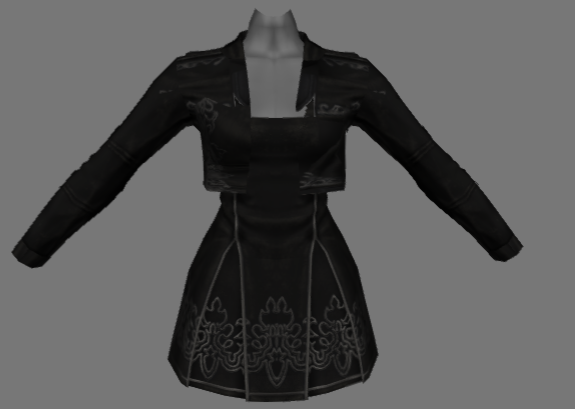
<span style="font-size: 11pt; font-family: Arial,sans-serif; color: #000000; background-color: transparent; font-weight: 400; font-style: normal; font-variant: normal; text-decoration: none; vertical-align: baseline; white-space: pre-wrap;"><span style="border: none; display: inline-block; overflow: hidden; width: 419px; height: 300px;">![](https://lh7-rt.googleusercontent.com/docsz/AD_4nXc4DrsyfI87IA0GUtWkY0OgCwul21mLIoD8Sv-SZHWKigYnNZ0u5AhJYnQPYn1fEVBI9dulHTjv_AWYhpKBDZd1IPHIBdlxGiYyjHUd0s_H1_fqB5gGqeP2AKGUt7AakrX8m3nydPi4RwXR7o_gIg?key=x2SAouDxP3EayyutRfDV1A)</span></span>

- - <span style="font-size: 11pt; font-family: Arial,sans-serif; color: #000000; background-color: transparent; font-weight: 400; font-style: normal; font-variant: normal; text-decoration: none; vertical-align: baseline; white-space: pre-wrap;">In the dropdown menu, change the IMC Variant and the Material Version to 1, then Save to FFXIV.</span>

<span style="font-size: 11pt; font-family: Arial,sans-serif; color: #000000; background-color: transparent; font-weight: 400; font-style: normal; font-variant: normal; text-decoration: none; vertical-align: baseline; white-space: pre-wrap;"><span style="border: none; display: inline-block; overflow: hidden; width: 448px; height: 336px;">![](https://lh7-rt.googleusercontent.com/docsz/AD_4nXfdJ7szrtowZ_Yij3L8g6KCdqn8w_6hRWO-ucGqvQq6YTnIcPC1lvrvCUwSdE-UdW2wPzWgJ-Rjeq79jNq7llvp38u-gSTUCYabc7nClvFOd9lZBrghYpJlQoHDANxvKzOAS9tR3I6XESuKzyLX?key=x2SAouDxP3EayyutRfDV1A)</span></span>

- - <span style="font-size: 11pt; font-family: Arial,sans-serif; color: #000000; background-color: transparent; font-weight: 400; font-style: normal; font-variant: normal; text-decoration: none; vertical-align: baseline; white-space: pre-wrap;">This fixes the variant!</span>
- <span style="font-size: 13.999999999999998pt; font-family: Arial,sans-serif; color: #434343; background-color: transparent; font-weight: 400; font-style: normal; font-variant: normal; text-decoration: none; vertical-align: baseline; white-space: pre-wrap;">Modpacking</span>
    - <span style="font-size: 11pt; font-family: Arial,sans-serif; color: #000000; background-color: transparent; font-weight: 400; font-style: normal; font-variant: normal; text-decoration: none; vertical-align: baseline; white-space: pre-wrap;">With that done, we’re all ready to modpack! In the top left corner, navigate back to “Mods”. </span>
    - <span style="font-size: 11pt; font-family: Arial,sans-serif; color: #000000; background-color: transparent; font-weight: 400; font-style: normal; font-variant: normal; text-decoration: none; vertical-align: baseline; white-space: pre-wrap;">We’ll be making our modpack from the “Advanced” option, just to get you familiarized with variants. </span>
    - <span style="font-size: 11pt; font-family: Arial,sans-serif; color: #000000; background-color: transparent; font-weight: 400; font-style: normal; font-variant: normal; text-decoration: none; vertical-align: baseline; white-space: pre-wrap;">Upon clicking the Advanced option, you’ll be greeted with this: </span>
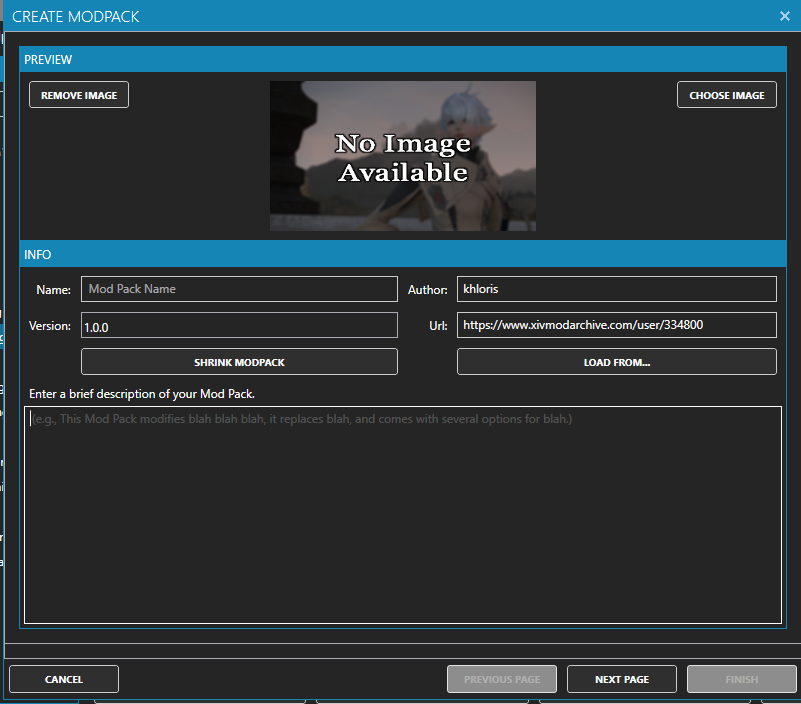
<span style="font-size: 11pt; font-family: Arial,sans-serif; color: #000000; background-color: transparent; font-weight: 400; font-style: normal; font-variant: normal; text-decoration: none; vertical-align: baseline; white-space: pre-wrap;"><span style="border: none; display: inline-block; overflow: hidden; width: 435px; height: 377px;">![](https://lh7-rt.googleusercontent.com/docsz/AD_4nXfCgHBMBQJyRQ_XOv9uslzawVDpk20I2bd8VYJYQF3859whAZ_vszypCbtO4k5J1Jk9oaeclutPZf-WAhv-W8fFEdpUqQ1iKSiRUGyqcXEd0liihKh6CgRTop_U9sBQuweWvUJMbxdJklFtDPiJDw?key=x2SAouDxP3EayyutRfDV1A)</span></span>

- - <span style="font-size: 11pt; font-family: Arial,sans-serif; color: #000000; background-color: transparent; font-weight: 400; font-style: normal; font-variant: normal; text-decoration: none; vertical-align: baseline; white-space: pre-wrap;">Everything here is self-explanatory. Name your modpack, and include whatever you need to in the description! I’d recommend including what item your mod affects in the description for TexTools users! </span>
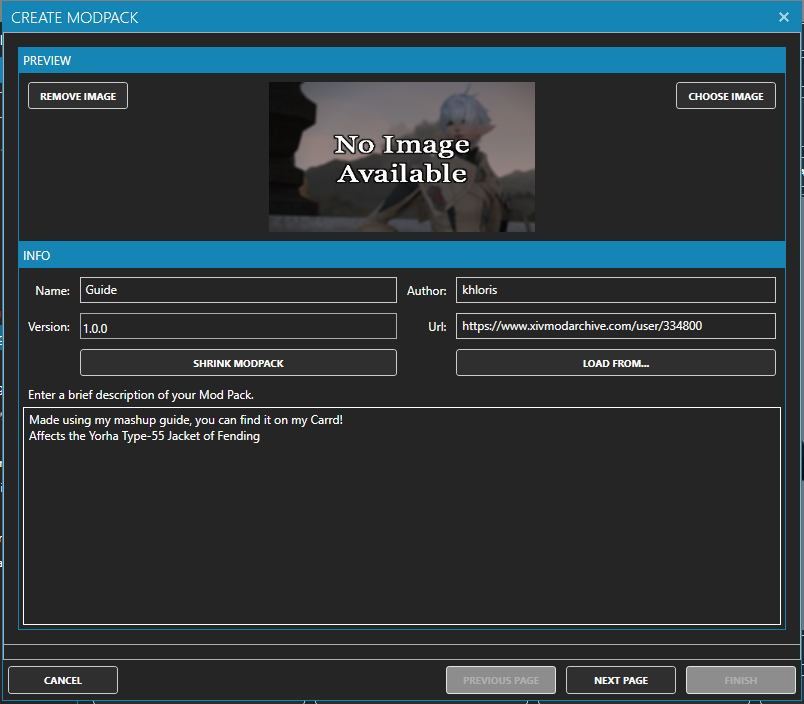
<span style="font-size: 11pt; font-family: Arial,sans-serif; color: #000000; background-color: transparent; font-weight: 400; font-style: normal; font-variant: normal; text-decoration: none; vertical-align: baseline; white-space: pre-wrap;"><span style="border: none; display: inline-block; overflow: hidden; width: 451px; height: 395px;">![](https://lh7-rt.googleusercontent.com/docsz/AD_4nXfmynA4fB5fb2BxmxQbnH0Y9rUWT8OOP-A8bQRHSzXW3MVifMfhrNwrcaz5txV0ew55blEnpq12wfOqpVF-2mjDHkhirOP3NQ_BSvIfZur1jT9rULvZvfA8GZisnJDXdfbtWpiC8Asef8W_gz7qjQ?key=x2SAouDxP3EayyutRfDV1A)</span></span>

- - <span style="font-size: 11pt; font-family: Arial,sans-serif; color: #000000; background-color: transparent; font-weight: 400; font-style: normal; font-variant: normal; text-decoration: none; vertical-align: baseline; white-space: pre-wrap;">Clicking on “Next Page” , you’ll be greeted with this. This is what your users will be greeted with, if they’re installing through TexTools.</span>
    - <span style="font-size: 11pt; font-family: Arial,sans-serif; color: #000000; background-color: transparent; font-weight: 400; font-style: normal; font-variant: normal; text-decoration: none; vertical-align: baseline; white-space: pre-wrap;">At the bottom left, click “Add”, then “Standard group. You should have this. </span>
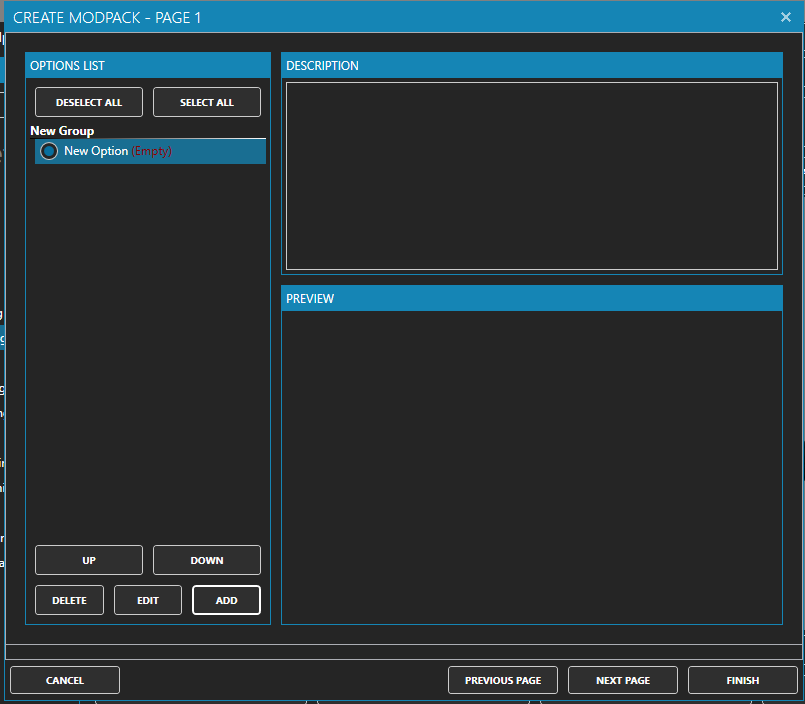
<span style="font-size: 11pt; font-family: Arial,sans-serif; color: #000000; background-color: transparent; font-weight: 400; font-style: normal; font-variant: normal; text-decoration: none; vertical-align: baseline; white-space: pre-wrap;"><span style="border: none; display: inline-block; overflow: hidden; width: 434px; height: 382px;">![](https://lh7-rt.googleusercontent.com/docsz/AD_4nXcqYUzlFlrlPun5aiBRafhYRrYcBQrrU5loXNBIx6R4H_ly8Yvr8EBaw_nZ7Lf62eIyO9m6fkDJUKUQ3qXBpHDvlIj0zVRbM-inLTNZef4Gw8ZfFE96o7u_kQixLeYJCrVgoIn7ZW1DHZK7PO9X?key=x2SAouDxP3EayyutRfDV1A)</span></span>

- - <span style="font-size: 11pt; font-family: Arial,sans-serif; color: #000000; background-color: transparent; font-weight: 400; font-style: normal; font-variant: normal; text-decoration: none; vertical-align: baseline; white-space: pre-wrap;">Select your group, and click Edit. </span>
    - <span style="font-size: 11pt; font-family: Arial,sans-serif; color: #000000; background-color: transparent; font-weight: 400; font-style: normal; font-variant: normal; text-decoration: none; vertical-align: baseline; white-space: pre-wrap;">You’ll notice quite a few options, don’t get overwhelmed, move from the top down.</span>

<span style="font-size: 11pt; font-family: Arial,sans-serif; color: #000000; background-color: transparent; font-weight: 400; font-style: normal; font-variant: normal; text-decoration: none; vertical-align: baseline; white-space: pre-wrap;"><span style="border: none; display: inline-block; overflow: hidden; width: 370px; height: 370px;">![](https://lh7-rt.googleusercontent.com/docsz/AD_4nXdDg4G5VIl2Fl2D9UAI-kaemoXyuj-e8WYvI-v57t0rdUDyxeXNQejE19FUltvhQjryz_sxkGPa5tcQIMHI9fiMoEh2EaYwfs83mF27Gko7y6cJMgYocL0FTRKKN4Sp-Ot8NPb1XJnOt4QDI5Lz1Q?key=x2SAouDxP3EayyutRfDV1A)</span></span>

- - <span style="font-size: 11pt; font-family: Arial,sans-serif; color: #000000; background-color: transparent; font-weight: 400; font-style: normal; font-variant: normal; text-decoration: none; vertical-align: baseline; white-space: pre-wrap;">At the top, there’s the name for the group, and the type of selection you can add for your users. </span>
    - <span style="font-size: 11pt; font-family: Arial,sans-serif; color: #000000; background-color: transparent; font-weight: 400; font-style: normal; font-variant: normal; text-decoration: none; vertical-align: baseline; white-space: pre-wrap;">Multi-Selection is used for if you want to include multiple items, but make each of them toggleable. </span>
    - <span style="font-size: 11pt; font-family: Arial,sans-serif; color: #000000; background-color: transparent; font-weight: 400; font-style: normal; font-variant: normal; text-decoration: none; vertical-align: baseline; white-space: pre-wrap;">Single-Selection is used for if you want to include options, but only have one of them toggleable. I’ll include this for different versions of my mashups, and I’ll be using this one today. </span>
    - <span style="font-size: 11pt; font-family: Arial,sans-serif; color: #000000; background-color: transparent; font-weight: 400; font-style: normal; font-variant: normal; text-decoration: none; vertical-align: baseline; white-space: pre-wrap;">Rename your group option whatever you’d like, I’m naming it “-dress-” because it’s pretty c: </span>
    - <span style="font-size: 11pt; font-family: Arial,sans-serif; color: #000000; background-color: transparent; font-weight: 400; font-style: normal; font-variant: normal; text-decoration: none; vertical-align: baseline; white-space: pre-wrap;">In order to rename your option that you’re given, double click it, or click the “Rename” option at the bottom of the bow. </span>
    - <span style="font-size: 11pt; font-family: Arial,sans-serif; color: #000000; background-color: transparent; font-weight: 400; font-style: normal; font-variant: normal; text-decoration: none; vertical-align: baseline; white-space: pre-wrap;">To add new options, type in the name you’d like, and click “Add” on the right.</span>

<span style="font-size: 11pt; font-family: Arial,sans-serif; color: #000000; background-color: transparent; font-weight: 400; font-style: normal; font-variant: normal; text-decoration: none; vertical-align: baseline; white-space: pre-wrap;"><span style="border: none; display: inline-block; overflow: hidden; width: 562px; height: 313px;">![](https://lh7-rt.googleusercontent.com/docsz/AD_4nXfnHaRZYO7C9oJQvXbgTAdPKBAnrh4Ef-0xozk5XA5Nx-ZSgp9pjyTmWYT1hmfaE26hlypX7XyDQWwWYKRY8p9onx9Q-Q9ahqC56xLpRHxzN2M5xLF1go4_y4agn7RREEkPYBwWeG_jmZrFPiyP_Q?key=x2SAouDxP3EayyutRfDV1A)</span></span>

- - <span style="font-size: 11pt; font-family: Arial,sans-serif; color: #000000; background-color: transparent; font-weight: 400; font-style: normal; font-variant: normal; text-decoration: none; vertical-align: baseline; white-space: pre-wrap;">Now, we get to add the contents!</span>
    - <span style="font-size: 11pt; font-family: Arial,sans-serif; color: #000000; background-color: transparent; font-weight: 400; font-style: normal; font-variant: normal; text-decoration: none; vertical-align: baseline; white-space: pre-wrap;">Click your first option, and move to the bottom of the window. </span>
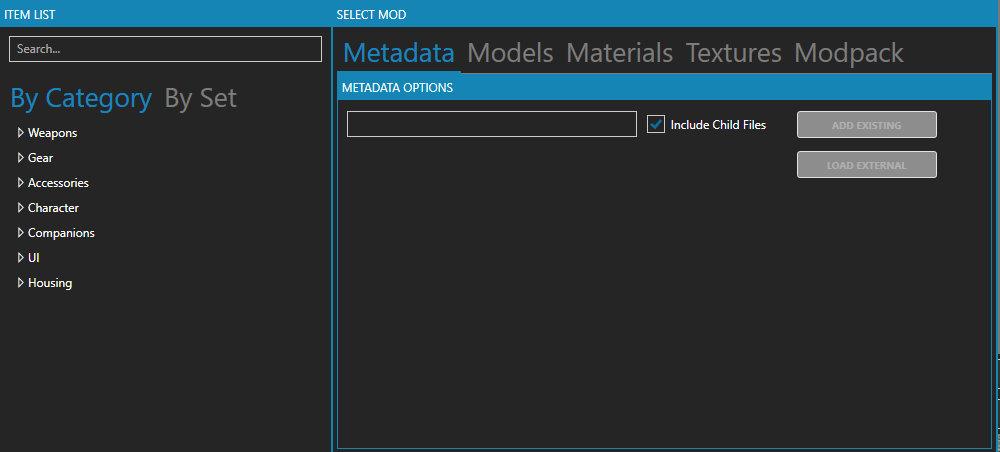
<span style="font-size: 11pt; font-family: Arial,sans-serif; color: #000000; background-color: transparent; font-weight: 400; font-style: normal; font-variant: normal; text-decoration: none; vertical-align: baseline; white-space: pre-wrap;"><span style="border: none; display: inline-block; overflow: hidden; width: 587px; height: 265px;">![](https://lh7-rt.googleusercontent.com/docsz/AD_4nXfPylU6kEcpMh0ueMBWq7Do-SHjyYRAD56DS2YnqoIr0bouUuFpo7bwDMlK4TlKKl0_sH_3s4wmvrM181ILn2cQY73DYiRTz5Yazhj6Mxz-Ug6QYc6DvvGjHwEXVsDgGWQWJbKuKddraxM6zJYz?key=x2SAouDxP3EayyutRfDV1A)</span></span>

- - <span style="font-size: 11pt; font-family: Arial,sans-serif; color: #000000; background-color: transparent; font-weight: 400; font-style: normal; font-variant: normal; text-decoration: none; vertical-align: baseline; white-space: pre-wrap;">Search for your item, click on it, and click “Add Existing”</span>
    - <span style="font-size: 11pt; font-family: Arial,sans-serif; color: #000000; background-color: transparent; font-weight: 400; font-style: normal; font-variant: normal; text-decoration: none; vertical-align: baseline; white-space: pre-wrap;">This will add all the components of your mashup. The metadata, textures, materials, and model. </span>
        - <span style="font-size: 11pt; font-family: Arial,sans-serif; color: #000000; background-color: transparent; font-weight: 400; font-style: normal; font-variant: normal; text-decoration: none; vertical-align: baseline; white-space: pre-wrap;">If you want to only add textures, or models, you’ll have to move to the Models / Materials / Textures / Modpack option. I won’t be covering that here.</span>
    - <span style="font-size: 11pt; font-family: Arial,sans-serif; color: #000000; background-color: transparent; font-weight: 400; font-style: normal; font-variant: normal; text-decoration: none; vertical-align: baseline; white-space: pre-wrap;">The modpack option allows you to add colorset options, and it’s why you can export colorsets as modpacks. </span>
    - <span style="font-size: 11pt; font-family: Arial,sans-serif; color: #000000; background-color: transparent; font-weight: 400; font-style: normal; font-variant: normal; text-decoration: none; vertical-align: baseline; white-space: pre-wrap;">For your option, if you choose to include options, do the same process. </span>
    - <span style="font-size: 11pt; font-family: Arial,sans-serif; color: #000000; background-color: transparent; font-weight: 400; font-style: normal; font-variant: normal; text-decoration: none; vertical-align: baseline; white-space: pre-wrap;">My option is a model option, where the jacket isn’t included. As such, I’ll move to the models tab. </span><span style="font-size: 11pt; font-family: Arial,sans-serif; color: #000000; background-color: transparent; font-weight: 400; font-style: normal; font-variant: normal; text-decoration: none; vertical-align: baseline; white-space: pre-wrap;"><span style="border: none; display: inline-block; overflow: hidden; width: 624px; height: 224px;">![](https://lh7-rt.googleusercontent.com/docsz/AD_4nXd88eq3NJW2D5N_KXQt3-d-D0YCXd07RMIqDdbC1p4-smkm9DZtmDpr5Zytxs2b3g6_if2WVVSL3Z4JhNIW85qCH94XmMS-c31waPvcSUIuI3OXPe0vus_Gz37Xv2KQNTywqxEVYrDdnp4CR3xP9w?key=x2SAouDxP3EayyutRfDV1A)</span></span>
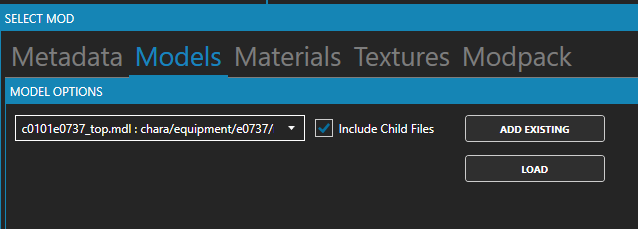
    - <span style="font-size: 11pt; font-family: Arial,sans-serif; color: #000000; background-color: transparent; font-weight: 400; font-style: normal; font-variant: normal; text-decoration: none; vertical-align: baseline; white-space: pre-wrap;">This tab allows you to import new models during modpacking, on any race. </span>
    - <span style="font-size: 11pt; font-family: Arial,sans-serif; color: #000000; background-color: transparent; font-weight: 400; font-style: normal; font-variant: normal; text-decoration: none; vertical-align: baseline; white-space: pre-wrap;">Make sure you’re loading your model on the correct race / gender. </span>
    - <span style="font-size: 11pt; font-family: Arial,sans-serif; color: #000000; background-color: transparent; font-weight: 400; font-style: normal; font-variant: normal; text-decoration: none; vertical-align: baseline; white-space: pre-wrap;">The Model Importer will tell you what race / gender you’re loading on!</span>

<span style="font-size: 11pt; font-family: Arial,sans-serif; color: #000000; background-color: transparent; font-weight: 400; font-style: normal; font-variant: normal; text-decoration: none; vertical-align: baseline; white-space: pre-wrap;"><span style="border: none; display: inline-block; overflow: hidden; width: 624px; height: 164px;">![](https://lh7-rt.googleusercontent.com/docsz/AD_4nXcr_I0jycH2x2Q3dH9nEREF_hxC5gP0jdFqN-OdDEhkx8PaMlo8l164ngyGQBjC8li4TAeEPUhKQYGjHJe_x8AFFjs2VPZZzIPxSI8Qj7IdAzE380XWDPF9bE0Z0_znfpUvBeK3iZIYFSC7MSVsvw?key=x2SAouDxP3EayyutRfDV1A)</span></span>

- - <span style="font-size: 11pt; font-family: Arial,sans-serif; color: #000000; background-color: transparent; font-weight: 400; font-style: normal; font-variant: normal; text-decoration: none; vertical-align: baseline; white-space: pre-wrap;">Make sure your attributes + material assignments are correct, and then load as usual! </span>
    - <span style="font-size: 11pt; font-family: Arial,sans-serif; color: #000000; background-color: transparent; font-weight: 400; font-style: normal; font-variant: normal; text-decoration: none; vertical-align: baseline; white-space: pre-wrap;">When you’ve loaded your new model, it’ll give you this warning. Hit yes, and close the tab!</span><span style="font-size: 11pt; font-family: Arial,sans-serif; color: #000000; background-color: transparent; font-weight: 400; font-style: normal; font-variant: normal; text-decoration: none; vertical-align: baseline; white-space: pre-wrap;"><span style="border: none; display: inline-block; overflow: hidden; width: 624px; height: 165px;">![](https://lh7-rt.googleusercontent.com/docsz/AD_4nXd-pC0xUhS3hNKVJJBevElzjA8pRK905ZOG8onoY_N0y9Myq1insGrfbunu13tR61464H_oTNPq3M8KHyjHrLl5jRDq7w4fl_MKB42e8g8BEaKDVR6onmftKjVgafHPAOFw_lQ6I2cPIZ_nOPTrFg?key=x2SAouDxP3EayyutRfDV1A)</span></span>
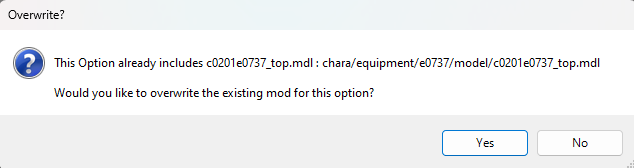
    - <span style="font-size: 11pt; font-family: Arial,sans-serif; color: #000000; background-color: transparent; font-weight: 400; font-style: normal; font-variant: normal; text-decoration: none; vertical-align: baseline; white-space: pre-wrap;">This is the last option for the modpack, so we can click “Done” at the top right corner, and click “Finish” to export our modpack!</span>

<span style="font-size: 11pt; font-family: Arial,sans-serif; color: #000000; background-color: transparent; font-weight: 400; font-style: normal; font-variant: normal; text-decoration: none; vertical-align: baseline; white-space: pre-wrap;"><span style="border: none; display: inline-block; overflow: hidden; width: 460px; height: 569px;">![](https://lh7-rt.googleusercontent.com/docsz/AD_4nXcdpe_sSRH9jweHzD9_ZG-stUn61I2CrHMZlurQG94ARjitZ15WloGXOtrSA344pE_t_0uSnr1p-69gThGUPU1l_CCwK6iwjPhjqP1uncypUS0B9bb_hV3idQa1um0nev8Ewr3rbtufn8AeaZMgSQ?key=x2SAouDxP3EayyutRfDV1A)</span></span>

- - <span style="font-size: 11pt; font-family: Arial,sans-serif; color: #000000; background-color: transparent; font-weight: 400; font-style: normal; font-variant: normal; text-decoration: none; vertical-align: baseline; white-space: pre-wrap;">And just like that, our mashup is done! If you see any issues with your textures, like the black spots that you can see on mine, I added a walkthrough on editing your textures below! </span>
- <span style="font-size: 20pt; font-family: Arial,sans-serif; color: #000000; background-color: transparent; font-weight: 400; font-style: normal; font-variant: normal; text-decoration: none; vertical-align: baseline; white-space: pre-wrap;">Texture Edits</span>
    - <span style="font-size: 11pt; font-family: Arial,sans-serif; color: #000000; background-color: transparent; font-weight: 400; font-style: normal; font-variant: normal; text-decoration: none; vertical-align: baseline; white-space: pre-wrap;">To edit your textures, I recommend exporting them as pngs, and editing them in an art program you’re familiar with. I use Procreate, but Medibang and FireAlpaca are both free alternatives that I’ve used in the past and recommend!</span>
- <span style="font-size: 13.999999999999998pt; font-family: Arial,sans-serif; color: #434343; background-color: transparent; font-weight: 400; font-style: normal; font-variant: normal; text-decoration: none; vertical-align: baseline; white-space: pre-wrap;">Editing your Normal</span>
    - <span style="font-size: 11pt; font-family: Arial,sans-serif; color: #000000; background-color: transparent; font-weight: 400; font-style: normal; font-variant: normal; text-decoration: none; vertical-align: baseline; white-space: pre-wrap;">Normals are used to determine how light affects different parts of the mesh. Threading, embroidery, and creases on vanilla models are all done through the normals. As of Dawntrail, colorsets are no longer controlled by Normals, but by the Index instead. Normals will also affect the transparency of the mesh. This tutorial will cover removing accents on the normal, and adding transparency. </span>
    - <span style="font-size: 11pt; font-family: Arial,sans-serif; color: #000000; background-color: transparent; font-weight: 400; font-style: normal; font-variant: normal; text-decoration: none; vertical-align: baseline; white-space: pre-wrap;">You’ll want to begin by exporting the PNG of the normal you want to replace. If you still have the normal from setting up your mashup, fantastic! </span>
    - <span style="font-size: 11pt; font-family: Arial,sans-serif; color: #000000; background-color: transparent; font-weight: 400; font-style: normal; font-variant: normal; text-decoration: none; vertical-align: baseline; white-space: pre-wrap;">Open this PNG in your art program. For me, I upload the PNG(s) to Google Drive, and download it from Google Drive onto my iPad.</span>
        - <span style="font-size: 11pt; font-family: Arial,sans-serif; color: #000000; background-color: transparent; font-weight: 400; font-style: normal; font-variant: normal; text-decoration: none; vertical-align: baseline; white-space: pre-wrap;">Do not send this PNG over discord. Discord has a funky compression, and it’ll change your image dimensions and the alphas in the image. Sometimes, it’ll just corrupt the normal as a whole. Email the png to yourself, use Google Drive, etc, just no Discord!</span>
    - <span style="font-size: 11pt; font-family: Arial,sans-serif; color: #000000; background-color: transparent; font-weight: 400; font-style: normal; font-variant: normal; text-decoration: none; vertical-align: baseline; white-space: pre-wrap;">To remove details, color pick one of the purples around the detail you’d like to remove. Color over these details with an airbrush, like so:</span>

<span style="font-size: 11pt; font-family: Arial,sans-serif; color: #000000; background-color: transparent; font-weight: 400; font-style: normal; font-variant: normal; text-decoration: none; vertical-align: baseline; white-space: pre-wrap;"><span style="border: none; display: inline-block; overflow: hidden; width: 481px; height: 260px;">![](https://lh7-rt.googleusercontent.com/docsz/AD_4nXdKrt0FNIAXOBNs_S7AAKo1YPD_lkfv8B8zmYSQ8MiMg3ZCip1d2pSARqtKkSMtw-BJU3gMJMga0Jm1hQ3feeChnI2BCmtk06FhJn6K9JxUENpQqrBscbNQWhv1Nn6Dxfyn575r2ZEvHUQJ-qJuVA?key=x2SAouDxP3EayyutRfDV1A)</span></span>

- - <span style="font-size: 11pt; font-family: Arial,sans-serif; color: #000000; background-color: transparent; font-weight: 400; font-style: normal; font-variant: normal; text-decoration: none; vertical-align: baseline; white-space: pre-wrap;">You’ll notice the texture difference, the lack of ruffles / seam. My recommendation for this is keep color picking + drawing over the details until you believe it matches well enough!</span>
    - <span style="font-size: 11pt; font-family: Arial,sans-serif; color: #000000; background-color: transparent; font-weight: 400; font-style: normal; font-variant: normal; text-decoration: none; vertical-align: baseline; white-space: pre-wrap;">Add a noise filter, and increase / decrease the noise level until it matches. For me, 1-2% is normally more than enough!</span><span style="font-size: 11pt; font-family: Arial,sans-serif; color: #000000; background-color: transparent; font-weight: 400; font-style: normal; font-variant: normal; text-decoration: none; vertical-align: baseline; white-space: pre-wrap;"><span style="border: none; display: inline-block; overflow: hidden; width: 456px; height: 322px;">![](https://lh7-rt.googleusercontent.com/docsz/AD_4nXfc-BSzQE9vP68brD0qPksHlTyKLfjRio0rPsSAwKdN4fXsJk7nw7OcCOJMbqGLoUYMjRbY86CdGyLFWMpbuOErBKdnMYAlLhqc7Hdcq-etqa2IA_PTj_J-GrCe7W9d5aOWOnVkuG_JZ-YqCnfzkQ?key=x2SAouDxP3EayyutRfDV1A)</span></span>
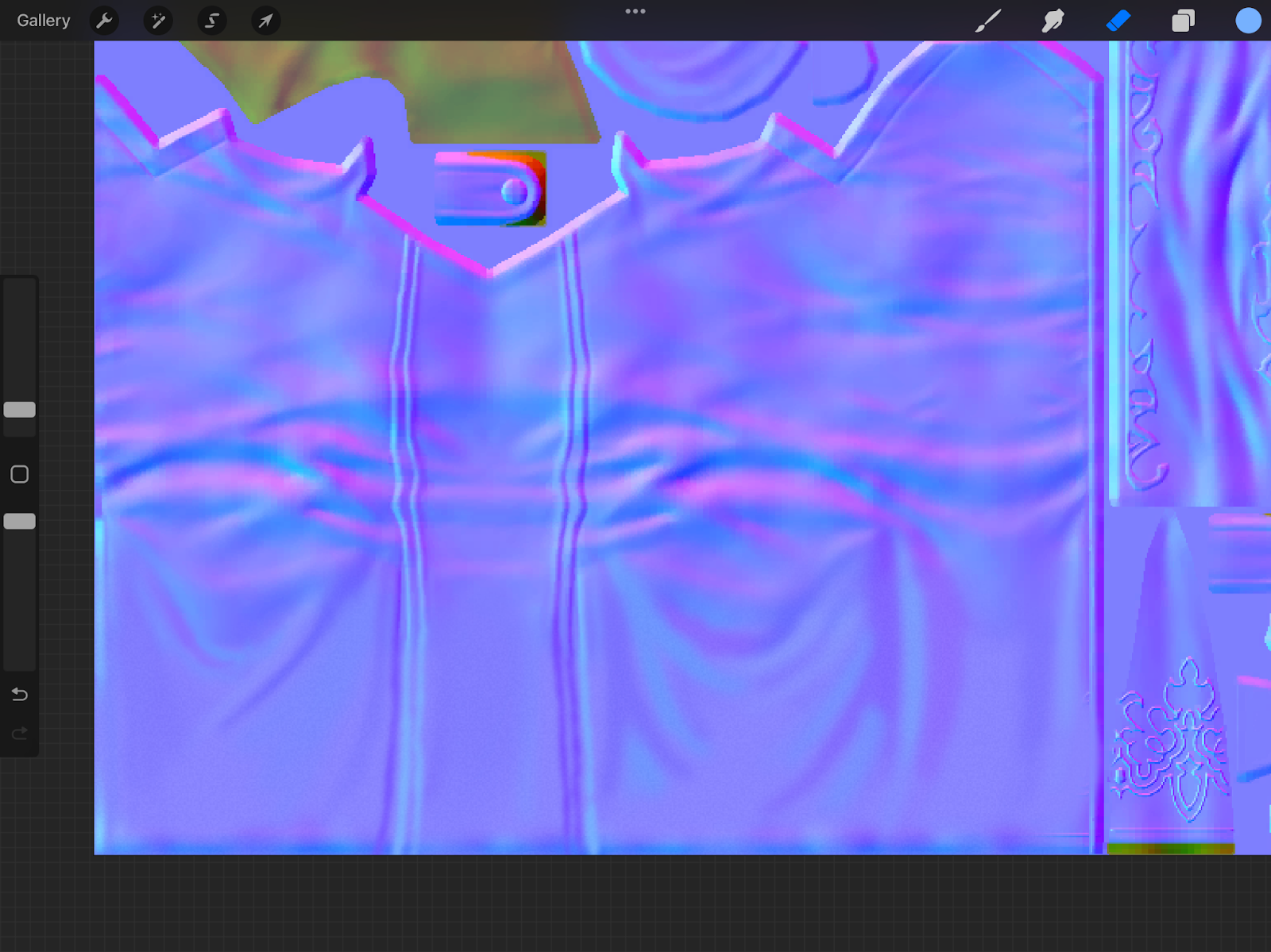
    - <span style="font-size: 11pt; font-family: Arial,sans-serif; color: #000000; background-color: transparent; font-weight: 400; font-style: normal; font-variant: normal; text-decoration: none; vertical-align: baseline; white-space: pre-wrap;">As for making the normal transparent, that’s achieved by editing the blue channel! You turn it all the way off, or partially, it depends on how much you tone down the blue!</span>

<span style="font-size: 11pt; font-family: Arial,sans-serif; color: #000000; background-color: transparent; font-weight: 400; font-style: normal; font-variant: normal; text-decoration: none; vertical-align: baseline; white-space: pre-wrap;"> </span><span style="font-size: 11pt; font-family: Arial,sans-serif; color: #000000; background-color: transparent; font-weight: 400; font-style: normal; font-variant: normal; text-decoration: none; vertical-align: baseline; white-space: pre-wrap;"><span style="border: none; display: inline-block; overflow: hidden; width: 456px; height: 232px;">![](https://lh7-rt.googleusercontent.com/docsz/AD_4nXeYD-GvW6JEZYbytsQ7wx-u4VBJeMdFyYzXU2sXPV10KzpmWdp4vmoKSr9iiD13xBn_0M015y0xgma91AQt-DfqvMn8QgL0YRc-1tJMMAJT2yTmvTaUiXS-Kxcxfc8n0IZf5RFFjOFjLFT8vggSiw?key=x2SAouDxP3EayyutRfDV1A)</span></span>

- - <span style="font-size: 11pt; font-family: Arial,sans-serif; color: #000000; background-color: transparent; font-weight: 400; font-style: normal; font-variant: normal; text-decoration: none; vertical-align: baseline; white-space: pre-wrap;">In this picture, I’ve turned the blue channel about 25% of the way down. As a result, this mesh will only be ~75% visible. </span>
- <span style="font-size: 13.999999999999998pt; font-family: Arial,sans-serif; color: #434343; background-color: transparent; font-weight: 400; font-style: normal; font-variant: normal; text-decoration: none; vertical-align: baseline; white-space: pre-wrap;">Editing your Multi</span>
    - <span style="font-size: 11pt; font-family: Arial,sans-serif; color: #000000; background-color: transparent; font-weight: 400; font-style: normal; font-variant: normal; text-decoration: none; vertical-align: baseline; white-space: pre-wrap;">The multi controls what is / isn’t true to the colorset. The black spots on the guide mashup, for example, are caused by the multi. Multis are used to fake shadows without using the normal / mesh shadows. Editing these also tends to be much more simple! </span>
    - <span style="font-size: 11pt; font-family: Arial,sans-serif; color: #000000; background-color: transparent; font-weight: 400; font-style: normal; font-variant: normal; text-decoration: none; vertical-align: baseline; white-space: pre-wrap;">Once again, export your png to your PC, upload to Google Drive, and import into your art program. Color pick the light green color, and draw over the dark green spots. These dark green spots are where your ‘shadow’ would be. </span>
    - <span style="font-size: 11pt; font-family: Arial,sans-serif; color: #000000; background-color: transparent; font-weight: 400; font-style: normal; font-variant: normal; text-decoration: none; vertical-align: baseline; white-space: pre-wrap;">You don’t have to be as exact with this. The multi is a very small picture (256x512), so most of the details / lines that you’ll leave will be blurred / lost in compression. </span><span style="font-size: 11pt; font-family: Arial,sans-serif; color: #000000; background-color: transparent; font-weight: 400; font-style: normal; font-variant: normal; text-decoration: none; vertical-align: baseline; white-space: pre-wrap;"><span style="border: none; display: inline-block; overflow: hidden; width: 516px; height: 259px;">![](https://lh7-rt.googleusercontent.com/docsz/AD_4nXep2PcrcjupEPpF6pA6WTotF1NnWkMrnYGpYDZD8Jx-S41XVlmbDNNFlKyfYp9ylqHBnRznTPROW3Ltd7HgKSYKV39SbfjFSeaP68kyn5VW0ar03dhzmqzU01kZDCs5fZ9FurzOKV2YU7_KJ1rr1A?key=x2SAouDxP3EayyutRfDV1A)</span></span>
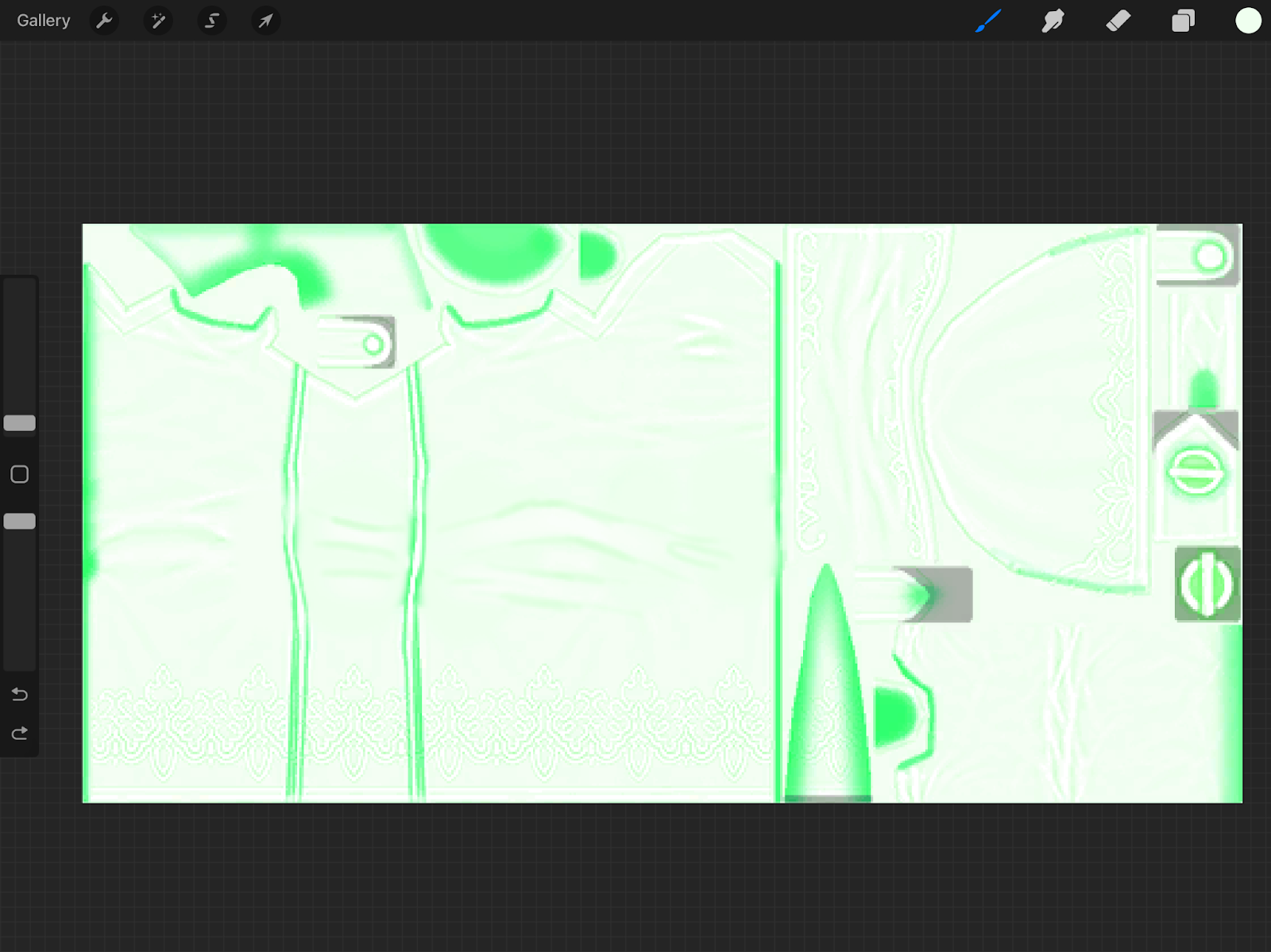
        - <span style="font-size: 11pt; font-family: Arial,sans-serif; color: #000000; background-color: transparent; font-weight: 400; font-style: normal; font-variant: normal; text-decoration: none; vertical-align: baseline; white-space: pre-wrap;">Attached picture for example. My lines are by no means perfect, but it gets the job done.</span>
- <span style="font-size: 13.999999999999998pt; font-family: Arial,sans-serif; color: #434343; background-color: transparent; font-weight: 400; font-style: normal; font-variant: normal; text-decoration: none; vertical-align: baseline; white-space: pre-wrap;">Editing your Index</span>
    - <span style="font-size: 11pt; font-family: Arial,sans-serif; color: #000000; background-color: transparent; font-weight: 400; font-style: normal; font-variant: normal; text-decoration: none; vertical-align: baseline; white-space: pre-wrap;">Indexes control which areas are affected by colorset rows. Red areas are rows that will end with an A (1A, 2A, 3A, 4A, etc), green areas are rows that will end with a B (1B, 2B, 3B, 4B, etc). Attached is a colorset row example, for visual aid.</span>

<span style="font-size: 11pt; font-family: Arial,sans-serif; color: #000000; background-color: transparent; font-weight: 400; font-style: normal; font-variant: normal; text-decoration: none; vertical-align: baseline; white-space: pre-wrap;"><span style="border: none; display: inline-block; overflow: hidden; width: 172px; height: 304px;">![](https://lh7-rt.googleusercontent.com/docsz/AD_4nXeyoDqxmrsXuUjnQpiC4qJM0TC1QSbay1sBaecrI1z0w4giU2g13TLbixF9atr2uA2OZmZMP5gOFAS9DFsXEZx36WvCInYvIEyfgSuz51OKI3dWYv15ZgqfEVo2t2a8x6sEPIi8rUkfZ6g3z7nx9w?key=x2SAouDxP3EayyutRfDV1A)</span></span><span style="font-size: 11pt; font-family: Arial,sans-serif; color: #000000; background-color: transparent; font-weight: 400; font-style: normal; font-variant: normal; text-decoration: none; vertical-align: baseline; white-space: pre-wrap;"><span style="border: none; display: inline-block; overflow: hidden; width: 172px; height: 305px;">![](https://lh7-rt.googleusercontent.com/docsz/AD_4nXfsG12l6fe_5caoH6PuWP2AT88xvpPVBlIJ_EGNJ1fr74IqLdaEWBFg2JVisxKUZ6VhLdUXXCx7P3kVK-6iuojNjpkEx1ki1o_G6tuBSzWRYRs4Z3wnQKYRNt2L-YscFeyCh4BFXOBh72skD3kF-g?key=x2SAouDxP3EayyutRfDV1A)</span></span>

- - <span style="font-size: 11pt; font-family: Arial,sans-serif; color: #000000; background-color: transparent; font-weight: 400; font-style: normal; font-variant: normal; text-decoration: none; vertical-align: baseline; white-space: pre-wrap;">In this index, I’ll be getting rid of the same details that i did with the normals. Once again, I’m color picking from the colors around the details, and filling in with that color.</span>

<span style="font-size: 11pt; font-family: Arial,sans-serif; color: #000000; background-color: transparent; font-weight: 400; font-style: normal; font-variant: normal; text-decoration: none; vertical-align: baseline; white-space: pre-wrap;"> </span><span style="font-size: 11pt; font-family: Arial,sans-serif; color: #000000; background-color: transparent; font-weight: 400; font-style: normal; font-variant: normal; text-decoration: none; vertical-align: baseline; white-space: pre-wrap;"><span style="border: none; display: inline-block; overflow: hidden; width: 472px; height: 315px;">![](https://lh7-rt.googleusercontent.com/docsz/AD_4nXdaI45Kiljc3Xzfm8haN9S70vnZae_5SFgTK0jqnFLGP0HGGjf9sST3dwkWjQPvnDq6Ip6K27UXJevToHC1HrcHJ7GDlRWwuiBPmPHiVjCGV6HcPuBcnZnU4j3BHi_Cz03vef1mvQjIBzksCT0bCg?key=x2SAouDxP3EayyutRfDV1A)</span></span>

- - <span style="font-size: 11pt; font-family: Arial,sans-serif; color: #000000; background-color: transparent; font-weight: 400; font-style: normal; font-variant: normal; text-decoration: none; vertical-align: baseline; white-space: pre-wrap;">Then, I’m going to go through and clean it up a bit, adding the seams + creases back most importantly. </span>
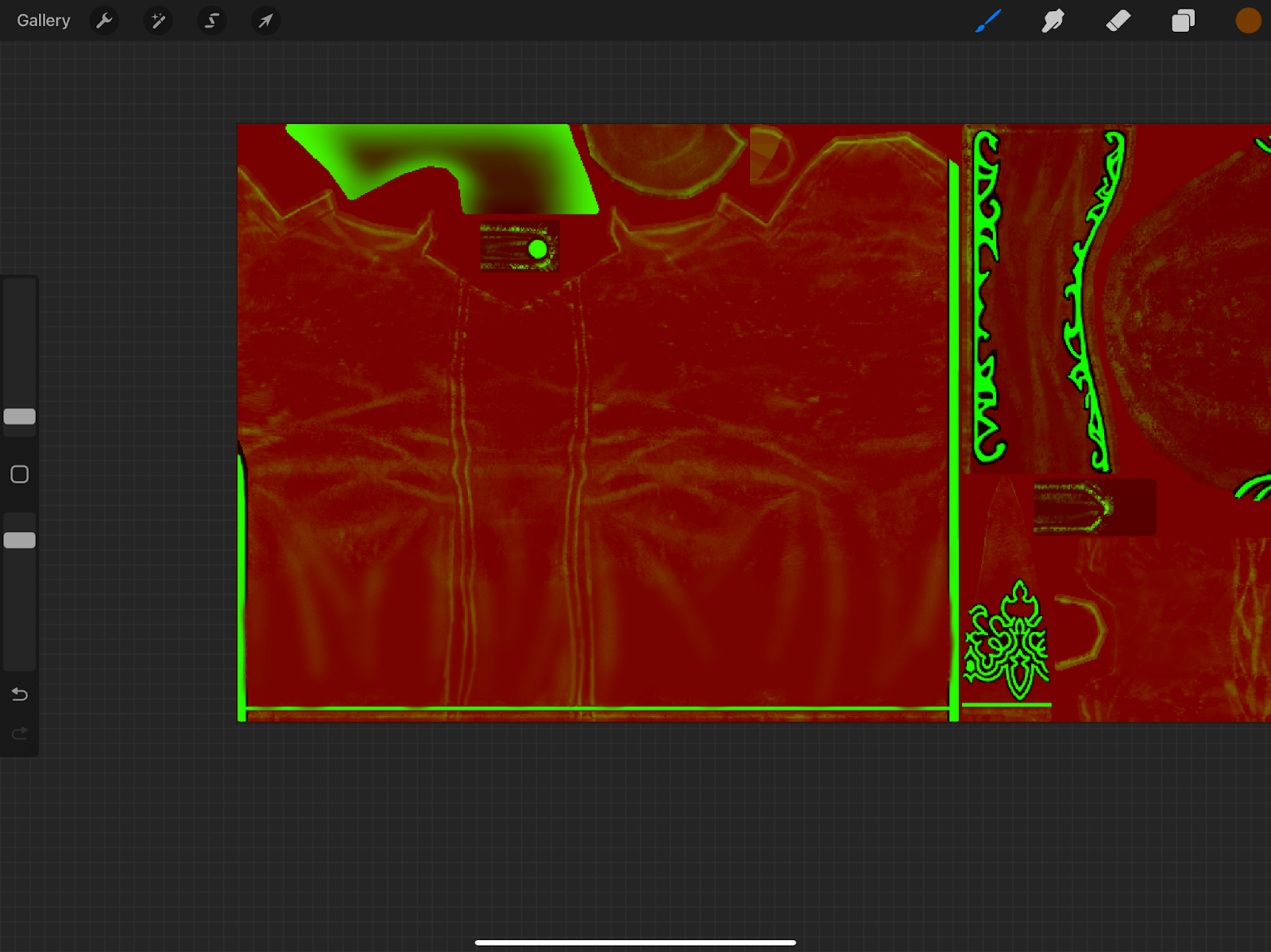
<span style="font-size: 11pt; font-family: Arial,sans-serif; color: #000000; background-color: transparent; font-weight: 400; font-style: normal; font-variant: normal; text-decoration: none; vertical-align: baseline; white-space: pre-wrap;"><span style="border: none; display: inline-block; overflow: hidden; width: 508px; height: 291px;">![](https://lh7-rt.googleusercontent.com/docsz/AD_4nXfDHbtqGUwTp3eEL_768_j4maH6e0F2gSreq-8_6i9dRumEYN8kfCJbOW3ryNKcKoJLZ2TGPovX8gSYYIBfMOvx5Zp6X2E4b8tfRHXQefv9iwnsSwIENWs-pZnfdJnna9A_YWeN3-2k42mp-7R6SA?key=x2SAouDxP3EayyutRfDV1A)</span></span>

- - - <span style="font-size: 11pt; font-family: Arial,sans-serif; color: #000000; background-color: transparent; font-weight: 400; font-style: normal; font-variant: normal; text-decoration: none; vertical-align: baseline; white-space: pre-wrap;">EDIT: If you’d like to add custom colorset rows, you can do so using a similar method!</span>

<span style="font-size: 11pt; font-family: Arial,sans-serif; color: #000000; background-color: transparent; font-weight: 400; font-style: normal; font-variant: normal; text-decoration: none; vertical-align: baseline; white-space: pre-wrap;"> </span><span style="font-size: 11pt; font-family: Arial,sans-serif; color: #000000; background-color: transparent; font-weight: 400; font-style: normal; font-variant: normal; text-decoration: none; vertical-align: baseline; white-space: pre-wrap;"><span style="border: none; display: inline-block; overflow: hidden; width: 100px; height: 788px;">![](https://lh7-rt.googleusercontent.com/docsz/AD_4nXcT3lfgb_Fy903t4-T2EBg2UGiSTscFLgGp7OXcSWqX_a8D6_osv-DPdlXaPWCjo2FcXxRS90Bpxsv5ujKtxzIjiYqD9u4yqs941RDNkMn_emuCS5h5n6JdPAUUETOU6ciX5xb9F6bjfCpDq-P7?key=x2SAouDxP3EayyutRfDV1A)</span></span>

- - <span style="font-size: 11pt; font-family: Arial,sans-serif; color: #000000; background-color: transparent; font-weight: 400; font-style: normal; font-variant: normal; text-decoration: none; vertical-align: baseline; white-space: pre-wrap;">Here’s a quick reference I found showing all the colorset rows that’re tied to the index! I couldn’t find the creator, so please message me if you’d like me to credit you in the guide!! </span>
- <span style="font-size: 20pt; font-family: Arial,sans-serif; color: #000000; background-color: transparent; font-weight: 400; font-style: normal; font-variant: normal; text-decoration: none; vertical-align: baseline; white-space: pre-wrap;">Fixing Seams</span>
    - <span style="font-size: 11pt; font-family: Arial,sans-serif; color: #000000; background-color: transparent; font-weight: 400; font-style: normal; font-variant: normal; text-decoration: none; vertical-align: baseline; white-space: pre-wrap;">If your mashup has any notable seams, especially in direct sunlight, here’s how I fix them! </span>
- <span style="font-size: 11pt; font-family: Arial,sans-serif; color: #000000; background-color: transparent; font-weight: 400; font-style: normal; font-variant: normal; text-decoration: none; vertical-align: baseline; white-space: pre-wrap;">Sometimes you can see these seams in Blender or TexTools, but most of the time they’re only visible ingame, like so: </span><span style="font-size: 11pt; font-family: Arial,sans-serif; color: #000000; background-color: transparent; font-weight: 400; font-style: normal; font-variant: normal; text-decoration: none; vertical-align: baseline; white-space: pre-wrap;">  
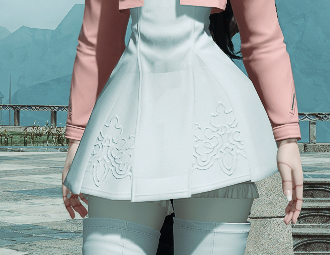
    </span><span style="font-size: 11pt; font-family: Arial,sans-serif; color: #000000; background-color: transparent; font-weight: 400; font-style: normal; font-variant: normal; text-decoration: none; vertical-align: baseline; white-space: pre-wrap;"><span style="border: none; display: inline-block; overflow: hidden; width: 207px; height: 185px;">![](https://lh7-rt.googleusercontent.com/docsz/AD_4nXe3BM9Dwis-Vf1X_Q6epli_F-2dmbz40q2NkCLJgXWnK11RQ3th8nKfBmkKAS2zULGEA8fVoH0KI5MEEC0rLj0V0t54A7cAJrBGjdBtnceuMzAgQxPZJlwj-8058Yr57CwORcxL0-FVRjjrXX8DOw?key=x2SAouDxP3EayyutRfDV1A)</span></span>
    - <span style="font-size: 11pt; font-family: Arial,sans-serif; color: #000000; background-color: transparent; font-weight: 400; font-style: normal; font-variant: normal; text-decoration: none; vertical-align: baseline; white-space: pre-wrap;">I’ll fix these seams by various methods!</span>
- <span style="font-size: 13.999999999999998pt; font-family: Arial,sans-serif; color: #434343; background-color: transparent; font-weight: 400; font-style: normal; font-variant: normal; text-decoration: none; vertical-align: baseline; white-space: pre-wrap;">Setting the Mesh’s Normals from Faces</span>
    - <span style="font-size: 11pt; font-family: Arial,sans-serif; color: #000000; background-color: transparent; font-weight: 400; font-style: normal; font-variant: normal; text-decoration: none; vertical-align: baseline; white-space: pre-wrap;">In blender, go into “Edit Mode”, and hit A to select your entire mesh.</span>

<span style="font-size: 11pt; font-family: Arial,sans-serif; color: #000000; background-color: transparent; font-weight: 400; font-style: normal; font-variant: normal; text-decoration: none; vertical-align: baseline; white-space: pre-wrap;"><span style="border: none; display: inline-block; overflow: hidden; width: 233px; height: 273px;">![](https://lh7-rt.googleusercontent.com/docsz/AD_4nXfNXNL8VkJQ1zqtElFAKrw_pOJTVNSsrkFPJh23qeBGH4BlCYOofNQ7M64RNrjR6P-mqkddenXpN_BzyiCIyCxyR2srx7N3pPZ_S3iUIHo8YpIVtWbuNtyP1q3x8zzDARzAZV1hecBpaaiCgF4-QA?key=x2SAouDxP3EayyutRfDV1A)</span></span><span style="font-size: 11pt; font-family: Arial,sans-serif; color: #000000; background-color: transparent; font-weight: 400; font-style: normal; font-variant: normal; text-decoration: none; vertical-align: baseline; white-space: pre-wrap;"> </span>

- - <span style="font-size: 11pt; font-family: Arial,sans-serif; color: #000000; background-color: transparent; font-weight: 400; font-style: normal; font-variant: normal; text-decoration: none; vertical-align: baseline; white-space: pre-wrap;">From there, look at the top left box, and find the one named “Mesh”. It’ll be to the right of the dropdown box where you go into edit mode!</span>

<span style="font-size: 11pt; font-family: Arial,sans-serif; color: #000000; background-color: transparent; font-weight: 400; font-style: normal; font-variant: normal; text-decoration: none; vertical-align: baseline; white-space: pre-wrap;"><span style="border: none; display: inline-block; overflow: hidden; width: 382px; height: 24px;">![](https://lh7-rt.googleusercontent.com/docsz/AD_4nXeth5Rz18OLiB-T7EL_VFZXCnVunn2fNo-aM6DrJkNIWwJhMj5AsymAypcAWvG3JatayZF_GHQEwcYf2N2uPFku0CN8aHQxJ54bTMgvXuigmWZgmAN32bfJl8SyvN8GF_y1KcgLdbaC1h4dhcxU?key=x2SAouDxP3EayyutRfDV1A)</span></span>

- - <span style="font-size: 11pt; font-family: Arial,sans-serif; color: #000000; background-color: transparent; font-weight: 400; font-style: normal; font-variant: normal; text-decoration: none; vertical-align: baseline; white-space: pre-wrap;">Click “Mesh”, and go into “Normals”, from there, you’re looking for “Set from Faces”</span><span style="font-size: 11pt; font-family: Arial,sans-serif; color: #000000; background-color: transparent; font-weight: 400; font-style: normal; font-variant: normal; text-decoration: none; vertical-align: baseline; white-space: pre-wrap;"><span style="border: none; display: inline-block; overflow: hidden; width: 259px; height: 463px;">![](https://lh7-rt.googleusercontent.com/docsz/AD_4nXdH2CUHdjeDlhJVU3PHJJc1WJAUFm7uO8s7NuPxdm35W1PK6jvB9JfHIYOzxi-y-phpK4UJsq1XYgHem8CePzHMT3kf-dm_lZNPXxyP2lkQHMWeMmOmHt9toqltdTnTuhGw3aksKi7Lml0pMSAyUg?key=x2SAouDxP3EayyutRfDV1A)</span></span>
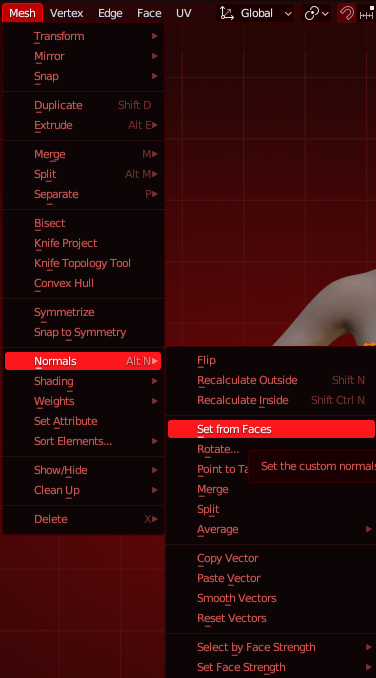
    - <span style="font-size: 11pt; font-family: Arial,sans-serif; color: #000000; background-color: transparent; font-weight: 400; font-style: normal; font-variant: normal; text-decoration: none; vertical-align: baseline; white-space: pre-wrap;">Click this, and your mesh in blender may go funky looking, or it may just fix the seams! It’s always a bit of a gamble, but the result is the same. </span>
    - <span style="font-size: 11pt; font-family: Arial,sans-serif; color: #000000; background-color: transparent; font-weight: 400; font-style: normal; font-variant: normal; text-decoration: none; vertical-align: baseline; white-space: pre-wrap;">Import this back into TexTools, and once you’re done, test it ingame! Your seams should be fixed!</span><span style="font-size: 11pt; font-family: Arial,sans-serif; color: #000000; background-color: transparent; font-weight: 400; font-style: normal; font-variant: normal; text-decoration: none; vertical-align: baseline; white-space: pre-wrap;">  
        </span><span style="font-size: 11pt; font-family: Arial,sans-serif; color: #000000; background-color: transparent; font-weight: 400; font-style: normal; font-variant: normal; text-decoration: none; vertical-align: baseline; white-space: pre-wrap;"><span style="border: none; display: inline-block; overflow: hidden; width: 315px; height: 288px;">![](https://lh7-rt.googleusercontent.com/docsz/AD_4nXdCTEee0WYULNli0otQhwCwjMSz_GoAz2vnSKkgfbTi_tfugI4bPHpS_0UXlBtb7_bU9qAa04RW0HVfMGlOPO8knE_vPUVfNkphILiiVg4uG1sc0CC9mdtfDjzBmempijwgRoilZGv9zpiZibIe?key=x2SAouDxP3EayyutRfDV1A)</span></span>
- <span style="font-size: 13.999999999999998pt; font-family: Arial,sans-serif; color: #434343; background-color: transparent; font-weight: 400; font-style: normal; font-variant: normal; text-decoration: none; vertical-align: baseline; white-space: pre-wrap;">Average Face Area</span>
    - <span style="font-size: 11pt; font-family: Arial,sans-serif; color: #000000; background-color: transparent; font-weight: 400; font-style: normal; font-variant: normal; text-decoration: none; vertical-align: baseline; white-space: pre-wrap;">Similar process to setting the normals from faces, but different buttons! </span>
    - <span style="font-size: 11pt; font-family: Arial,sans-serif; color: #000000; background-color: transparent; font-weight: 400; font-style: normal; font-variant: normal; text-decoration: none; vertical-align: baseline; white-space: pre-wrap;">Once again, hit A to select your mesh.</span>

<span style="font-size: 11pt; font-family: Arial,sans-serif; color: #000000; background-color: transparent; font-weight: 400; font-style: normal; font-variant: normal; text-decoration: none; vertical-align: baseline; white-space: pre-wrap;"> </span><span style="font-size: 11pt; font-family: Arial,sans-serif; color: #000000; background-color: transparent; font-weight: 400; font-style: normal; font-variant: normal; text-decoration: none; vertical-align: baseline; white-space: pre-wrap;"><span style="border: none; display: inline-block; overflow: hidden; width: 449px; height: 512px;">![](https://lh7-rt.googleusercontent.com/docsz/AD_4nXctnuQOcPPB4QCO6BWdWQ9_g7dkASv4jitYuMdu2aqIZ8Xao1dkw8arS-MtExZfWVWeXr6ps4pDVvaYvM9KLtuygArBDZ3nTlGRu4QBe_m71TsJeLlRyDI7Y565Bn0rYOJsbBsbHcFwYyGyEtj9wg?key=x2SAouDxP3EayyutRfDV1A)</span></span>

- - <span style="font-size: 11pt; font-family: Arial,sans-serif; color: #000000; background-color: transparent; font-weight: 400; font-style: normal; font-variant: normal; text-decoration: none; vertical-align: baseline; white-space: pre-wrap;">From there, look at the top left box, and find the one named “Mesh”. It’ll be to the right of the dropdown box where you go into edit mode!</span><span style="font-size: 11pt; font-family: Arial,sans-serif; color: #000000; background-color: transparent; font-weight: 400; font-style: normal; font-variant: normal; text-decoration: none; vertical-align: baseline; white-space: pre-wrap;">  
        </span><span style="font-size: 11pt; font-family: Arial,sans-serif; color: #000000; background-color: transparent; font-weight: 400; font-style: normal; font-variant: normal; text-decoration: none; vertical-align: baseline; white-space: pre-wrap;"><span style="border: none; display: inline-block; overflow: hidden; width: 382px; height: 24px;">![](https://lh7-rt.googleusercontent.com/docsz/AD_4nXeth5Rz18OLiB-T7EL_VFZXCnVunn2fNo-aM6DrJkNIWwJhMj5AsymAypcAWvG3JatayZF_GHQEwcYf2N2uPFku0CN8aHQxJ54bTMgvXuigmWZgmAN32bfJl8SyvN8GF_y1KcgLdbaC1h4dhcxU?key=x2SAouDxP3EayyutRfDV1A)</span></span>
    - <span style="font-size: 11pt; font-family: Arial,sans-serif; color: #000000; background-color: transparent; font-weight: 400; font-style: normal; font-variant: normal; text-decoration: none; vertical-align: baseline; white-space: pre-wrap;">Click “Mesh”, and go into “Normals”, from there, you’re looking for “Average” and then “Face Area”</span><span style="font-size: 11pt; font-family: Arial,sans-serif; color: #000000; background-color: transparent; font-weight: 400; font-style: normal; font-variant: normal; text-decoration: none; vertical-align: baseline; white-space: pre-wrap;">  
        </span><span style="font-size: 11pt; font-family: Arial,sans-serif; color: #000000; background-color: transparent; font-weight: 400; font-style: normal; font-variant: normal; text-decoration: none; vertical-align: baseline; white-space: pre-wrap;"><span style="border: none; display: inline-block; overflow: hidden; width: 533px; height: 612px;">![](https://lh7-rt.googleusercontent.com/docsz/AD_4nXdOB7stZH8VEvF15b_pNVRvjMa3LZHrM-mYqgctDNV89NrdH5CPaA-OYkO9q-1aLkJogo-bWCKv7wL4zqUFBqIhN7-7Mybe-iyTah2PHdPtudhIJUiu1fLQ1G2pbQVFzzB2ldZNMOIP4gFP-DEDdg?key=x2SAouDxP3EayyutRfDV1A)</span></span>
    - <span style="font-size: 11pt; font-family: Arial,sans-serif; color: #000000; background-color: transparent; font-weight: 400; font-style: normal; font-variant: normal; text-decoration: none; vertical-align: baseline; white-space: pre-wrap;">Click this, and it’ll be done! Export into TexTools, and test to see if this fixed your seam.</span>
- <span style="font-size: 13.999999999999998pt; font-family: Arial,sans-serif; color: #434343; background-color: transparent; font-weight: 400; font-style: normal; font-variant: normal; text-decoration: none; vertical-align: baseline; white-space: pre-wrap;">Recalculate Outside/Inside</span>
    - <span style="font-size: 11pt; font-family: Arial,sans-serif; color: #000000; background-color: transparent; font-weight: 400; font-style: normal; font-variant: normal; text-decoration: none; vertical-align: baseline; white-space: pre-wrap;">By far, this is the most complicated method, but also the one I find to be the most consistent. </span>
    - <span style="font-size: 11pt; font-family: Arial,sans-serif; color: #000000; background-color: transparent; font-weight: 400; font-style: normal; font-variant: normal; text-decoration: none; vertical-align: baseline; white-space: pre-wrap;">Make sure you merged all your vertices by distance beforehand, otherwise this won’t work!!</span>
    - <span style="font-size: 11pt; font-family: Arial,sans-serif; color: #000000; background-color: transparent; font-weight: 400; font-style: normal; font-variant: normal; text-decoration: none; vertical-align: baseline; white-space: pre-wrap;">Right click your mesh, and copy + paste it. Move the new duplicate mesh under the n\_root, and name it x.1 (for me, this will be 1.1)  

        </span><span style="font-size: 11pt; font-family: Arial,sans-serif; color: #000000; background-color: transparent; font-weight: 400; font-style: normal; font-variant: normal; text-decoration: none; vertical-align: baseline; white-space: pre-wrap;"><span style="border: none; display: inline-block; overflow: hidden; width: 394px; height: 48px;">![](https://lh7-rt.googleusercontent.com/docsz/AD_4nXd5ofMik8AwtTC2px_MY0j8iq7vHJxco0Skoph7cdNa5iA7Yi7bulgEO-IbeEQG_mFG6MGpI1yZyZUtFV0yQFZpfkE0u3UNps1gRtwljBTFFhqHWNu_0qsdEMZb3A6eGEx1y8Pzeg8yzv_O0mjm?key=x2SAouDxP3EayyutRfDV1A)</span></span>
    - <span style="font-size: 11pt; font-family: Arial,sans-serif; color: #000000; background-color: transparent; font-weight: 400; font-style: normal; font-variant: normal; text-decoration: none; vertical-align: baseline; white-space: pre-wrap;">Click on Part 1.0, and select the entire mesh with A.</span>
    - <span style="font-size: 11pt; font-family: Arial,sans-serif; color: #000000; background-color: transparent; font-weight: 400; font-style: normal; font-variant: normal; text-decoration: none; vertical-align: baseline; white-space: pre-wrap;">From there, click on “Mesh”, then “Normals”. You’ll have two options here, doesn’t really matter which. You can recalculate outside, or inside. Whichever one you do to 1.0, you have to do the opposite for the other.</span>
        - <span style="font-size: 11pt; font-family: Arial,sans-serif; color: #000000; background-color: transparent; font-weight: 400; font-style: normal; font-variant: normal; text-decoration: none; vertical-align: baseline; white-space: pre-wrap;">If you Recalculate 1.0 outside, you have to recalculate 1.1 inside.</span>

<span style="font-size: 11pt; font-family: Arial,sans-serif; color: #000000; background-color: transparent; font-weight: 400; font-style: normal; font-variant: normal; text-decoration: none; vertical-align: baseline; white-space: pre-wrap;"><span style="border: none; display: inline-block; overflow: hidden; width: 325px; height: 666px;">![](https://lh7-rt.googleusercontent.com/docsz/AD_4nXfWrnOdoKiJ8hBOoT_TOl2ISzWpo63_oDHN_XVYmtxHjoVUw0OfbhJoV8JyANjEfFnxGT4xUMWd0o2Ox5kSa_BtCdGYnTkTchwD5xRhseab6OCkEh_EVoY2ktDCAR9muHU2NwgXT6w9wdITPqVlig?key=x2SAouDxP3EayyutRfDV1A)</span></span>

- <span style="font-size: 11pt; font-family: Arial,sans-serif; color: #000000; background-color: transparent; font-weight: 400; font-style: normal; font-variant: normal; text-decoration: none; vertical-align: baseline; white-space: pre-wrap;">As usual, export to TexTools, and see if this fixed your seam.</span>

# <span style="font-size: 20pt; font-family: Arial,sans-serif; color: #000000; background-color: transparent; font-weight: 400; font-style: normal; font-variant: normal; text-decoration: none; vertical-align: baseline; white-space: pre-wrap;">  
</span><span style="font-size: 20pt; font-family: Arial,sans-serif; color: #000000; background-color: transparent; font-weight: 400; font-style: normal; font-variant: normal; text-decoration: none; vertical-align: baseline; white-space: pre-wrap;">Additional Links</span>

<span style="font-size: 11pt; font-family: Arial,sans-serif; color: #000000; background-color: transparent; font-weight: 400; font-style: normal; font-variant: normal; text-decoration: none; vertical-align: baseline; white-space: pre-wrap;">I’m including links to guides &amp; servers that may help with creating your own mashups / modpacks! If my guide doesn’t work for you, please give these guides a look! </span>

### <span style="font-size: 13.999999999999998pt; font-family: Arial,sans-serif; color: #434343; background-color: transparent; font-weight: 400; font-style: normal; font-variant: normal; text-decoration: none; vertical-align: baseline; white-space: pre-wrap;">Guides</span>

<span style="font-size: 11pt; font-family: Arial,sans-serif; color: #000000; background-color: transparent; font-weight: bold; font-style: italic; font-variant: normal; text-decoration: none; vertical-align: baseline; white-space: pre-wrap;">XIV Mods:</span><span style="font-size: 11pt; font-family: Arial,sans-serif; color: #000000; background-color: transparent; font-weight: bold; font-style: italic; font-variant: normal; text-decoration: none; vertical-align: baseline; white-space: pre-wrap;">  
</span><span style="font-size: 11pt; font-family: Arial,sans-serif; color: #000000; background-color: transparent; font-weight: 400; font-style: normal; font-variant: normal; text-decoration: none; vertical-align: baseline; white-space: pre-wrap;"> </span>[<span style="font-size: 11pt; font-family: Arial,sans-serif; color: #1155cc; background-color: transparent; font-weight: 400; font-style: normal; font-variant: normal; text-decoration: underline; -webkit-text-decoration-skip: none; text-decoration-skip-ink: none; vertical-align: baseline; white-space: pre-wrap;">https://www.xivmods.guide/</span>](https://www.xivmods.guide/)<span style="font-size: 11pt; font-family: Arial,sans-serif; color: #000000; background-color: transparent; font-weight: 400; font-style: normal; font-variant: normal; text-decoration: none; vertical-align: baseline; white-space: pre-wrap;"> </span><span style="font-size: 11pt; font-family: Arial,sans-serif; color: #000000; background-color: transparent; font-weight: 400; font-style: normal; font-variant: normal; text-decoration: none; vertical-align: baseline; white-space: pre-wrap;">  
</span><span style="font-size: 11pt; font-family: Arial,sans-serif; color: #000000; background-color: transparent; font-weight: bold; font-style: italic; font-variant: normal; text-decoration: none; vertical-align: baseline; white-space: pre-wrap;">Ezo’s Mashup Guide: </span>[<span style="font-size: 11pt; font-family: Arial,sans-serif; color: #1155cc; background-color: transparent; font-weight: 400; font-style: normal; font-variant: normal; text-decoration: underline; -webkit-text-decoration-skip: none; text-decoration-skip-ink: none; vertical-align: baseline; white-space: pre-wrap;">https://youtu.be/widThuFoVPw?si=YsNdVG86qVb3OM7y&amp;ref=xivmods.guide</span>](https://youtu.be/widThuFoVPw?si=YsNdVG86qVb3OM7y&ref=xivmods.guide)<span style="font-size: 11pt; font-family: Arial,sans-serif; color: #000000; background-color: transparent; font-weight: 400; font-style: normal; font-variant: normal; text-decoration: none; vertical-align: baseline; white-space: pre-wrap;"> </span>

<span style="font-size: 11pt; font-family: Arial,sans-serif; color: #000000; background-color: transparent; font-weight: bold; font-style: italic; font-variant: normal; text-decoration: none; vertical-align: baseline; white-space: pre-wrap;">Ezo’s Adding Patterns Onto Gear: </span>[<span style="font-size: 11pt; font-family: Arial,sans-serif; color: #1155cc; background-color: transparent; font-weight: 400; font-style: normal; font-variant: normal; text-decoration: underline; -webkit-text-decoration-skip: none; text-decoration-skip-ink: none; vertical-align: baseline; white-space: pre-wrap;">https://docs.google.com/document/d/1k2Rv8bio3dsAJG8OpzF1wUpyevKfM9lg31yF0FTazIA/edit?usp=sharing</span>](https://docs.google.com/document/d/1k2Rv8bio3dsAJG8OpzF1wUpyevKfM9lg31yF0FTazIA/edit?usp=sharing)<span style="font-size: 11pt; font-family: Arial,sans-serif; color: #000000; background-color: transparent; font-weight: 400; font-style: normal; font-variant: normal; text-decoration: none; vertical-align: baseline; white-space: pre-wrap;"> </span><span style="font-size: 11pt; font-family: Arial,sans-serif; color: #000000; background-color: transparent; font-weight: 400; font-style: normal; font-variant: normal; text-decoration: none; vertical-align: baseline; white-space: pre-wrap;">  
</span><span style="font-size: 11pt; font-family: Arial,sans-serif; color: #000000; background-color: transparent; font-weight: bold; font-style: italic; font-variant: normal; text-decoration: none; vertical-align: baseline; white-space: pre-wrap;">Xochii’s Mashup Guide: </span>[<span style="font-size: 11pt; font-family: Arial,sans-serif; color: #1155cc; background-color: transparent; font-weight: 400; font-style: normal; font-variant: normal; text-decoration: underline; -webkit-text-decoration-skip: none; text-decoration-skip-ink: none; vertical-align: baseline; white-space: pre-wrap;">https://docs.google.com/document/d/1MHqhtEm\_9S7tafzi0Jl4I8-Tse1NpexL8jZI5P6JWZw/edit?ref=xivmods.guide</span>](https://docs.google.com/document/d/1MHqhtEm_9S7tafzi0Jl4I8-Tse1NpexL8jZI5P6JWZw/edit?ref=xivmods.guide)<span style="font-size: 11pt; font-family: Arial,sans-serif; color: #000000; background-color: transparent; font-weight: 400; font-style: normal; font-variant: normal; text-decoration: none; vertical-align: baseline; white-space: pre-wrap;"> </span>

<span style="font-size: 11pt; font-family: Arial,sans-serif; color: #000000; background-color: transparent; font-weight: bold; font-style: italic; font-variant: normal; text-decoration: none; vertical-align: baseline; white-space: pre-wrap;">Atlasing Textures: </span>[<span style="font-size: 11pt; font-family: Arial,sans-serif; color: #1155cc; background-color: transparent; font-weight: 400; font-style: normal; font-variant: normal; text-decoration: underline; -webkit-text-decoration-skip: none; text-decoration-skip-ink: none; vertical-align: baseline; white-space: pre-wrap;">https://docs.google.com/document/d/1I\_\_FLHNnik3VgETopXRy7OAiFiTjZmjODvs7NZQZPZ8/edit?usp=drive\_link</span>](https://docs.google.com/document/d/1I__FLHNnik3VgETopXRy7OAiFiTjZmjODvs7NZQZPZ8/edit?usp=drive_link)<span style="font-size: 11pt; font-family: Arial,sans-serif; color: #000000; background-color: transparent; font-weight: 400; font-style: normal; font-variant: normal; text-decoration: none; vertical-align: baseline; white-space: pre-wrap;"> </span><span style="font-size: 11pt; font-family: Arial,sans-serif; color: #000000; background-color: transparent; font-weight: 400; font-style: normal; font-variant: normal; text-decoration: none; vertical-align: baseline; white-space: pre-wrap;">  
</span><span style="font-size: 11pt; font-family: Arial,sans-serif; color: #000000; background-color: transparent; font-weight: bold; font-style: italic; font-variant: normal; text-decoration: none; vertical-align: baseline; white-space: pre-wrap;">Rasp’s Hair Mashup Guide: </span>[<span style="font-size: 11pt; font-family: Arial,sans-serif; color: #1155cc; background-color: transparent; font-weight: 400; font-style: normal; font-variant: normal; text-decoration: underline; -webkit-text-decoration-skip: none; text-decoration-skip-ink: none; vertical-align: baseline; white-space: pre-wrap;">https://docs.google.com/document/d/1c5\_f2MIJ4d4exXzWEHskFOhOa-6zgsxMMWXX41lHpVs/edit?ref=xivmods.guide</span>](https://docs.google.com/document/d/1c5_f2MIJ4d4exXzWEHskFOhOa-6zgsxMMWXX41lHpVs/edit?ref=xivmods.guide)<span style="font-size: 11pt; font-family: Arial,sans-serif; color: #000000; background-color: transparent; font-weight: 400; font-style: normal; font-variant: normal; text-decoration: none; vertical-align: baseline; white-space: pre-wrap;"> </span><span style="font-size: 11pt; font-family: Arial,sans-serif; color: #000000; background-color: transparent; font-weight: 400; font-style: normal; font-variant: normal; text-decoration: none; vertical-align: baseline; white-space: pre-wrap;">  
</span><span style="font-size: 11pt; font-family: Arial,sans-serif; color: #000000; background-color: transparent; font-weight: bold; font-style: italic; font-variant: normal; text-decoration: none; vertical-align: baseline; white-space: pre-wrap;">Lialee’s Hair Mashup Guide: </span><span style="font-size: 11pt; font-family: Arial,sans-serif; color: #000000; background-color: transparent; font-weight: 400; font-style: normal; font-variant: normal; text-decoration: none; vertical-align: baseline; white-space: pre-wrap;">  
</span>[<span style="font-size: 11pt; font-family: Arial,sans-serif; color: #1155cc; background-color: transparent; font-weight: 400; font-style: normal; font-variant: normal; text-decoration: underline; -webkit-text-decoration-skip: none; text-decoration-skip-ink: none; vertical-align: baseline; white-space: pre-wrap;">https://youtu.be/NEzuB32B4sA?si=9WGsiQkDCF4B1MA-</span>](https://youtu.be/NEzuB32B4sA?si=9WGsiQkDCF4B1MA-)<span style="font-size: 11pt; font-family: Arial,sans-serif; color: #000000; background-color: transparent; font-weight: 400; font-style: normal; font-variant: normal; text-decoration: none; vertical-align: baseline; white-space: pre-wrap;"> </span>

<span style="font-size: 11pt; font-family: Arial,sans-serif; color: #000000; background-color: transparent; font-weight: bold; font-style: italic; font-variant: normal; text-decoration: none; vertical-align: baseline; white-space: pre-wrap;">Rasps Modding Tips &amp; Solutions: </span>[<span style="font-size: 11pt; font-family: Arial,sans-serif; color: #1155cc; background-color: transparent; font-weight: 400; font-style: normal; font-variant: normal; text-decoration: underline; -webkit-text-decoration-skip: none; text-decoration-skip-ink: none; vertical-align: baseline; white-space: pre-wrap;">https://docs.google.com/document/d/1qCAwMLU23G-kXLvDqLpMs8dwDL9E0Rt9Ej-9fN7V3zo/edit?usp=sharing</span>](https://docs.google.com/document/d/1qCAwMLU23G-kXLvDqLpMs8dwDL9E0Rt9Ej-9fN7V3zo/edit?usp=sharing)<span style="font-size: 11pt; font-family: Arial,sans-serif; color: #000000; background-color: transparent; font-weight: 400; font-style: normal; font-variant: normal; text-decoration: none; vertical-align: baseline; white-space: pre-wrap;"> </span>

<span style="font-size: 11pt; font-family: Arial,sans-serif; color: #000000; background-color: transparent; font-weight: bold; font-style: italic; font-variant: normal; text-decoration: none; vertical-align: baseline; white-space: pre-wrap;">Rasps’s Hat Compatibility Guide: </span>[<span style="font-size: 11pt; font-family: Arial,sans-serif; color: #1155cc; background-color: transparent; font-weight: 400; font-style: normal; font-variant: normal; text-decoration: underline; -webkit-text-decoration-skip: none; text-decoration-skip-ink: none; vertical-align: baseline; white-space: pre-wrap;">https://docs.google.com/document/d/14ilv6pUa8afrw3CxcFyrwyiOilJ1FP\_GMKv6q891Uzc/edit?usp=sharing</span>](https://docs.google.com/document/d/14ilv6pUa8afrw3CxcFyrwyiOilJ1FP_GMKv6q891Uzc/edit?usp=sharing)<span style="font-size: 11pt; font-family: Arial,sans-serif; color: #000000; background-color: transparent; font-weight: 400; font-style: normal; font-variant: normal; text-decoration: none; vertical-align: baseline; white-space: pre-wrap;"> </span><span style="font-size: 11pt; font-family: Arial,sans-serif; color: #000000; background-color: transparent; font-weight: 400; font-style: normal; font-variant: normal; text-decoration: none; vertical-align: baseline; white-space: pre-wrap;">  
</span><span style="font-size: 11pt; font-family: Arial,sans-serif; color: #000000; background-color: transparent; font-weight: bold; font-style: italic; font-variant: normal; text-decoration: none; vertical-align: baseline; white-space: pre-wrap;">Long Glove Compatibility: </span>[<span style="font-size: 11pt; font-family: Arial,sans-serif; color: #1155cc; background-color: transparent; font-weight: 400; font-style: normal; font-variant: normal; text-decoration: underline; -webkit-text-decoration-skip: none; text-decoration-skip-ink: none; vertical-align: baseline; white-space: pre-wrap;">https://docs.google.com/document/d/1bKNHm1fcRR68IFZHD-SV6Ued2qShyDhSd90irin2ghk/edit</span>](https://docs.google.com/document/d/1bKNHm1fcRR68IFZHD-SV6Ued2qShyDhSd90irin2ghk/edit)<span style="font-size: 11pt; font-family: Arial,sans-serif; color: #000000; background-color: transparent; font-weight: 400; font-style: normal; font-variant: normal; text-decoration: none; vertical-align: baseline; white-space: pre-wrap;"> </span><span style="font-size: 11pt; font-family: Arial,sans-serif; color: #000000; background-color: transparent; font-weight: 400; font-style: normal; font-variant: normal; text-decoration: none; vertical-align: baseline; white-space: pre-wrap;">  
</span><span style="font-size: 11pt; font-family: Arial,sans-serif; color: #000000; background-color: transparent; font-weight: bold; font-style: italic; font-variant: normal; text-decoration: none; vertical-align: baseline; white-space: pre-wrap;">TexTools Metadata Guide: </span>[<span style="font-size: 11pt; font-family: Arial,sans-serif; color: #1155cc; background-color: transparent; font-weight: 400; font-style: normal; font-variant: normal; text-decoration: underline; -webkit-text-decoration-skip: none; text-decoration-skip-ink: none; vertical-align: baseline; white-space: pre-wrap;">https://docs.google.com/document/d/1M04dbdV1qUt0EzRalvwbB1oI3aPT6t8KEf9KgQfGn6E/edit</span>](https://docs.google.com/document/d/1M04dbdV1qUt0EzRalvwbB1oI3aPT6t8KEf9KgQfGn6E/edit)<span style="font-size: 11pt; font-family: Arial,sans-serif; color: #000000; background-color: transparent; font-weight: 400; font-style: normal; font-variant: normal; text-decoration: none; vertical-align: baseline; white-space: pre-wrap;"> </span>

<span style="font-size: 11pt; font-family: Arial,sans-serif; color: #000000; background-color: transparent; font-weight: bold; font-style: italic; font-variant: normal; text-decoration: none; vertical-align: baseline; white-space: pre-wrap;">Sparrow’s Advanced Modpack Guide: </span>[<span style="font-size: 11pt; font-family: Arial,sans-serif; color: #1155cc; background-color: transparent; font-weight: 400; font-style: normal; font-variant: normal; text-decoration: underline; -webkit-text-decoration-skip: none; text-decoration-skip-ink: none; vertical-align: baseline; white-space: pre-wrap;">https://docs.google.com/presentation/d/1MEYV2ez6vvND3GWrXGNY6etcj5tUBuetwbRvuW3q4e4/edit?usp=sharing</span>](https://docs.google.com/presentation/d/1MEYV2ez6vvND3GWrXGNY6etcj5tUBuetwbRvuW3q4e4/edit?usp=sharing)<span style="font-size: 11pt; font-family: Arial,sans-serif; color: #000000; background-color: transparent; font-weight: 400; font-style: normal; font-variant: normal; text-decoration: none; vertical-align: baseline; white-space: pre-wrap;"> </span>

### <span style="font-size: 13.999999999999998pt; font-family: Arial,sans-serif; color: #434343; background-color: transparent; font-weight: 400; font-style: normal; font-variant: normal; text-decoration: none; vertical-align: baseline; white-space: pre-wrap;">Servers</span>

<span style="font-size: 11pt; font-family: Arial,sans-serif; color: #000000; background-color: transparent; font-weight: bold; font-style: italic; font-variant: normal; text-decoration: none; vertical-align: baseline; white-space: pre-wrap;">Vanilla Creatives (dedicated to Vanilla Mashups, has a guide channel, FAQ channel, 2 mod help channels, and is very active!):</span><span style="font-size: 11pt; font-family: Arial,sans-serif; color: #000000; background-color: transparent; font-weight: bold; font-style: italic; font-variant: normal; text-decoration: none; vertical-align: baseline; white-space: pre-wrap;">  
</span>[<span style="font-size: 11pt; font-family: Arial,sans-serif; color: #1155cc; background-color: transparent; font-weight: bold; font-style: italic; font-variant: normal; text-decoration: underline; -webkit-text-decoration-skip: none; text-decoration-skip-ink: none; vertical-align: baseline; white-space: pre-wrap;">https://discord.gg/TB8h6nFbxr</span>](https://discord.gg/TB8h6nFbxr)<span style="font-size: 11pt; font-family: Arial,sans-serif; color: #000000; background-color: transparent; font-weight: bold; font-style: italic; font-variant: normal; text-decoration: none; vertical-align: baseline; white-space: pre-wrap;"> </span>

<span style="font-size: 11pt; font-family: Arial,sans-serif; color: #000000; background-color: transparent; font-weight: bold; font-style: italic; font-variant: normal; text-decoration: none; vertical-align: baseline; white-space: pre-wrap;">XIVMods &amp; Resources (consists of a website and Discord server, has a catalogue of guides, plus help channels!):</span>

[<span style="font-size: 11pt; font-family: Arial,sans-serif; color: #1155cc; background-color: transparent; font-weight: bold; font-style: italic; font-variant: normal; text-decoration: underline; -webkit-text-decoration-skip: none; text-decoration-skip-ink: none; vertical-align: baseline; white-space: pre-wrap;">https://discord.gg/8x2G75D46w</span>](https://discord.gg/8x2G75D46w)<span style="font-size: 11pt; font-family: Arial,sans-serif; color: #000000; background-color: transparent; font-weight: bold; font-style: italic; font-variant: normal; text-decoration: none; vertical-align: baseline; white-space: pre-wrap;"> </span>

<span style="font-size: 11pt; font-family: Arial,sans-serif; color: #000000; background-color: transparent; font-weight: bold; font-style: italic; font-variant: normal; text-decoration: none; vertical-align: baseline; white-space: pre-wrap;">Modding 101 (a server fully dedicated to learning and teaching about mods! Several help channels, guides (videos and written), etc!):</span><span style="font-size: 11pt; font-family: Arial,sans-serif; color: #000000; background-color: transparent; font-weight: bold; font-style: italic; font-variant: normal; text-decoration: none; vertical-align: baseline; white-space: pre-wrap;">  
</span>[<span style="font-size: 11pt; font-family: Arial,sans-serif; color: #1155cc; background-color: transparent; font-weight: bold; font-style: italic; font-variant: normal; text-decoration: underline; -webkit-text-decoration-skip: none; text-decoration-skip-ink: none; vertical-align: baseline; white-space: pre-wrap;">https://discord.com/invite/Mx8TnSCzRz</span>](https://discord.com/invite/Mx8TnSCzRz)<span style="font-size: 11pt; font-family: Arial,sans-serif; color: #000000; background-color: transparent; font-weight: bold; font-style: italic; font-variant: normal; text-decoration: none; vertical-align: baseline; white-space: pre-wrap;"> </span><span style="font-size: 11pt; font-family: Arial,sans-serif; color: #000000; background-color: transparent; font-weight: bold; font-style: italic; font-variant: normal; text-decoration: none; vertical-align: baseline; white-space: pre-wrap;">  
</span><span style="font-size: 11pt; font-family: Arial,sans-serif; color: #000000; background-color: transparent; font-weight: bold; font-style: italic; font-variant: normal; text-decoration: none; vertical-align: baseline; white-space: pre-wrap;">FFXIV TexTools (catalog of resources, channel for helpful tools, and several dedicated channels to various parts of modding):</span><span style="font-size: 11pt; font-family: Arial,sans-serif; color: #000000; background-color: transparent; font-weight: bold; font-style: italic; font-variant: normal; text-decoration: none; vertical-align: baseline; white-space: pre-wrap;">  
</span>[<span style="font-size: 11pt; font-family: Arial,sans-serif; color: #1155cc; background-color: transparent; font-weight: bold; font-style: italic; font-variant: normal; text-decoration: underline; -webkit-text-decoration-skip: none; text-decoration-skip-ink: none; vertical-align: baseline; white-space: pre-wrap;">https://discord.gg/ffxivtextools</span>](https://discord.gg/ffxivtextools)<span style="font-size: 11pt; font-family: Arial,sans-serif; color: #000000; background-color: transparent; font-weight: bold; font-style: italic; font-variant: normal; text-decoration: none; vertical-align: baseline; white-space: pre-wrap;"> </span><span style="font-size: 11pt; font-family: Arial,sans-serif; color: #000000; background-color: transparent; font-weight: bold; font-style: italic; font-variant: normal; text-decoration: none; vertical-align: baseline; white-space: pre-wrap;">  
</span><span style="font-size: 11pt; font-family: Arial,sans-serif; color: #000000; background-color: transparent; font-weight: bold; font-style: italic; font-variant: normal; text-decoration: none; vertical-align: baseline; white-space: pre-wrap;">Elsewhere (guides, resources, links, mod help channels, and a tips channel where odd tips and tricks are dropped!):</span><span style="font-size: 11pt; font-family: Arial,sans-serif; color: #000000; background-color: transparent; font-weight: bold; font-style: italic; font-variant: normal; text-decoration: none; vertical-align: baseline; white-space: pre-wrap;">  
</span>[<span style="font-size: 11pt; font-family: Arial,sans-serif; color: #1155cc; background-color: transparent; font-weight: bold; font-style: italic; font-variant: normal; text-decoration: underline; -webkit-text-decoration-skip: none; text-decoration-skip-ink: none; vertical-align: baseline; white-space: pre-wrap;">https://discord.gg/4cqpCRT7HP</span>](https://discord.gg/4cqpCRT7HP)<span style="font-size: 11pt; font-family: Arial,sans-serif; color: #000000; background-color: transparent; font-weight: bold; font-style: italic; font-variant: normal; text-decoration: none; vertical-align: baseline; white-space: pre-wrap;"> </span><span style="font-size: 11pt; font-family: Arial,sans-serif; color: #000000; background-color: transparent; font-weight: bold; font-style: italic; font-variant: normal; text-decoration: none; vertical-align: baseline; white-space: pre-wrap;">  
</span><span style="font-size: 11pt; font-family: Arial,sans-serif; color: #000000; background-color: transparent; font-weight: bold; font-style: italic; font-variant: normal; text-decoration: none; vertical-align: baseline; white-space: pre-wrap;">WCIF (has a threads channel dedicated to fixing bugs / helping with modding errors, also has a guides channel, plus compilations of various mod types (F3 au ra sculpts, wedding dresses, etc!): </span><span style="font-size: 11pt; font-family: Arial,sans-serif; color: #000000; background-color: transparent; font-weight: bold; font-style: italic; font-variant: normal; text-decoration: none; vertical-align: baseline; white-space: pre-wrap;">  
</span>[<span style="font-size: 11pt; font-family: Arial,sans-serif; color: #1155cc; background-color: transparent; font-weight: bold; font-style: italic; font-variant: normal; text-decoration: underline; -webkit-text-decoration-skip: none; text-decoration-skip-ink: none; vertical-align: baseline; white-space: pre-wrap;">https://discord.gg/3EhAa79btN</span>](https://discord.gg/3EhAa79btN)<span style="font-size: 11pt; font-family: Arial,sans-serif; color: #000000; background-color: transparent; font-weight: bold; font-style: italic; font-variant: normal; text-decoration: none; vertical-align: baseline; white-space: pre-wrap;"> </span><span style="font-size: 11pt; font-family: Arial,sans-serif; color: #000000; background-color: transparent; font-weight: bold; font-style: italic; font-variant: normal; text-decoration: none; vertical-align: baseline; white-space: pre-wrap;">  
</span><span style="font-size: 11pt; font-family: Arial,sans-serif; color: #000000; background-color: transparent; font-weight: bold; font-style: italic; font-variant: normal; text-decoration: none; vertical-align: baseline; white-space: pre-wrap;">The Catalogue (similarily to WCIF, has a channel dedicated to fixing bugs / helping with modding errors, also has a guides channel!):</span><span style="font-size: 11pt; font-family: Arial,sans-serif; color: #000000; background-color: transparent; font-weight: bold; font-style: italic; font-variant: normal; text-decoration: none; vertical-align: baseline; white-space: pre-wrap;">  
</span>[<span style="font-size: 11pt; font-family: Arial,sans-serif; color: #1155cc; background-color: transparent; font-weight: bold; font-style: italic; font-variant: normal; text-decoration: underline; -webkit-text-decoration-skip: none; text-decoration-skip-ink: none; vertical-align: baseline; white-space: pre-wrap;">https://discord.gg/thecatalogue</span>](https://discord.gg/thecatalogue)<span style="font-size: 11pt; font-family: Arial,sans-serif; color: #000000; background-color: transparent; font-weight: bold; font-style: italic; font-variant: normal; text-decoration: none; vertical-align: baseline; white-space: pre-wrap;"> </span><span style="font-size: 11pt; font-family: Arial,sans-serif; color: #000000; background-color: transparent; font-weight: bold; font-style: italic; font-variant: normal; text-decoration: none; vertical-align: baseline; white-space: pre-wrap;">  
</span><span style="font-size: 11pt; font-family: Arial,sans-serif; color: #000000; background-color: transparent; font-weight: bold; font-style: italic; font-variant: normal; text-decoration: none; vertical-align: baseline; white-space: pre-wrap;">HexMods (has an active mod help channel!):</span><span style="font-size: 11pt; font-family: Arial,sans-serif; color: #000000; background-color: transparent; font-weight: bold; font-style: italic; font-variant: normal; text-decoration: none; vertical-align: baseline; white-space: pre-wrap;">  
</span>[<span style="font-size: 11pt; font-family: Arial,sans-serif; color: #1155cc; background-color: transparent; font-weight: bold; font-style: italic; font-variant: normal; text-decoration: underline; -webkit-text-decoration-skip: none; text-decoration-skip-ink: none; vertical-align: baseline; white-space: pre-wrap;">https://t.co/6Vfz7QTUoP</span>](https://t.co/6Vfz7QTUoP)<span style="font-size: 11pt; font-family: Arial,sans-serif; color: #000000; background-color: transparent; font-weight: bold; font-style: italic; font-variant: normal; text-decoration: none; vertical-align: baseline; white-space: pre-wrap;"> </span><span style="font-size: 11pt; font-family: Arial,sans-serif; color: #000000; background-color: transparent; font-weight: bold; font-style: italic; font-variant: normal; text-decoration: none; vertical-align: baseline; white-space: pre-wrap;">  
</span><span style="font-size: 11pt; font-family: Arial,sans-serif; color: #000000; background-color: transparent; font-weight: bold; font-style: italic; font-variant: normal; text-decoration: none; vertical-align: baseline; white-space: pre-wrap;">Lunar Tear (has another active mod help channel, and a questions channel, both of which are active!):</span><span style="font-size: 11pt; font-family: Arial,sans-serif; color: #000000; background-color: transparent; font-weight: bold; font-style: italic; font-variant: normal; text-decoration: none; vertical-align: baseline; white-space: pre-wrap;">  
</span>[<span style="font-size: 11pt; font-family: Arial,sans-serif; color: #1155cc; background-color: transparent; font-weight: bold; font-style: italic; font-variant: normal; text-decoration: underline; -webkit-text-decoration-skip: none; text-decoration-skip-ink: none; vertical-align: baseline; white-space: pre-wrap;">https://discord.gg/lunartear</span>](https://discord.gg/lunartear)<span style="font-size: 11pt; font-family: Arial,sans-serif; color: #000000; background-color: transparent; font-weight: bold; font-style: italic; font-variant: normal; text-decoration: none; vertical-align: baseline; white-space: pre-wrap;"> </span><span style="font-size: 11pt; font-family: Arial,sans-serif; color: #000000; background-color: transparent; font-weight: bold; font-style: italic; font-variant: normal; text-decoration: none; vertical-align: baseline; white-space: pre-wrap;">  
</span><span style="font-size: 11pt; font-family: Arial,sans-serif; color: #000000; background-color: transparent; font-weight: bold; font-style: italic; font-variant: normal; text-decoration: none; vertical-align: baseline; white-space: pre-wrap;">B+ Mods (has a guides and questions/help channel, both of which are actively updated!):</span><span style="font-size: 11pt; font-family: Arial,sans-serif; color: #000000; background-color: transparent; font-weight: bold; font-style: italic; font-variant: normal; text-decoration: none; vertical-align: baseline; white-space: pre-wrap;">  
</span>[<span style="font-size: 11pt; font-family: Arial,sans-serif; color: #1155cc; background-color: transparent; font-weight: bold; font-style: italic; font-variant: normal; text-decoration: underline; -webkit-text-decoration-skip: none; text-decoration-skip-ink: none; vertical-align: baseline; white-space: pre-wrap;">https://discord.gg/kEq8KDJYF3</span>](https://discord.gg/kEq8KDJYF3)<span style="font-size: 11pt; font-family: Arial,sans-serif; color: #000000; background-color: transparent; font-weight: bold; font-style: italic; font-variant: normal; text-decoration: none; vertical-align: baseline; white-space: pre-wrap;"> </span>

<span style="font-size: 11pt; font-family: Arial,sans-serif; color: #000000; background-color: transparent; font-weight: bold; font-style: italic; font-variant: normal; text-decoration: none; vertical-align: baseline; white-space: pre-wrap;">Rue+ (has several help channels dedicated to upscaling, general mod issues, and guides!)</span>

[<span style="font-size: 11pt; font-family: Arial,sans-serif; color: #1155cc; background-color: transparent; font-weight: bold; font-style: italic; font-variant: normal; text-decoration: underline; -webkit-text-decoration-skip: none; text-decoration-skip-ink: none; vertical-align: baseline; white-space: pre-wrap;">https://discord.gg/6raeVuY2Pa</span>](https://discord.gg/6raeVuY2Pa)<span style="font-size: 11pt; font-family: Arial,sans-serif; color: #000000; background-color: transparent; font-weight: bold; font-style: italic; font-variant: normal; text-decoration: none; vertical-align: baseline; white-space: pre-wrap;"> </span>

<span style="font-size: 11pt; font-family: Arial,sans-serif; color: #000000; background-color: transparent; font-weight: bold; font-style: italic; font-variant: normal; text-decoration: none; vertical-align: baseline; white-space: pre-wrap;">Yet Another Body (has a mod help + resources channel!):</span>

[<span style="font-size: 11pt; font-family: Arial,sans-serif; color: #1155cc; background-color: transparent; font-weight: bold; font-style: italic; font-variant: normal; text-decoration: underline; -webkit-text-decoration-skip: none; text-decoration-skip-ink: none; vertical-align: baseline; white-space: pre-wrap;">https://discord.gg/bnuuybooty</span>](https://discord.gg/bnuuybooty)<span style="font-size: 11pt; font-family: Arial,sans-serif; color: #000000; background-color: transparent; font-weight: bold; font-style: italic; font-variant: normal; text-decoration: none; vertical-align: baseline; white-space: pre-wrap;"> </span>